
SOME OF THE WORLD’S MOST RESPECTED BRANDS TRUST MAGIC TOOLBOX

     | |
Add outstanding effects to your images.
Delight your visitors with an exquisite zoom.
- Customizable - tweak the position, size, zoom effects + much more.
- Also available as a WooCommerce plugin.
The most powerful WordPress product image zoom available
Supported Versions
- Wordpress 6.x
- Wordpress 5.x
- Wordpress 4.x
- Wordpress 3.x
- Wordpress 2.x
Works on these pages
WordPress is phenomenal. But its images are not. Magic Zoom Plus fixes that.
The best WordPress image zoom plugin - without doubt - Magic Zoom Plus has every image zoom effect you'll ever need. Internal image zoom; side zoom; magnifier; lightbox and full-screen enlarge. It's fast, smooth, responsive and feels as gorgeous on mobile devices as it does on the desktop.
Expertly refined over 8 years and used on more than 1,000 WordPress sites, whatever image effect you were hoping for, this responsive image zoom plugin will even exceed your expectations.
Guaranteed to work on every WordPress theme and every WordPress version into the future, it's your dependable image zoom solution for all WordPress pages, posts and ecommerce stores. WooCommerce is fully supported and a particular favourite for online retailers.
Try for yourself, free of charge. Download it today. Watch our installation video or contact our friendly support for any advice, tips or installation support. We love to help our customers.
Works on any page/post
Use a shortcode to easily add Magic Zoom Plus to images on any page or post. Highly customisable, you can choose the zoom style, the size, the hover effects, colours and styling.
Optimised for mobile
Carefully refined for mobile devices, your customers will always get a great experience on iPhone, iPad and other mobile screens. Help your customers on slow connections by enabling the lazy loading option.Built with SEO in mind
Upload high resolution product images for a very detailed zoom. Images are automatically resized and optimised for fast loading, which Google loves. Following best-pratice SEO principles, Magic Zoom Plus uses SEO friendly URLs.
Fast and easy setup
Easy to install, this WordPress image zoom plugin is a piece of cake to use. Follow the simple instructions for creating shortcodes and contact our friendly support team with any questions.




"I've been using magictoolbox code almost from the beginning. It is well done, imaginative, and compact. I've tried plenty of other image handlers but none are as good a value as these and I highly recommend them."
Wayne Eskridge, lightingshowroom.com
We've got you covered
Money back guarantee
30-day money back guarantee if you are not 100% satisfied.
Free Support
30 minutes free technical support for all customers. You can buy extra support if you need.
Instant Download
Download your product immediately after payment. Pay by credit card, PayPal or bank transfer.
Free updates
Enjoy 12 months of free updates. After that, new versions are available at 80% discount.
Customer reviews
Rob Westerveld, classic-motorcycles.nl
Deborah Myers, DVMFineArt.com
Dave
Now, i am redeveloping the site on a new platform, and am using the Wordpress Plugin.
Had some initial issues with the licensing for the new version and getting it working, but Igor from support was great in getting this resolved very promptly.
The product is even better now, and support is still as good - would definitely recommend.
Alastair Strang, colinwaltonart.com
John Barker
Submit your review
Your review has been received and will be posted soon.
Other WordPress plugins
Try our other great image effects!
 Magic Zoom
 Magic Thumb
 Magic Slideshow
 Magic Scroll
 Magic 360
Screenshots
Installation
- Download the Magic Zoom Plus plugin for WordPress (free and fully functional demo version).
-
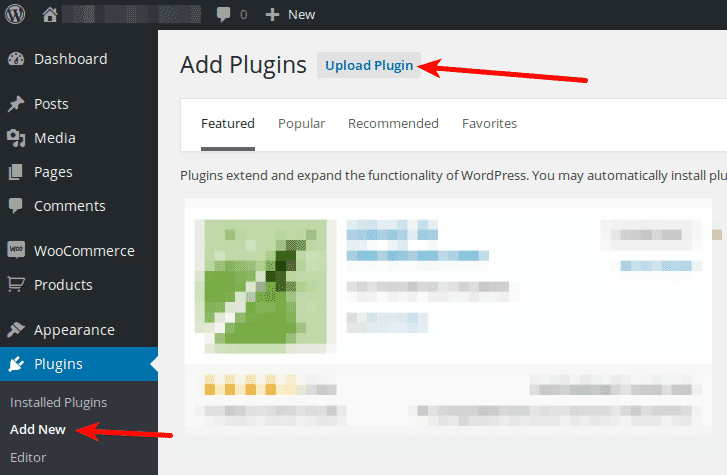
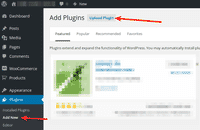 Either upload it via your WordPress admin area. Or unzip the file on your computer and upload the magiczoomplus folder via FTP to /wp-content/plugins/, keeping the file and folder structure intact.
 - Activate the plugin in the 'Plugins' menu of WordPress.
The demo version is now installed! To add zooming to any image, create a shortcode. See detailed steps below.
- Buy Magic Zoom Plus To upgrade your free and fully functional trial version of Magic Zoom Plus (which removes the "Trial version" text), buy Magic Zoom Plus and overwrite following file with the same one from your licensed version:
wp-content/plugins/*magiczoomplus/core/magiczoomplus.js
Video guide
Thanks to Magic Zoom Plus's shortcode, adding zoom & enlarge effects to your WordPress images is effortless:
Create a zoom
Thanks to Magic Zoom Plus's shortcode functionality, image zooms can be inserted easily on any page or post of your WordPress website. To add Magic Zoom Plus with no coding whatsoever, simply choose where you want your zoom effect to go.
-
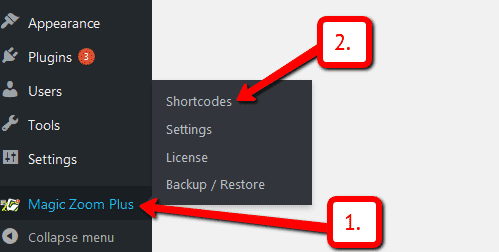
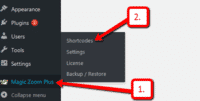 Click Magic Zoom Plus > Shortcodes.
 -
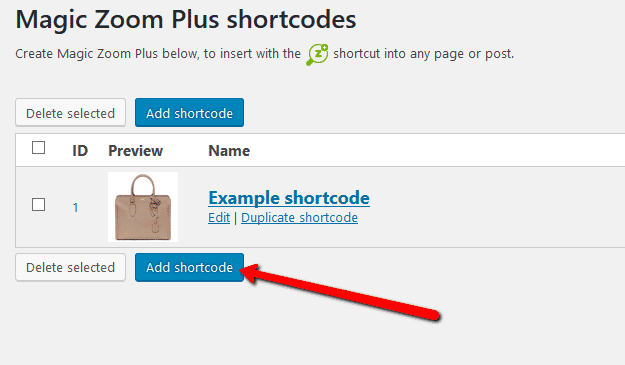
 Click Add shortcode.
 -
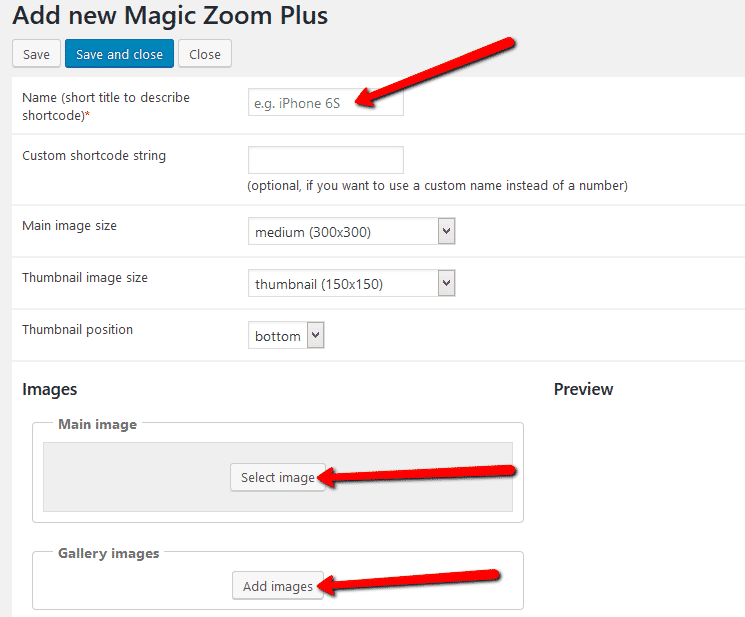
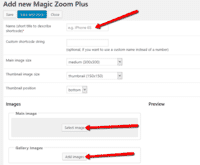 Enter Name > Go to: Main image and/or Gallery images sections > Upload your main image and gallery images. (If you only want to show gallery images, ignore 'Main image' section).
 -
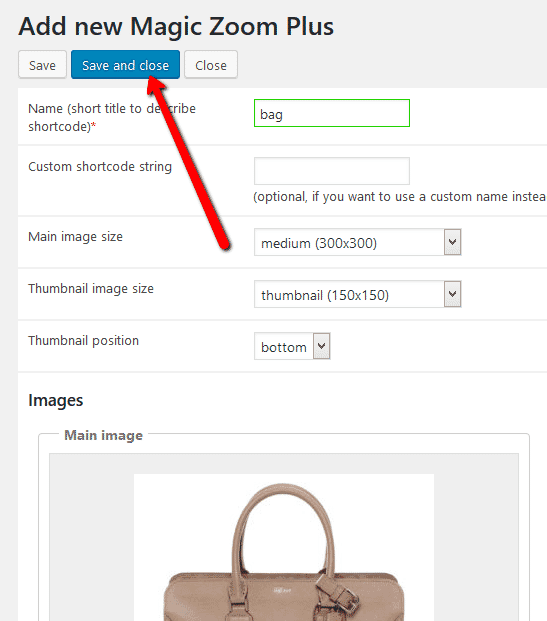
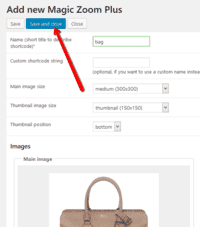 Click Save and close.
 - Open a post or page in WordPress > Place cursor where you want to insert image zoom.
-
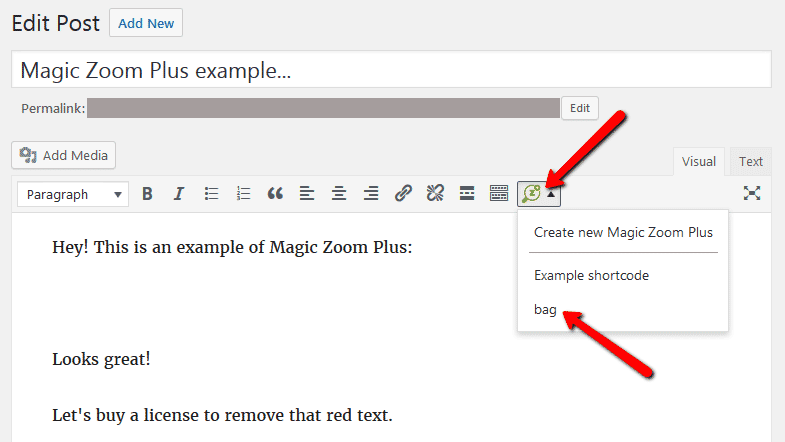
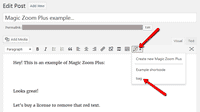 Click Magic Zoom Plus icon > Select name of image zoom you want to insert.
 -
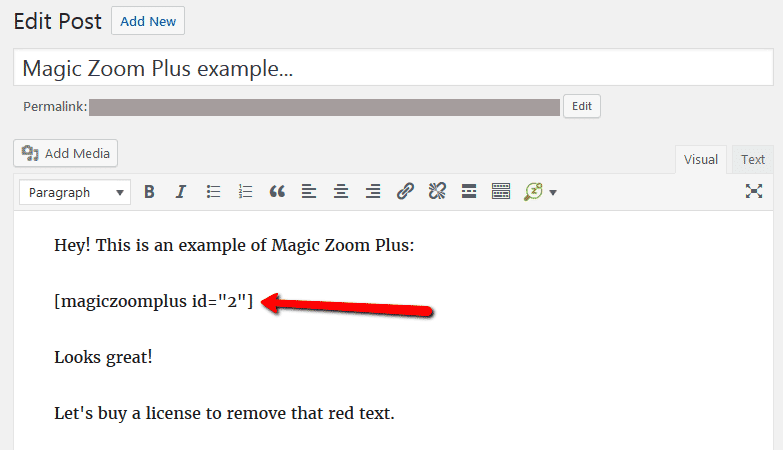
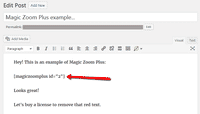 Magic Zoom Plus shortcode will appear on your page.
 -
 Preview page to see zoom working on web page.
 - Create and add as many image zooms to your WordPress site. Enjoy!

Customize
Customize all zooms together or separately. The choice is yours!
-
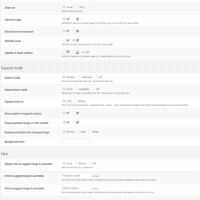 Customize all zooms throughout your WordPress website in a couple of clicks:
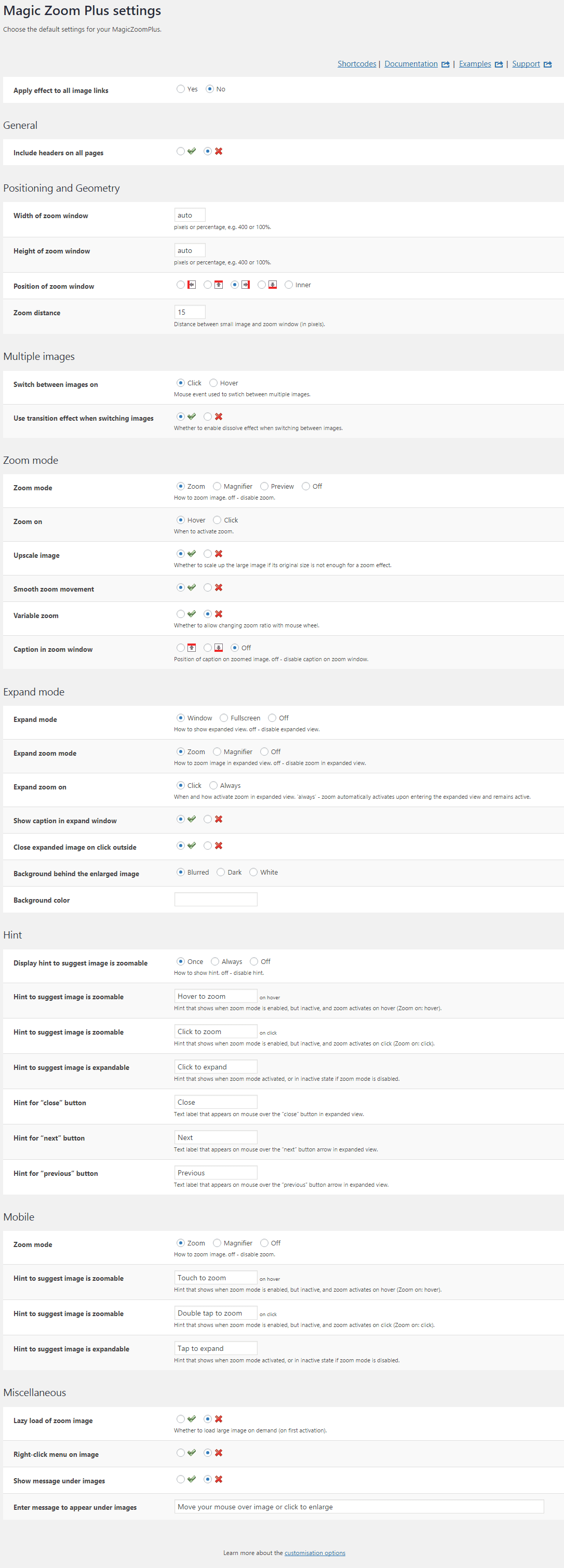
Go to: Plugins > Magic Zoom Plus > Settings. -
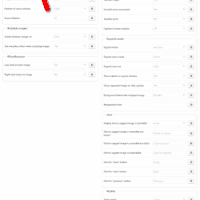 Each zoom can be customized individually directly in the shortcode:
Go to: Magic Zoom Plus > Shortcodes > [your shortcode] > Click 'Use custom settings' > Click 'locked icon' > Select new setting > Save changes.

Combine zoom & video
WordPress users now receive 2 tools in 1: image zoom & video!
Including videos as part of your image gallery has never been easier!




- Make sure Magic Zoom Plus is installed on your WordPress site.
- Open existing shortcode or create a new one.
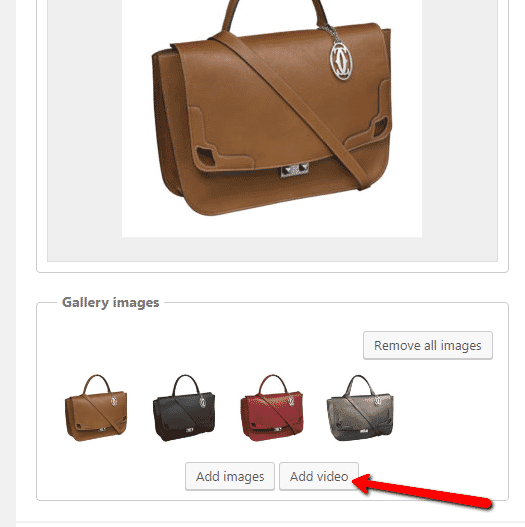
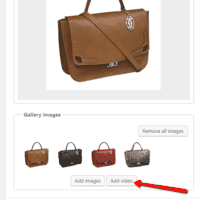 Go to 'Gallery images' section > Click 'Add video' button.
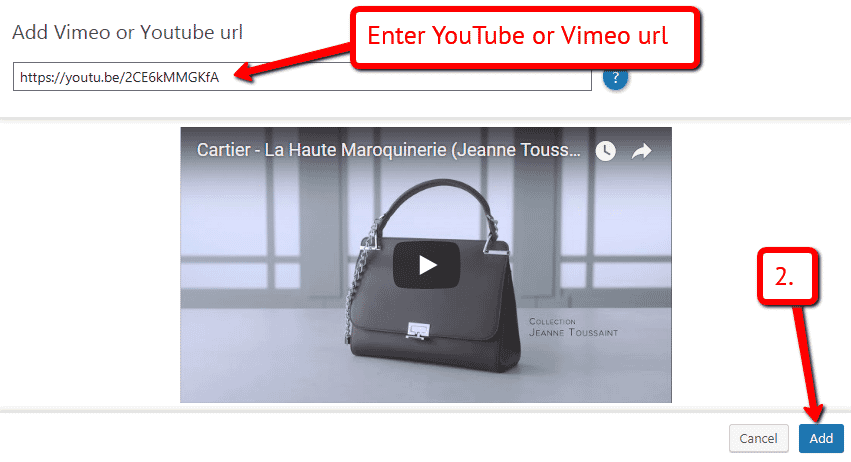
 Enter YouTube or Vimeo video url > Click 'Add' > Save change.
 Refresh web page or insert shortcode into page/post > Video(s) appear as thumbnails on WordPress page.
- That's it!

Live demos

WordPress image zoom benefits
As any photographer knows, creating amazing imagery is a skill. It often takes time and patience. But what happens once you have your incredible photos?
For WordPress websites there are many themes available which have been designed with a specific sector in mind, for example Photography. The design and layout varies from one theme to the next, but what they all have in common is the photos are displayed as static images. Which may be exactly how you want your images displayed on your website. But what if it's not?
Show photos close-up
What if you want your visitors to see every flower petal, every mountain ridge, every detail of your photos?
There are image zoom plugins available for WordPress which do just that. The plugins zoom into your images so the smallest detail is seen by your visitors. The image zoom effect is installed in the Plugins section in your WordPress Admin.
Choose the image zoom plugin that's right for you
As with themes, there are hundreds of image zoom plugins to choose from. On a basic level they all do the same thing: zoom your images. But if you take a closer look, you'll see some image zoom plugins offer a lot more than others.
Magic Zoom Plus is an image zoom plugin for WordPress which was created back in 2009. Continually updated to support the latest devices and web browsers, Magic Zoom Plus offers a variety of settings to customize the image zoom effect exactly as you want.
It's easy to create a zoom effect
Click the 'add shortcode' button and then simply select your photo, or if you want to create a gallery select multiple photos, and choose the gallery size, thumbnail size and thumbnail position you would like. The Magic Zoom Plus shortcode can be inserted into any WordPress page or post from a drop down menu so there is no need to have any coding experience. It couldn't be easier!
Display galleries throughout your WordPress website with the same settings for them all (chosen on the Magic Zoom Plus Settings page), or customize each gallery for a different look and feel. You may have a photo gallery which would suit a circle magnifier zoom effect, no problem! Customize that gallery shortcode directly - click 'Use custom settings' and change the 'Zoom mode' option to 'magnifier' and the magnifier will only show on that particular photo gallery.
Include a video in your image gallery
If you're a photographer who provides a video service too, display your videography alongside your photography in the same gallery. Visitors can then switch effortlessly between your photos and videos and see the quality of work you offer at a glance.
Generate online sales
Selling your landscapes and seascapes online can be big business for photographers. If this is something you're interested in and are using WooCommerce, be sure to install the Magic Zoom Plus WooCommerce plugin. The WooCommerce version of Magic Zoom Plus automatically applies the zoom effect to any images you upload to your products which means you can have zoomable photos on both product and non-product pages of your WordPress website.
Uninstallation
Thanks for trying Magic Zoom Plus on your WordPress site! What did you hope Magic Zoom Plus could do? How can we improve it? Let us know, we're always improving our tools based on customer feedback.
- Delete Magic Zoom Plus code from your content.
- Go to the Plugins menu of WordPress > 'Magic Zoom Plus for WordPress' plugin > Click 'Deactivate'.
- Once page has refreshed, go back to 'Magic Zoom Plus for WordPress' plugin > Click 'Delete' > Click 'Yes, delete these files'.
- Magic Zoom Plus is now uninstalled.