
 Zara 2014
 Zara 2014
 Zara 2014
 Zara 2014
 Zara 2014
 Zara 2014
 Zara 2014
 Zara 2014
 Zara 2015
 Zara 2015
 Zara 2015
 Zara 2015
 Zara 2015
 Zara 2015
 Zara 2015
 Zara 2015
 Zara 2015
 Zara 2015
No coding required.
Use your Magic Scroll extension almost anywhere on your Magento site.
You can even apply different carousel options to each page or block.
- Product details page
- Home page (Magento 1.x)
- Recently viewed products (Magento 1.x)
- CMS pages (Magento 1.x)
- Manual install elsewhere
Supported pages & blocks
Supported features
- Multiple images (uploaded with the default Magento image manager)
- Multi-language (different locales)
- Different configs for different themes
- Show additional selectors on category page
- Magento image clipped can be ignored
- Native Magento watermarks
- Can be used with our other Magento modules
- Enterprise: 2.4.x, 1.11.x - 1.14.x
- Community: 2.4.x, 1.4.x - 1.9.x
The rock solid Magento platform lets you show an unlimited number of images per product. That's good news because studies repeatedly show that websites with more product images get higher conversions. But displaying so many product images on one page can look messy.
This elegant image scroller extension will keep your Magento product images looking fabulous. You will avoid having a cluttered page. Instead, you can show any number of images, neatly accessible in an image slider.
It works on mobiles, tablets and desktops, in every browser. It's totally customizable, so you can choose the size, style, speed and behaviour to suit your page. All easily done in seconds via the Magic Scroll extension settings page.
Use it wherever you need. Not just the product page but also on category pages, the home page, the search results page, bestsellers and anywhere else where a cool image slider is needed. Start now - download the free trial version today.
Verified by Magento:
Read reviews of Magic Scroll on the official marketplace for Magento 1.x and Magento 2 extensions.
Rating 
Key features
Works with all versions of Magento
Magic Scroll works flawlessly with every Magento version: Magento 1.x CE and EE, Magento 2.x CE and EE. Get started with Magic Scroll in minutes!Custom settings per page
Place image carousels on all kinds of pages and blocks. Each location can have its own settings, easily configured with 16 popular options.Cached for fast loading
Smart image caching keeps your images ready to be quickly served, for a fast experience.Brand your images
Easily add your logo or watermark to images. Brand images as your own and protect them from copyright theft.Go the extra mile in Google
SEO-friendly URLs mean your images will always be spidered by Google, to help bring you new visiors.
Live demos

Screenshots
Installation
Magento 1.x reached end-of-support on June 30, 2020. New features will not be added to our Magento 1 extensions after this time.
- Download Magic Scroll for Magento (free and fully functional demo version).
- Unzip the file on your computer and FTP the magicscroll folder to your Magento directory (on your server), keeping the file and folder structure intact.
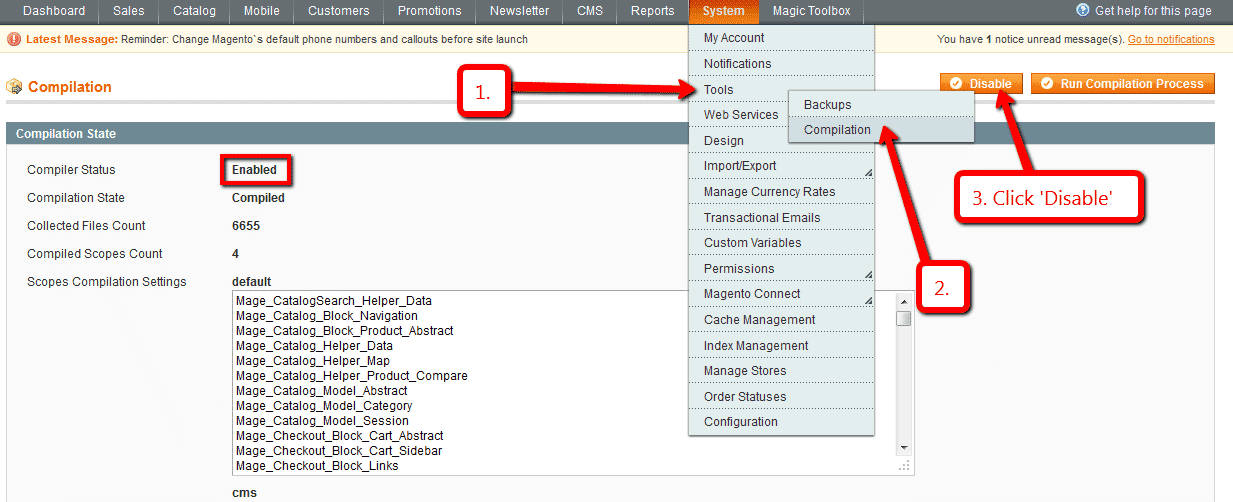
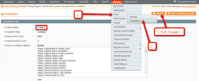 If you use Magento Compiler, disable it System > Tools > Compilation > Disable.
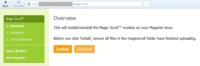 Go to http://www.yoursite.url/magicscroll/ in your browser > click 'Install' (replace yoursite.url with your domain name).
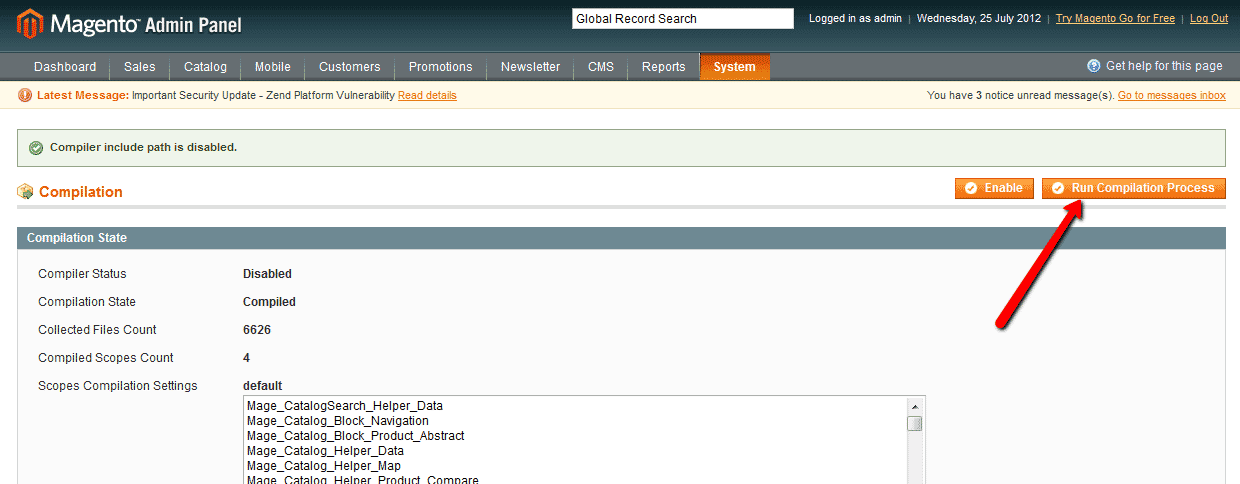
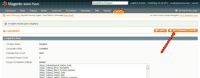 If you use Magento Compiler, click 'Run Compilation Process'.
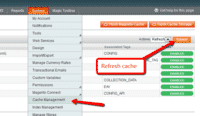 Go to System > Cache Management > Select All and refresh the cache.
- The demo version is now installed!
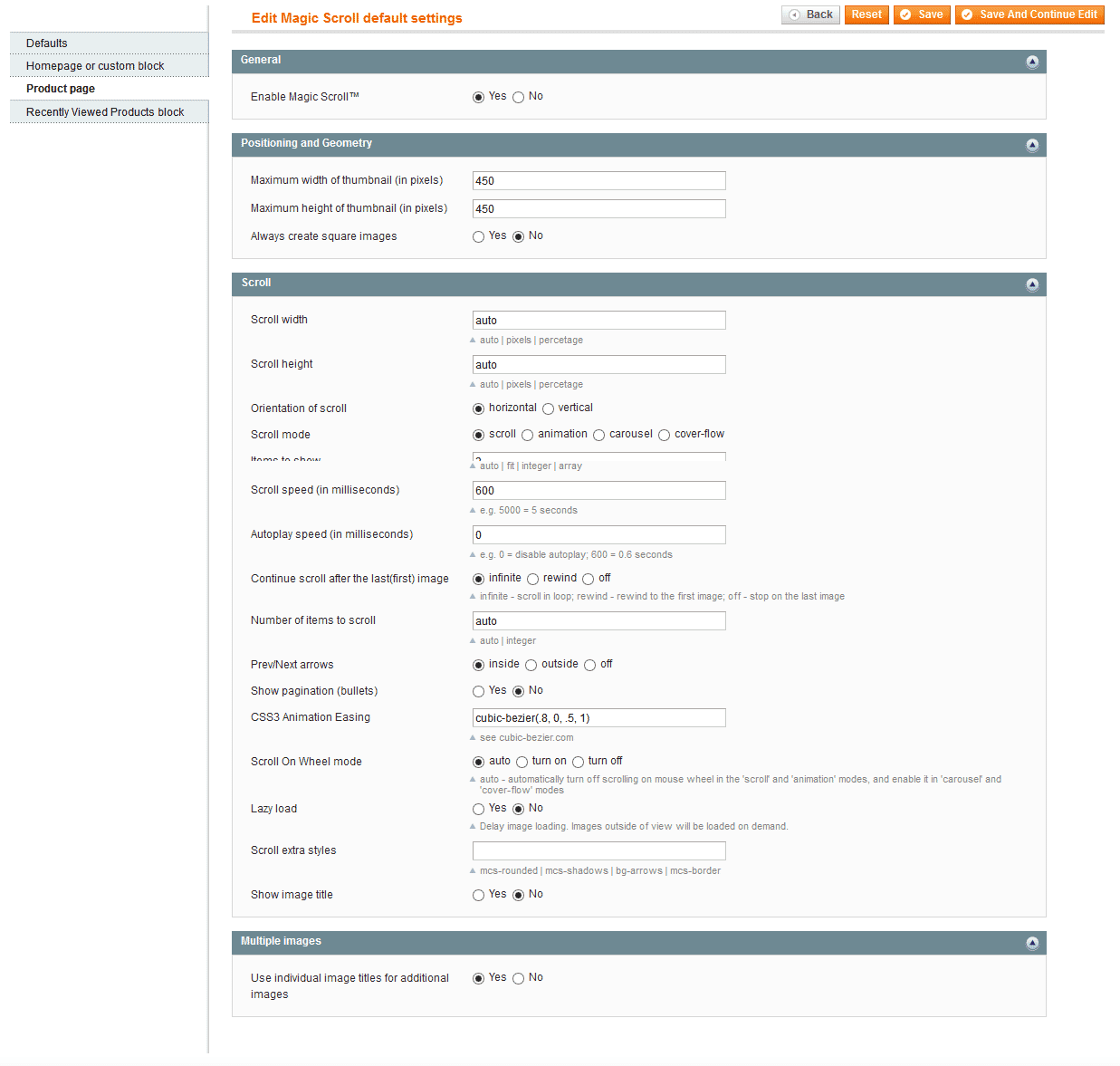
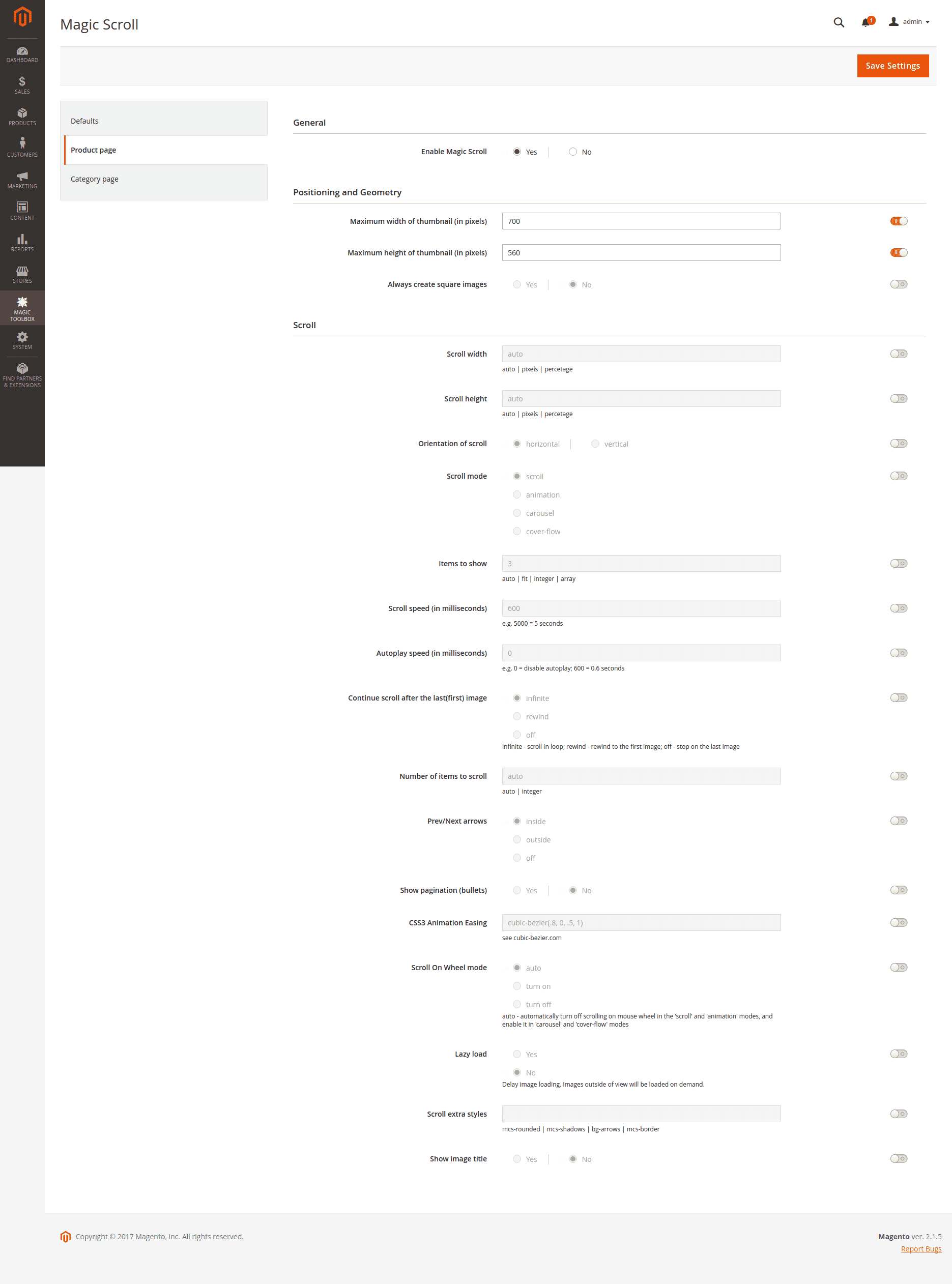
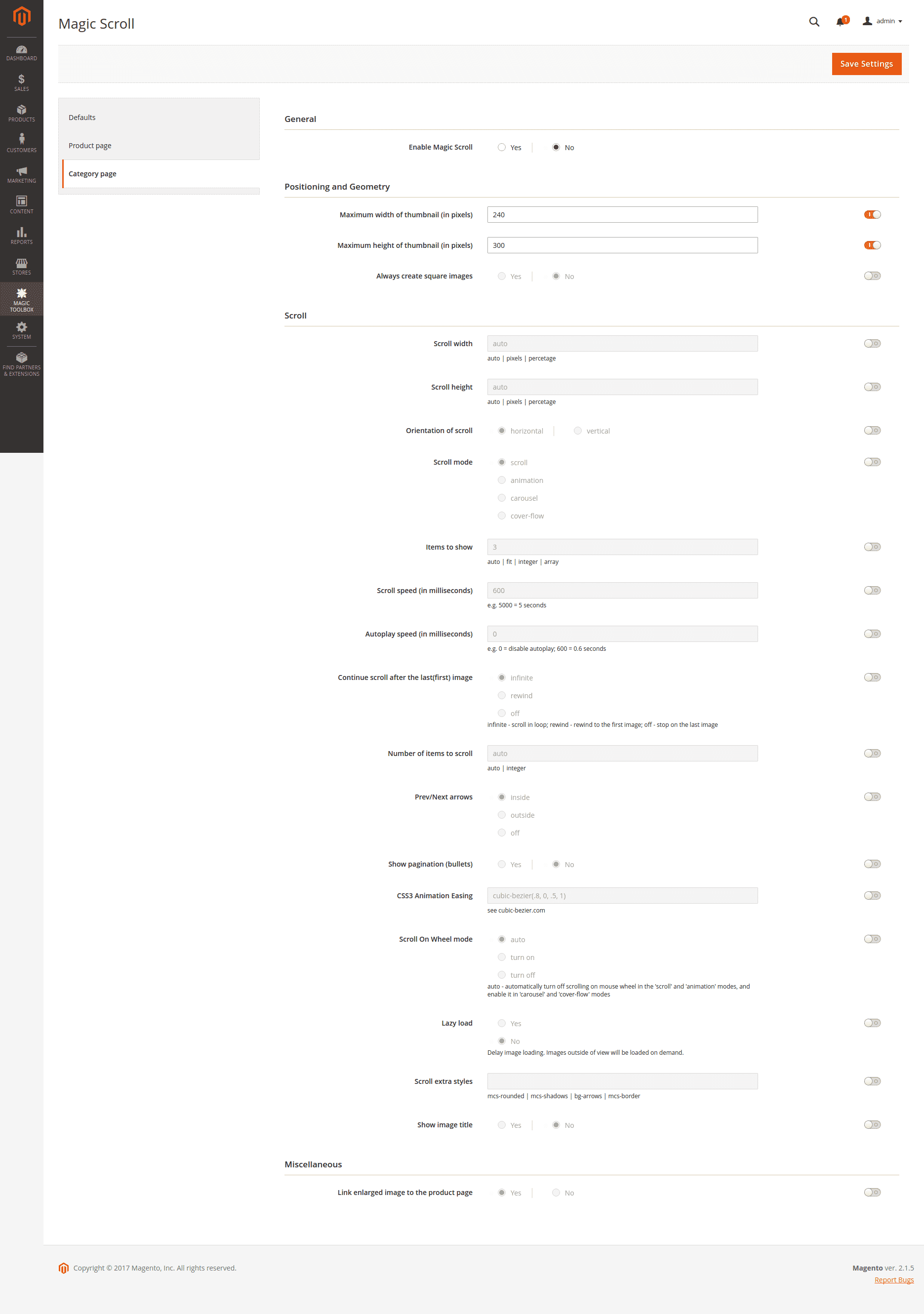
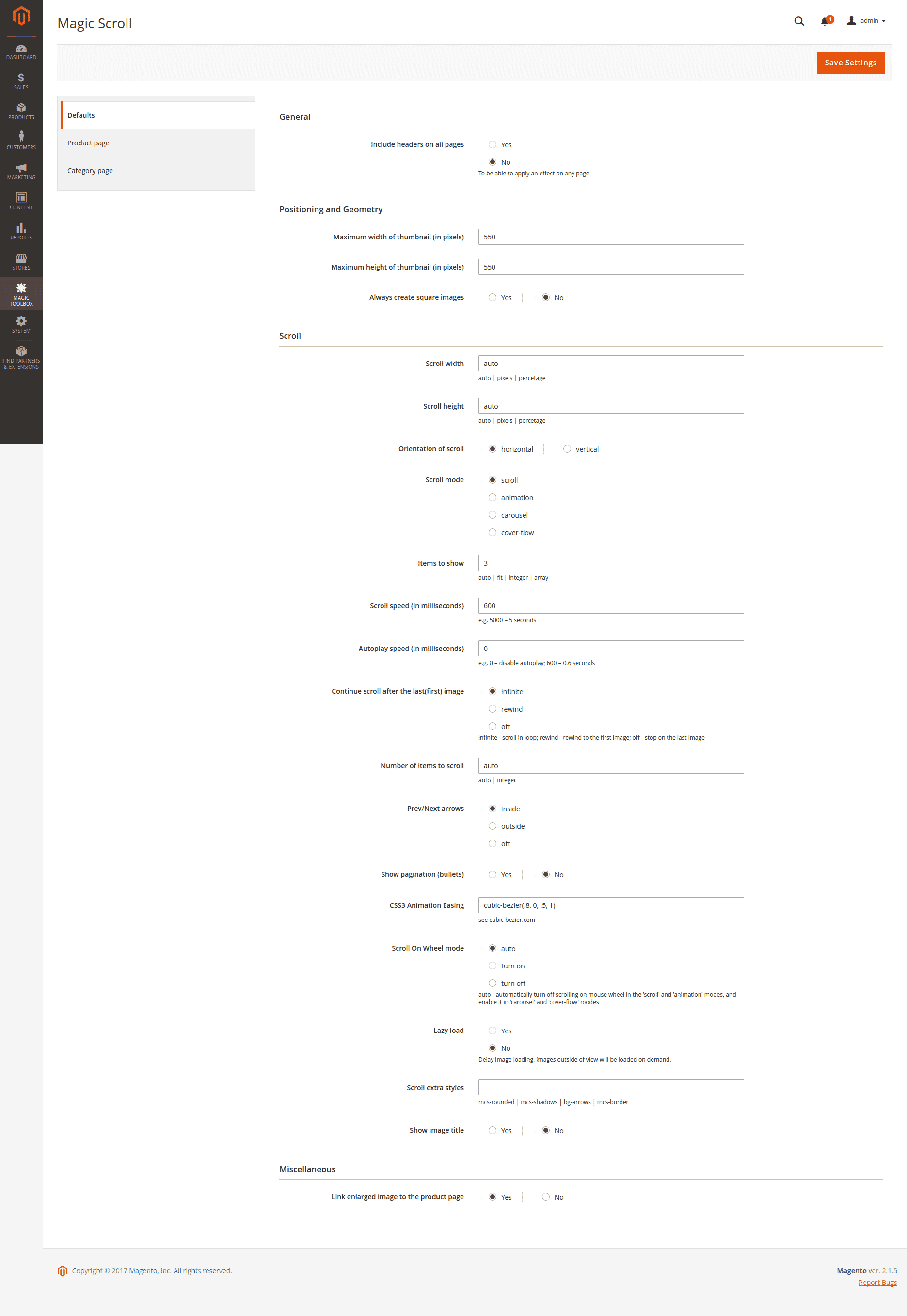
 Customize the Magic Scroll extension through the Magic Toolbox > Magic Scroll settings > Default settings menu in your Magento admin panel.
-
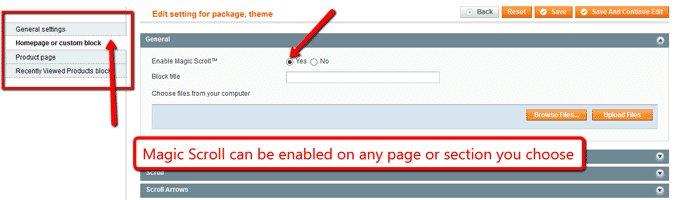
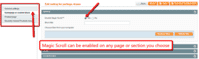 Magic Scroll can be enabled on any page or section you choose.
 - Buy Magic Scroll To upgrade your version of Magic Scroll (which removes the "Trial version" text), buy Magic Scroll and overwrite following file with the same one from your licensed version:
/skin/frontend/[your_interface]/[your_theme]/js/magicscroll.js



- Download Magic Scroll for Magento 2 (free and fully functional demo version).
- Unzip the file on your computer and FTP the 'app' folder to your Magento directory (on your server), keeping the file and folder structure intact.
Activate module from command line:
#List all modules php -f bin/magento module:status #Enable Magic Scroll module php -f bin/magento module:enable MagicToolbox_MagicScroll --clear-static-content #Run database installation upgrades php -f bin/magento setup:upgrade #Remove previously compiled classes rm -rf var/generation #Compile (only needed in Production Mode) php -f bin/magento setup:di:compile #Deploy Static Content (only needed in Production Mode) php -f bin/magento setup:static-content:deploy- The demo version is now installed.
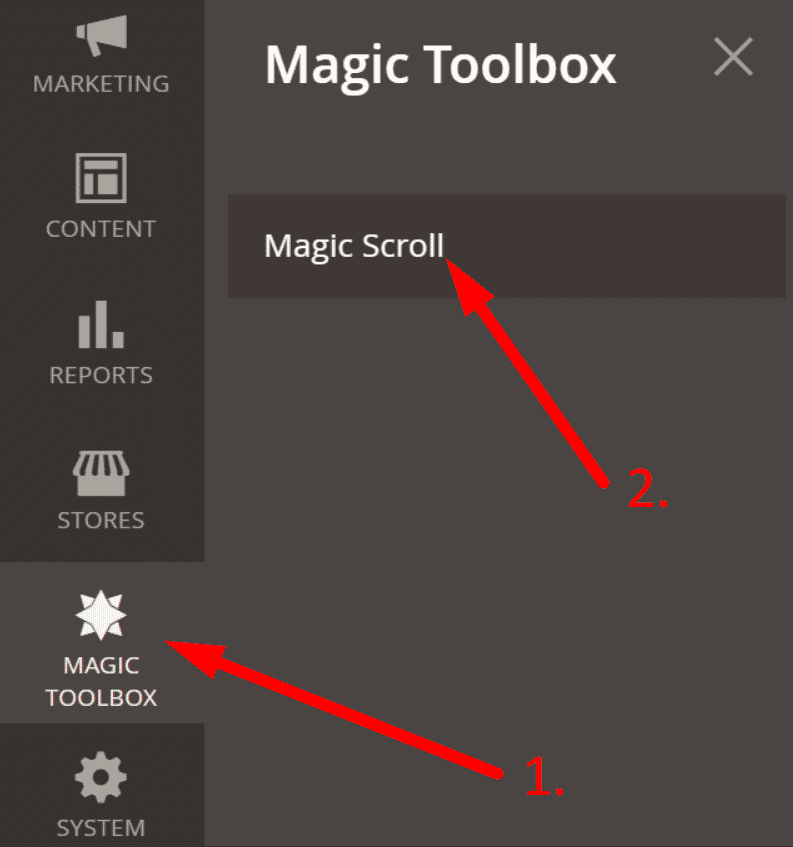
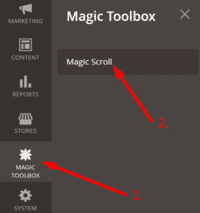 Customize Magic Scroll settings to suit your needs - go to the [Magic Toolbox > Magic Scroll] menu in the Magento admin panel.
- If you need help, please send questions to our support team. Include your page URL and if you'd like us to make changes, a login to your Magento admin. We reply to every email as quickly as possible (Monday-Friday, 9am-5pm UTC).
- Buy Magic Scroll
To upgrade your version of Magic Scroll (which removes the "Trial version" text), buy Magic Scroll and overwrite following file with the same one from your licensed version:
app/code/MagicToolbox/MagicScroll/view/frontend/web/js/magicscroll.js
Multiple images
Swapping between the main product image and thumbnail images is a standard feature of our Magento image zoom tools (Magic Zoom Plus, Magic Zoom & Magic Thumb). But what happens when you have lots of images for the same product? An easy way to keep thumbnail images contained is to use Magic Scroll.
Magic Scroll allows customers to scroll through each product image using arrows. It's the perfect way to keep any product page layout looking slick.
The example below shows Magic Zoom Plus combined with Magic Scroll:









To achieve this look, simply:
- Install and buy Magic Zoom Plus for Magento.
- Activate Magic Scroll option on the Magic Zoom Plus settings page in Magento.
- To remove the Magic Scroll trial version message, buy discounted license from Magic Zoom Plus order page:
a) Log in to your Magic Toolbox Account.
b) Click 'Download/View' button next to your Magic Zoom Plus order.
c) Click orange button: Purchase Magic Scroll 35% discount (pay £18.85 instead of £29).
d) Follow payment process. - Download magicscroll.js file from your license and upload to /skin/frontend/[your_interface]/[your_theme]/js/magicscroll.js (app/code/MagicToolbox/MagicZoomPlus/view/frontend/web/js/magicscroll.js for M2) on your server.
- Clear browser cache. The 'Trial version' message will disappear.
Home page carousel
Magento 1.x stores
Add a slider to your Magento 1.x home page with the easy-to-use Homepage or custom block dedicated settings page:
- Go to Magic Toolbox > Magic Scroll settings > Default settings menu.
- Enable Homepage or custom block section.
- Select Browse files and browse your computer for your set of carousel images > Click Upload files > Save changes.
- Your carousel is now working! The scroll block will now display on your home page, before the main content area.
- To set a specific carousel size, change Scroll width (pixels) and Scroll height (pixels) options.
- Enjoy 20 carousel customizations. Try them all and see which works best for your site.
Magento 2 stores
There is no dedicated home page settings page for Magento 2 but you can still create an amazing slider on the homepage of your store using HTML.
In your home page content area or template, create a div with a class of MagicScroll. Sliders can have as many images as you want. Here is a scroll of 7 images, each linking to a URL:
<div class="MagicScroll">
    <a href="/page-1/"><img src="example1.jpg"></a>
    <a href="/page-2/"><img src="example2.jpg"></a>
    <a href="/page-3/"><img src="example3.jpg"></a>
    <a href="/page-4/"><img src="example4.jpg"></a>
    <a href="/page-5/"><img src="example5.jpg"></a>
    <a href="/page-6/"><img src="example6.jpg"></a>
    <a href="/page-7/"><img src="example7.jpg"></a>
</div>
Customize the slider as you wish using Magic Scroll's HTML settings.
Custom block carousel
You can use a custom scroll block to create sliders on another page instead of your homepage. To create a custom scroll block, open this file:
app/design/frontend/[your_interface]/[your_theme]/layout/magicscroll.xml
and alter this block:
<reference name="content">...</reference>
in this section of the file:
<cms_page>...</cms_page>
CMS page carousel
Add an image carousel to any CMS page on your Magento store:
- On the Magic Scroll extension settings page, set the 'Include headers on all pages' parameter to 'Yes' (under the Defaults settings tab).
- Go to your admin panel > CMS > Pages. Add a new page or select an existing page.
- On the 'Content' tab click on the 'Show/Hide Editor' button to disable the editor.
- Insert Magic Scroll anywhere in the code. It requires a div with a class of MagicScroll and all your carousel images inside. For example:
<div class="MagicScroll">
<a href="page1.html"><img src="example1.jpg"></a>
<a href="page2.html"><img src="example2.jpg"></a>
<a href="page3.html"><img src="example3.jpg"></a>
<a href="page4.html"><img src="example4.jpg"></a>
</div>
- Click 'Save Page'.
- Click 'Preview' to see your scroll in action!
- Visit the detailed instructions for changing the options of your carousel - mode, orientation, size, autoplay etc.
Multi-language
You can change the language of the message and loading text like so:- Find the locale folder for the language you wish to change e.g. /app/locale/en_US.
- Open the file Mage_Api.csv into the editor and insert these lines at the and of the file:
- Continue these steps for each locale you wish to change.
Magento carousel benefits
What do Amazon, Nike and eBay all have in common? They are all global online retailers; They are all billion dollar businesses and they all use image carousels on the website homepage.
In fact as of writing, Amazon UK uses 10 image carousels on its Homepage. As a company known for its A/B testing, the fact that Amazon has 10 image carousels on its homepage speaks volumes.
Why you should use a Magento product carousel
Clicking away from a homepage takes physical and mental energy. Energy which humans quite frankly prefer to save, whether they realise it or not.
The human mind looks for the easiest way to achieve the goal using the least amount of effort.
The fact is, using carousels on a homepage puts the User in control. A lot of content is displayed in an organised way which helps the User make an informed choice on the same page without using any extra effort.
Versatile slider effects
With 4 available design styles, you can create an image carousel to suit your product content and the web page it will be shown on.
- Scroll - the classic carousel scroll.
- Cover-flow - stacks images side by side with a reflection below.
- 3D carousel - displays images in a 3D circle with a reflection below.
- Animated - the entrance and exit effects are animated. Choose from slide or bounce.
The benefit of having 4 slider effects means each section of the Magento store you choose to use the product carousel on can look different from the rest of your store.
- Magento 2 = Product page, Category page Magento 1 = Homepage, Product page, Recently viewed products block
The Cover-flow carousel looks fun across the full width of your Magento page, while the traditional Scroll looks perfect for scrolling product thumbnails.
Customize
Easily customize how you want your image carousels to look. Each section has a designated Settings page, which lists over 20 options for you to choose from. As well as choosing from the main Scroll, Cover-flow, 3D carousel and Animated effects another popular option is to set your carousels to play automatically so customers can immediately see you have more content to show them. This is controlled by the Autoplay speed (in milliseconds) option and you can enter any speed you wish. An example would be if you wanted the speed to be 0.6 seconds, go ahead and enter '600' in the field.
Save money
If you're a Web Developer or Magento Agency buy your licenses in bulk and save money, as each of our multi-site licenses have discounts automatically added to them. Choose from 5-site (£95), 10-site (£175) and Unlimited (£399) licenses.
Support
Our support is fast and friendly, so get in touch with any questions about Magic Scroll. If you experience a compatibility issue, no problem! Let us know and we'll investigate & fix the issue within 24 hours. We've got your back!
Uninstallation
Thanks for trying Magic Scroll on your Magento site! What did you hope Magic Scroll could do? How can we improve it? Let us know, we're always improving our tools based on customer feedback.
- If you use Magento Compiler, disable it System > Tools > Compilation > Disable.
- Go to System > Cache Management > Select All and disable the cache.
- Go to http://your.site.url/magicscroll/ in your browser and click 'Uninstall' (replace yoursite.url with your domain name).
- If you use Magento Compiler, click 'Run Compilation Process'.
- Go to System > Cache Management > Select All and refresh / enable the cache.
- Delete the magicscroll folder from the root of your Magento directory (on your server).
- Magic Scroll is now uninstalled.
Deactivate module from command line:
php -f bin/magento module:disable MagicToolbox_MagicScroll --clear-static-content
- Delete folder with module from your Magento directory (on your server).
- Magic Scroll is now uninstalled.
FAQ
Is Magic Scroll compatible with Hyvä theme?
A small customization is required to make Magic Scroll compatibile with Hyvä on your Magento 2 store. Please send login details (FTP/SFTP & Admin area) and we will do this for you (free of charge).Can I change background colour of carousel?
Yes! By default, the Carousel & Cover-Flow modes use a grey/black background colour. You can change the Hex Colour to anything you want. With over 16,000 hex colours available, you'll be spoilt for choice. Simply add the CSS code you need to the Magic Scroll CSS file.
Carousel background
.MagicScroll[data-mode="carousel"] {
    background-color: <your-colour>;
}
Cover-flow background
.MagicScroll[data-mode="cover-flow"] {
    background-color: <your-colour>;
}
Customer reviews
Tom
Also answered a few questions we had to follow up.
These extensions have so many features that you are spoiled for choice.
Recommended.
Max Q Designs
Customer Service was excellent, they asked what my needs were and advised me based on their knowledge and experience. It actually saved me money, you don't find that very often these days.
A special thanks to Paula for the ultra fast responses and top notch advise.
Andy
Marie, peche-en-riviere.fr
Lauri Abeyta, north40.com
Submit your review
Your review has been received and will be posted soon.
Other Magento extensions
Try our other great image effects!
 Magic Zoom
 Magic Zoom Plus
 Magic Thumb
 Magic 360
 Magic Slideshow
This JavaScript carousel extension has been created for use on Magento. The script lets you choose how many images to show, the speed, the duration of the carousel, direction (top, right, bottom, left) and links to other pages. It uses CSS to control borders, colors, padding, margin and the arrows.
Perfect for showing related products, recently viewed items, new products, "people who bought this also bought". Also ideal for scrolling lots of alternative images of a product - it saves space, looks neat and tidy, feels great to use.
The Magento module is built with JavaScript and CSS. Contact us if you need any help with it.