
No coding required.
Use your Magic Thumb extension almost anywhere on your Magento site.
You can even apply different zoom options to each page or block.
- Product details page
- Category page
- New products block (Magento 1.x)
- Recently viewed products (Magento 1.x)
- CMS pages (Magento 1.x)
- Manual install elsewhere
Supported pages & blocks
Supported features
- Multiple images (uploaded with the default Magento image manager)
- Multi-language (different locales)
- Product options (use different images for each option value, by "Drop-down" and "Radio Buttons")
- Different configs for different themes
- Show additional selectors on category page
- Magento image clipped can be ignored
- Native Magento watermarks
- Can be used with our other Magento modules
- Enterprise: 2.4.x, 1.11.x - 1.14.x
- Community: 2.4.x, 1.4.x - 1.9.x
Are you looking for a way to display both product images and videos in Magento? You’re in luck. Magic Thumb gives your visitors a chance to enjoy your high-resolution product imagery alongside product videos in a good-looking lightbox.
Product videos increase conversion rates by a significant amount. According to various studies, people who watched product explainer videos were 144% more likely to make a purchase (source).
Magic Thumb is activated on-click or on-hover and supports dozens of transition effects. Choose from over 40 other customization options, easily controlled by its very own settings page. Increase your sales now – try Magic Thumb for free.Verified by Magento:
Read reviews of Magic Thumb on the official marketplace for Magento 1.x and Magento 2 extensions.
Key features
#1 Magento image lightbox with video support
Lovingly refined for 8 years, Magic Thumb for Magento is constantly improved with new features. It's guaranteed to support all existing & future Magento versions, making it 100% compatible with both Magento 1 and Magento 2.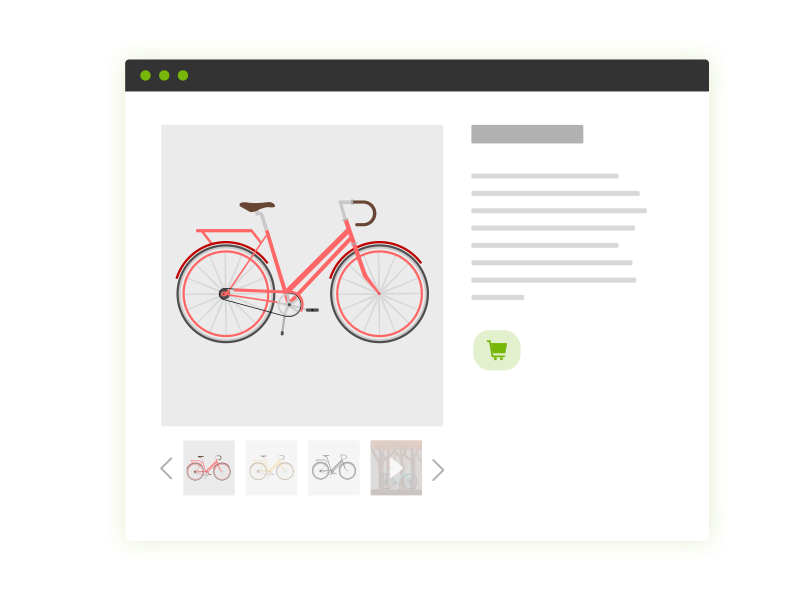
Fast-loading
Magic Thumb caches images to make your website load faster. For even faster page load, enable lazy loading to only fetch the large image upon request.Great for SEO
This lightbox extension supports SEO-friendly URLs, to help Google index your images and show them in search results.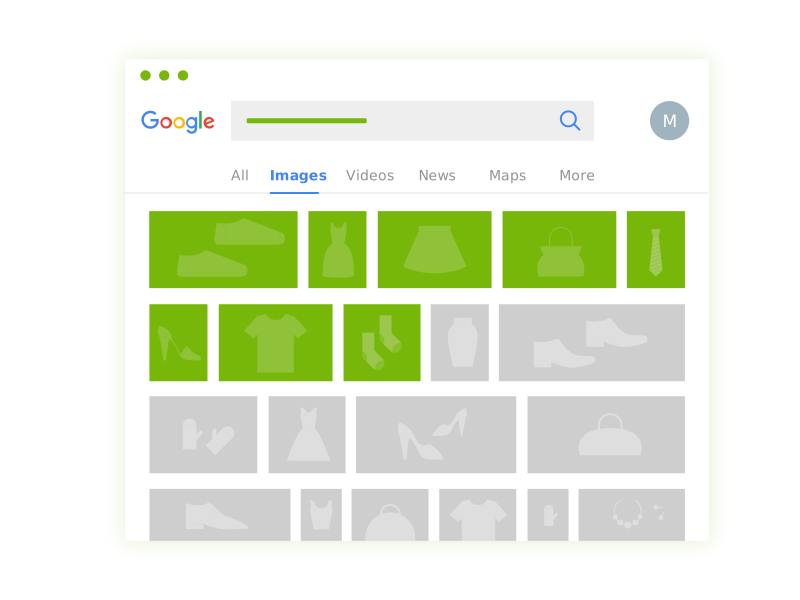
Looks great on all devices
Feels wonderful to use on mobiles and tablets, with tap and swipe gestures to enlarge and swap images. Also supports retina screen displays by serving hi-res images.All Magento versions supported
Full support of Magento 1.x, 2.x, CE and EE. Install it in just 1 minute. Simply upload and enable the extension in Magento. Enjoy more than 30 customisations to make it exactly how you want it. Email our expert support team any questions.Anti-plagiarism
Don't risk your product images being taken and used on other websites. Easily apply watermarks to your Magento images.Live demos

Screenshots


Installation
Magento 1.x reached end-of-support on June 30, 2020. New features will not be added to our Magento 1 extensions after this time.
- Download Magic Thumb for Magento (free and fully functional demo version).
- Unzip the file on your computer and FTP the magicthumb folder to your Magento directory (on your server), keeping the file and folder structure intact.
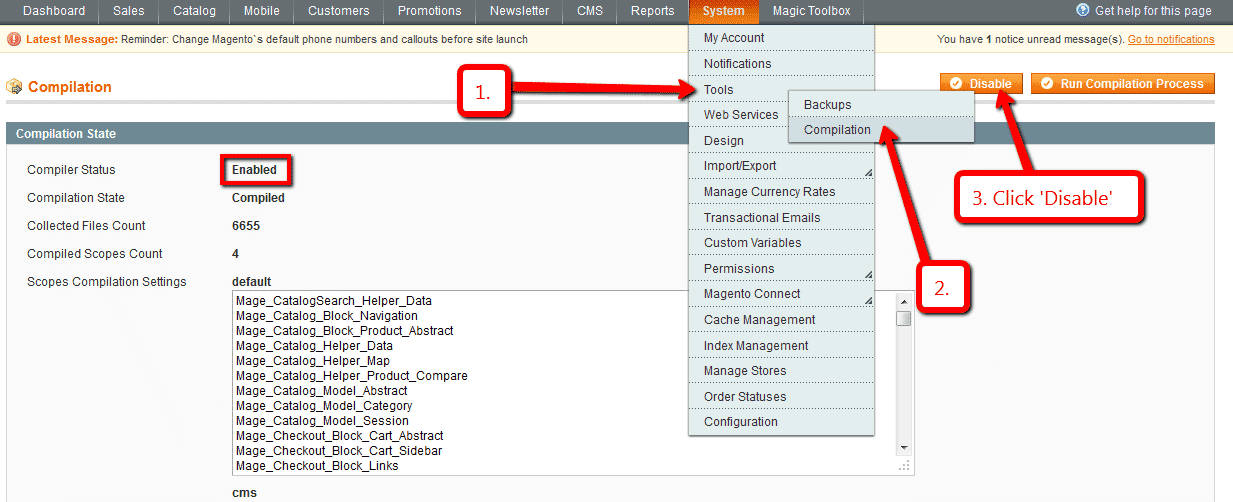
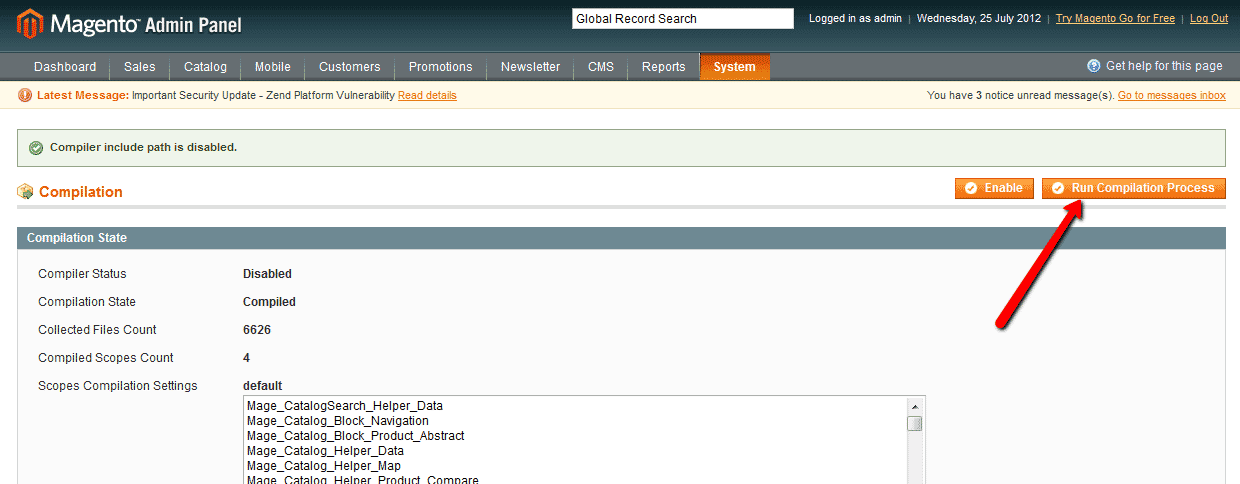
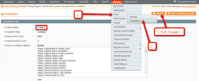 If you use Magento Compiler, disable it System > Tools > Compilation > Disable.
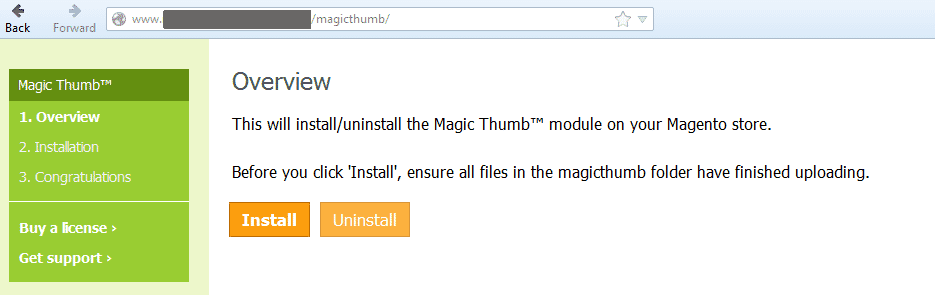
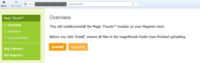 Go to http://www.yoursite.url/magicthumb/ in your browser > click 'Install' (replace yoursite.url with your domain name).
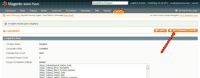 If you use Magento Compiler, click 'Run Compilation Process'.
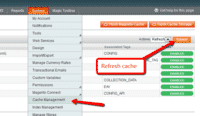 Go to System > Cache Management > Select All and refresh the cache.
- The demo version is now installed!
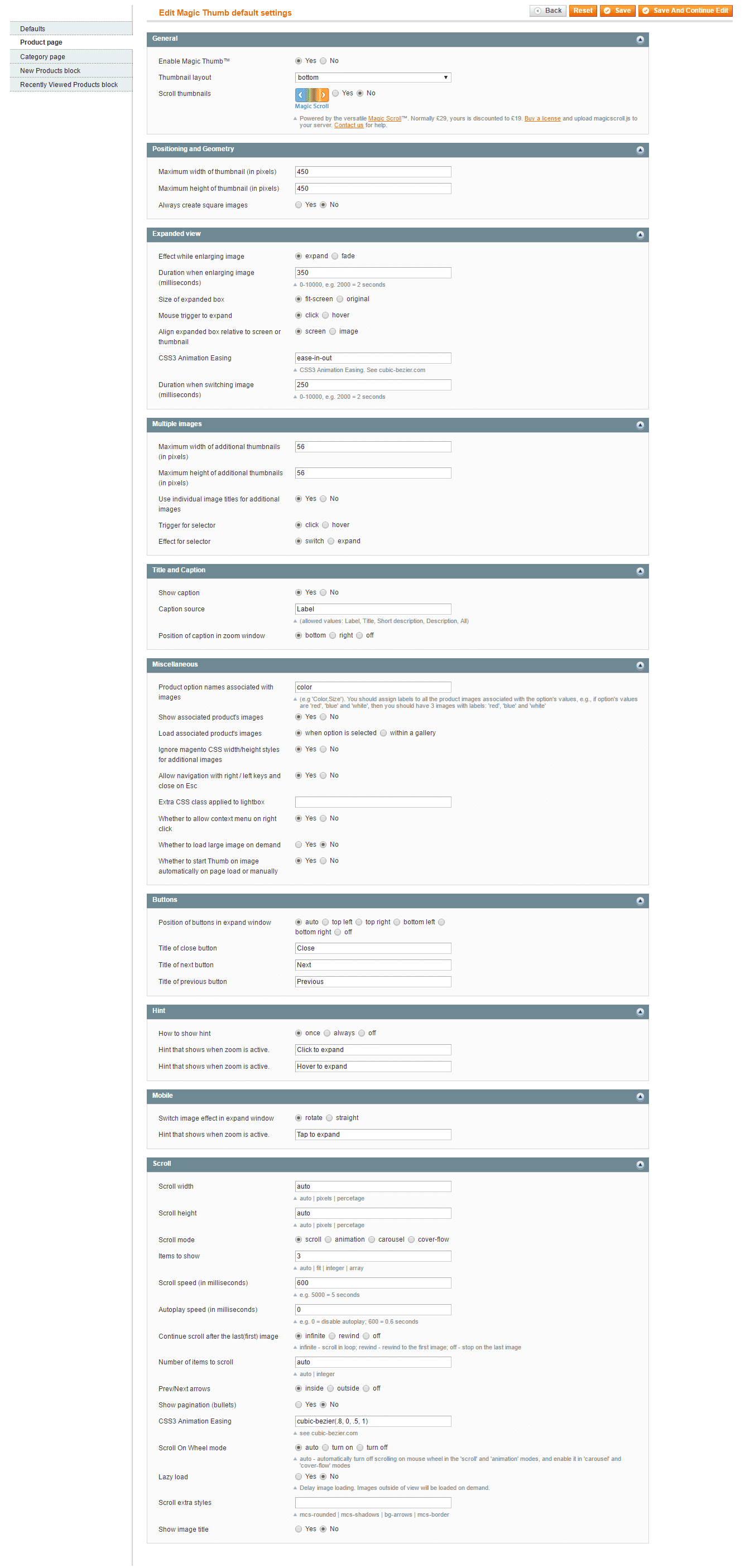
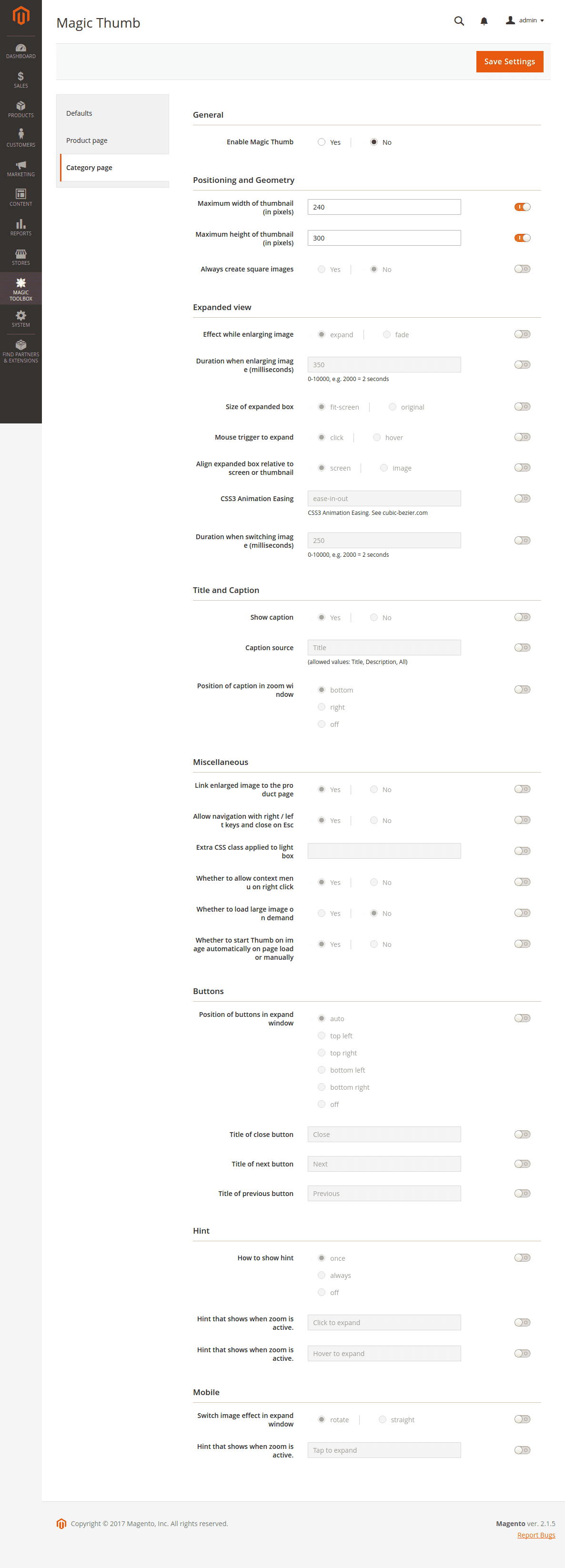
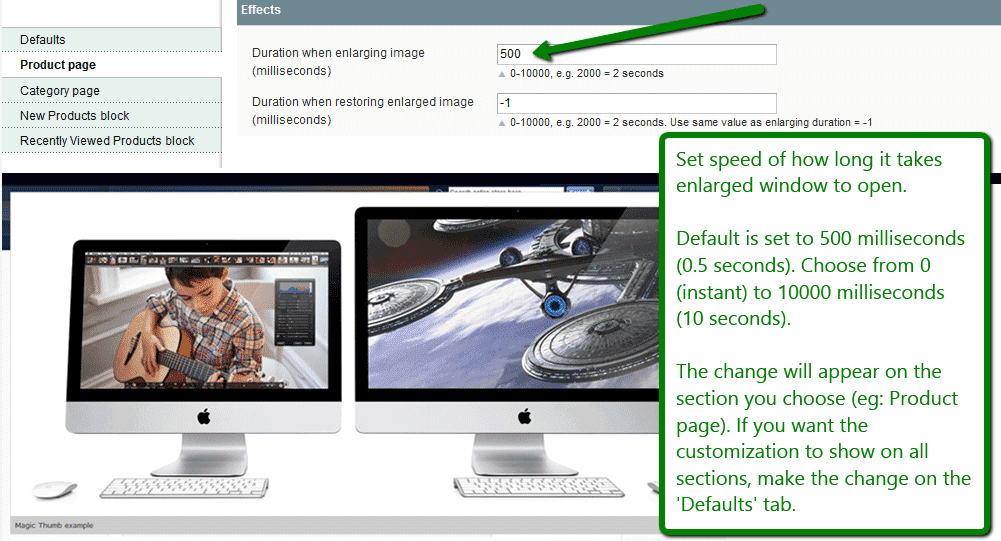
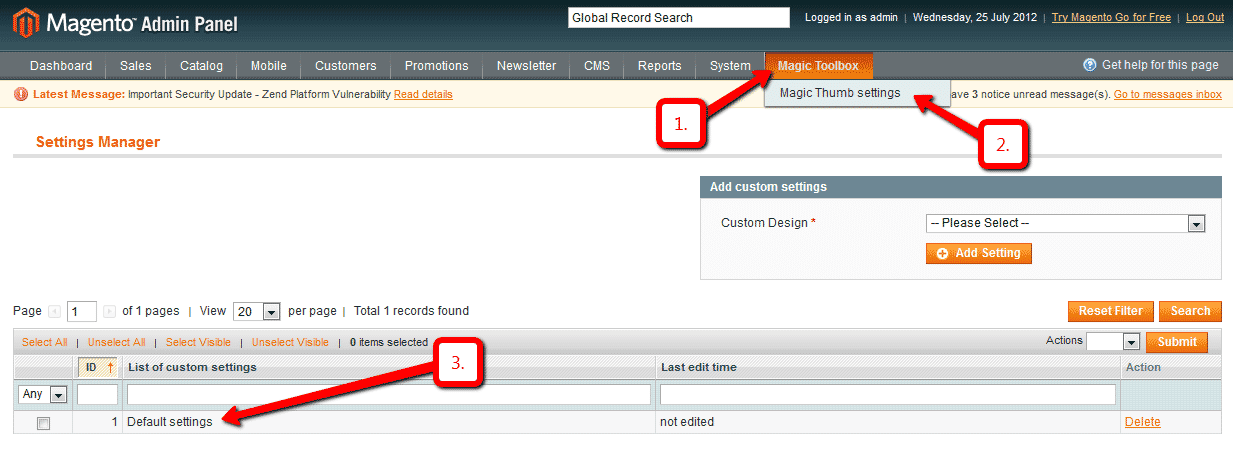
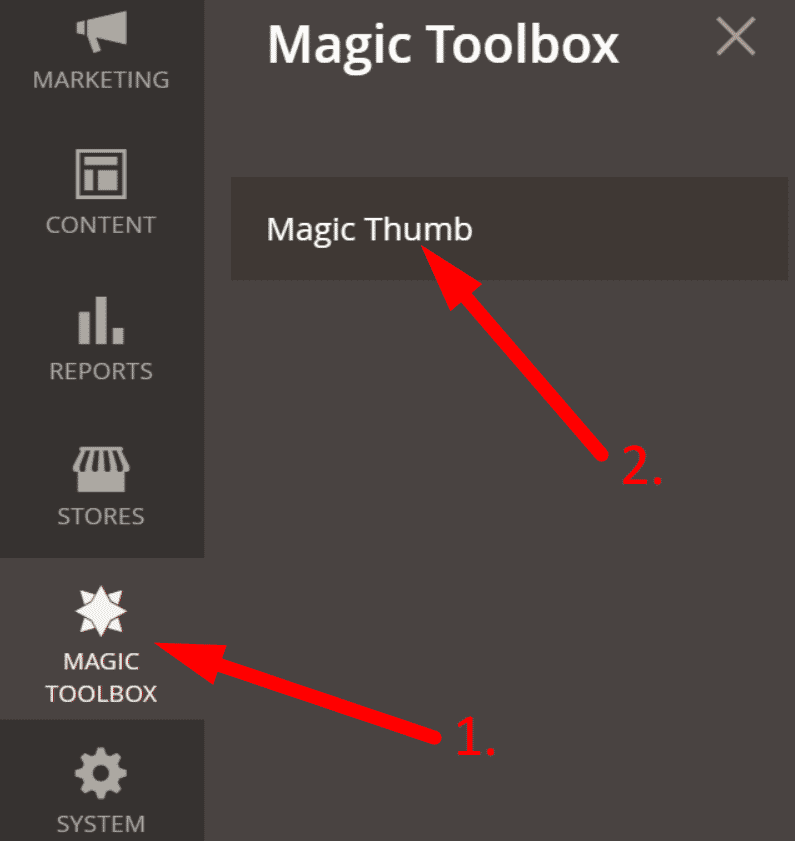
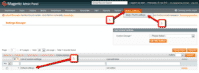 Customize the Magic Thumb extension through the Magic Toolbox > Magic Thumb settings > Default settings menu in your Magento admin panel.
-
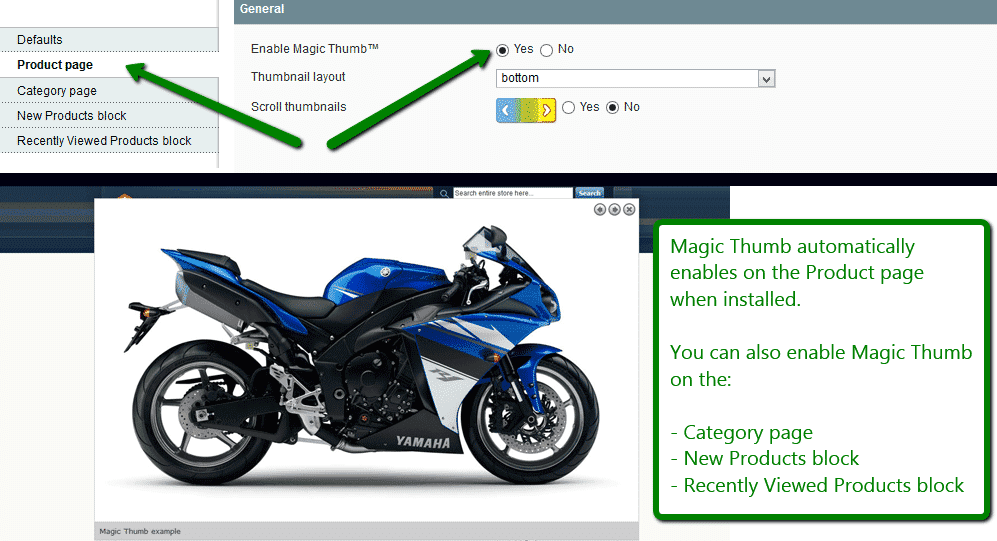
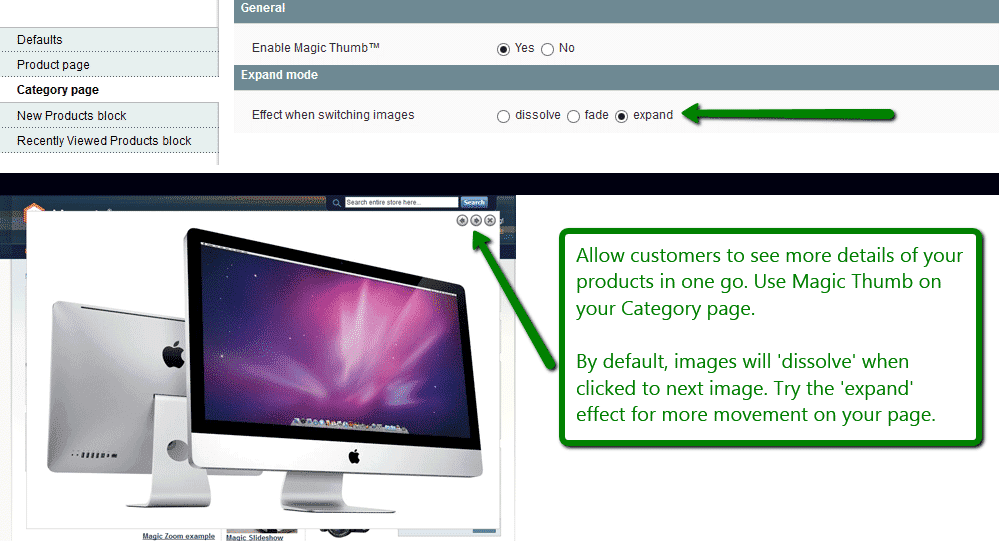
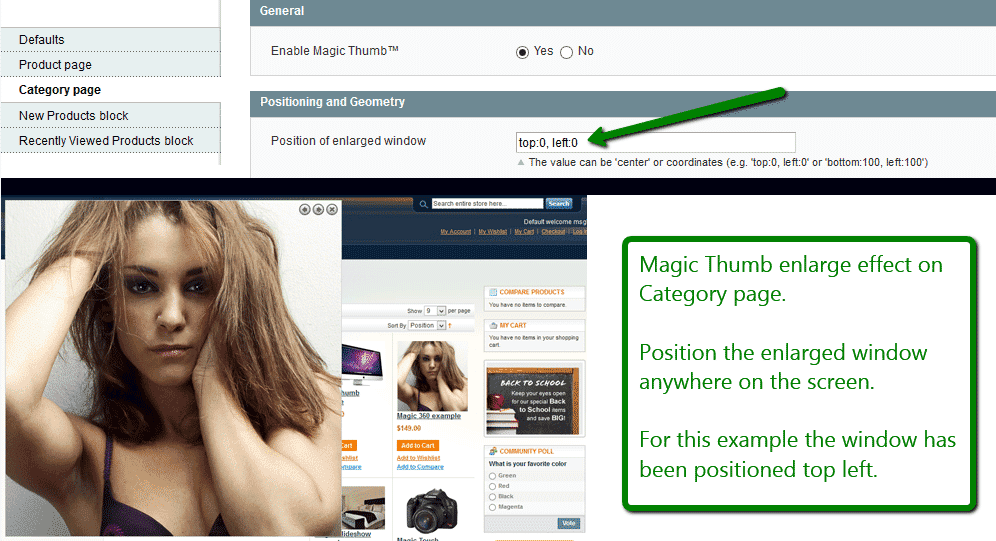
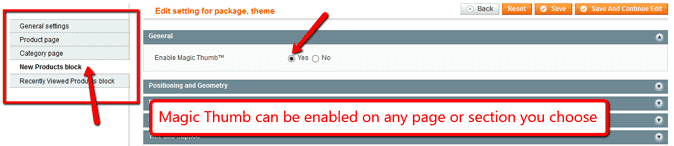
 Magic Thumb can be enabled on any page or section you choose.
 -
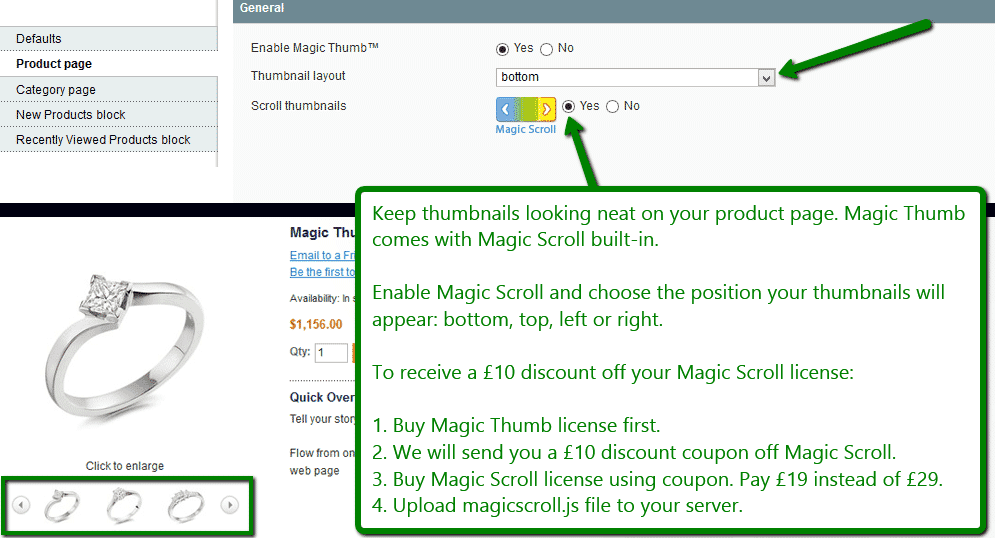
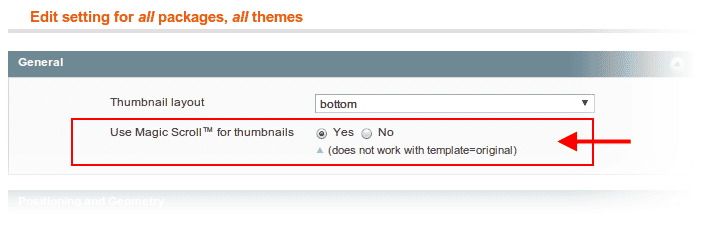
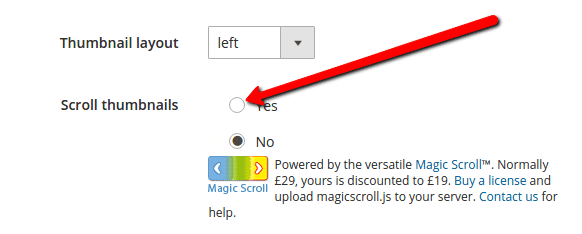
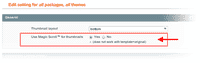 Activate Magic Scroll to enjoy organised thumbnails on your product page: Magic Toolbox > Magic Thumb settings > Default settings > 'Product page' tab > 'General' section > Scroll thumbnails > Select 'Yes' > Save changes.
 -
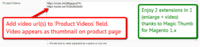 A popular feature is to display product images & video. Do this via: Catalog > Manage Products > [Your product] > 'General' tab > 'Product videos' field > Enter your video url(s) > Save change.
 - Buy Magic Thumb To upgrade your version of Magic Thumb (which removes the "Trial version" text), buy Magic Thumb and overwrite following file with the same one from your licensed version:
/skin/frontend/[your_interface]/[your_theme]/js/magicthumb.js

- Download Magic Thumb for Magento 2 (free and fully functional demo version).
- Unzip the file on your computer and FTP the 'app' folder to your Magento directory (on your server), keeping the file and folder structure intact.
Activate module from command line:
#List all modules php -f bin/magento module:status #Enable Magic Thumb module php -f bin/magento module:enable MagicToolbox_MagicThumb --clear-static-content #Run database installation upgrades php -f bin/magento setup:upgrade #Remove previously compiled classes rm -rf var/generation #Compile (only needed in Production Mode) php -f bin/magento setup:di:compile #Deploy Static Content (only needed in Production Mode) php -f bin/magento setup:static-content:deploy- The demo version is now installed.
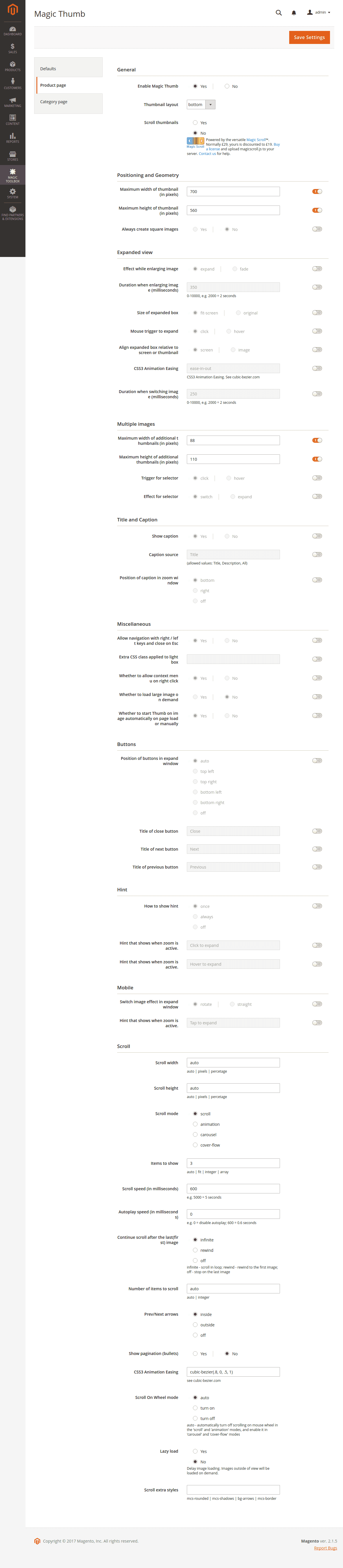
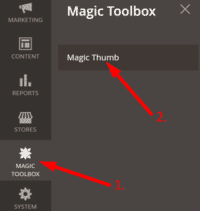 Customize Magic Thumb settings to suit your needs - go to the [Magic Toolbox > Magic Thumb] menu in the Magento admin panel.
- If you need help, please send questions to our support team. Include your page URL and if you'd like us to make changes, a login to your Magento admin. We reply to every email as quickly as possible (Monday-Friday, 9am-5pm UTC).
-
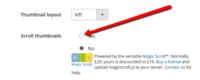 Activate Magic Scroll to enjoy organised thumbnails on your product page: Magic Toolbox > Magic Thumb > 'Product page' tab > 'General' section > Scroll thumbnails > Select 'Yes' > Save changes.
 -
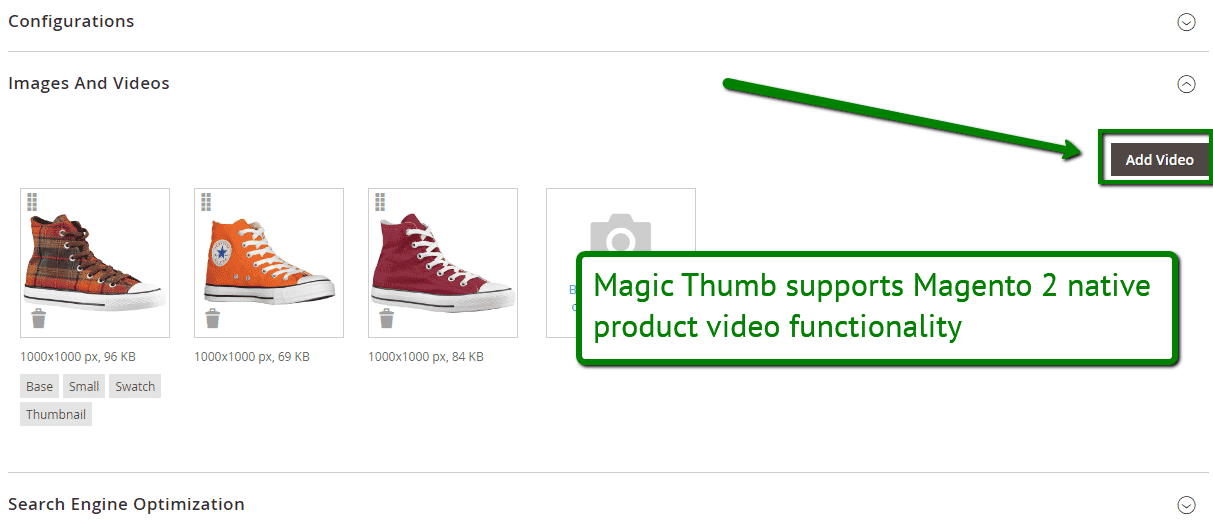
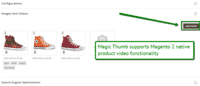 Combine zoomable images & video on your Magento 2 product pages. To add a video, go to: Products > [Your product] > Basic Settings > Images and Video > Click 'Add video' button > Browse for video > Save.
 - Buy Magic Thumb
To upgrade your version of Magic Thumb (which removes the "Trial version" text), buy Magic Thumb and overwrite following file with the same one from your licensed version:
app/code/MagicToolbox/MagicThumb/view/frontend/web/js/magicthumb.js
Video tutorial
Multiple images
Swapping between many images is already a standard feature in Magic Thumb. But if you have lots of images, the page can look complicated.
Make your thumbnails look slick and organised with Magic Scroll for Magento. It neatly contains the images adds arrows to slide between them. Example:









- Simply activate Magic Scroll on the Magic Thumb options page.
- To remove the "Please upgrade" text, buy a license and overwrite the /skin/frontend/[your_interface]/[your_theme]/js/magicscroll.js (app/code/MagicToolbox/MagicThumb/view/frontend/web/js/magicscroll.js for M2) file with that from your licensed version.
Combine zoom & video
Magento 1.x users now receive 2 tools in 1: image zoom & video!
Product videos offer potential customers a clear demonstration of any product. Conveying an incredible amount of information very quickly. Videos are proven to increase likelihood to buy, spend longer on your site and spend more per order.
It's time to stand out from the competition and turn potential customers into actual customers.
- Make sure Magic Thumb is installed on your Magento 1.x store.
- Open your product: Catalog > Manage products > [your product].
- Product will automatically open on 'General' tab.
- Scroll down 'General' tab to 'Product Videos' field > Enter video url(s) > Save change.
 Refresh web page > Video(s) appear as thumbnails on product page.
- That's it!
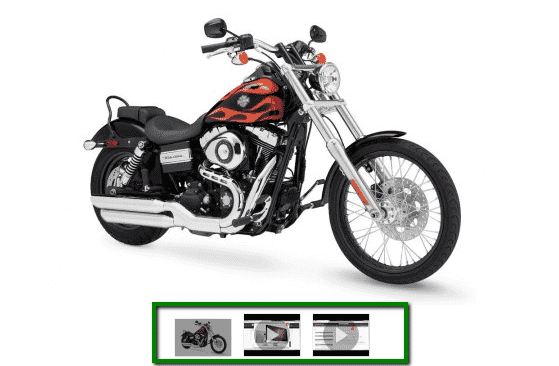
Magento 2 users are thrilled that Magic Thumb supports native product videos functionality. Combine zoomable images & video on any of your Magento 2 product pages. To add a video...
- Go to: Products > [Your product] > Basic Settings.
- Go to: Images and Video > Click 'Add video' button > Browse for video > Save.
- That's it!
Combine zoom & spin
   |  |
To zoom some images and spin others on your product page, you can install both Magic Thumb and Magic 360.
- Install the Magento module for Magic Thumb.
- Install the Magento module for Magic 360.
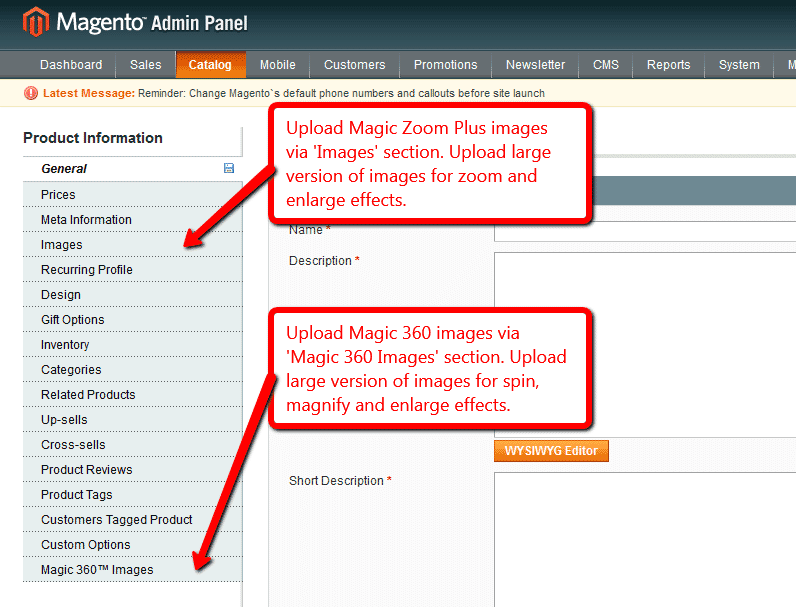
- Create product as normal. Click 'Save and Continue Edit'. A new section 'Magic360 Images' will appear at the bottom of the left hand navigation.
- Upload zoom images via 'Images' section. Upload 360 spin images via 'Magic360 Images' section (screenshot -
 ).
).
Multi-language
You can change the language of the message and loading text like so:- Find the locale folder for the language you wish to change e.g. /app/locale/en_US.
- Open the file Mage_Api.csv into the editor and insert these lines at the and of the file:
"MagicThumb_Message","Write your message here"
"MagicThumb_LoadingText","Write your message here"
- Continue these steps for each locale you wish to change.
Zoom in CMS area
- Go to Magic Toolbox > Magic Thumb settings > Default settings menu in your Magento admin panel.
- Go to 'Defaults' tab > General > Include headers on all pages > Select 'Yes' > Save settings.
- Go to 'Content > Pages'.
- Open existing page or create a new page.
- Scroll down to 'Content' section > Click 'Show / Hide Editor' button.
Add zooming to any image on your CMS page by referencing the small and large images. Reference your small image with <img> and link it to your big image using the CSS class of "MagicThumb". Your code will look something like this:
<a href="big.jpg" class="MagicThumb"><img src="small.jpg"></a>
- Click 'Save' button.
- All HTML code for Magic Thumb settings are described here.
Product attributes






Do your products come in different colours or styles?Configure products so each attribute has its own zoomable image.
When customers choose an option from radio, dropdown menu or swatch thumbnails the main image automatically updates to display the new option.
Magic Thumb supports Magento product attributes out of the box.
Uninstallation
Thanks for trying Magic Thumb on your Magento site! What did you hope Magic Thumb could do? How can we improve it? Let us know, we're always improving our tools based on customer feedback.
- If you use Magento Compiler, disable it System > Tools > Compilation > Disable.
- Go to System > Cache Management > Select All and disable the cache.
- Go to http://your.site.url/magicthumb/ in your browser and click 'Uninstall' (replace yoursite.url with your domain name).
- If you use Magento Compiler, click 'Run Compilation Process'.
- Go to System > Cache Management > Select All and refresh / enable the cache.
- Delete the magicthumb folder from the root of your Magento directory (on your server).
- Magic Thumb is now uninstalled.
Deactivate module from command line:
php -f bin/magento module:disable MagicToolbox_MagicThumb --clear-static-content
- Delete folder with module from your Magento directory (on your server).
- Magic Thumb is now uninstalled.
FAQ
Is Magic Thumb compatible with Hyvä theme?
A small customization is required to make Magic Thumb compatibile with Hyvä on your Magento 2 store. Please send login details (FTP/SFTP & Admin area) and we will do this for you (free of charge).Does Magic Thumb support video?
Yes! Go ahead and add a video to your product and it'll appear as a thumbnail under the main product image.
If you're using Magento 1.x add your video url here:
Catalog > Manage Products > [Your product] > 'General' tab > 'Product videos' fieldFor Magento 2.x users, upload your video file:
Products > [Your product] > Basic Settings > Images and Video > Click 'Add video' buttonHow should images be setup in the Magento admin?
The Magic Thumb extension uses the default Magento product images as well as their settings (default product image, excluded images, etc.)
The extension also creates resized thumbnails by resizing the original product images.
Customer reviews
Fantastic support and a very friendly company to deal with, this was my second communication with the company and both times corrected issues the same day.
Magic needs to be in their job titles.
Fred Greaves, 4x4at.com
Rodiney, artesacro.com.br
Tim, subastralinc.com
Peter, babipur.co.uk
Submit your review
Your review has been received and will be posted soon.
Other Magento extensions
Try our other great image effects!
 Magic Zoom
 Magic Zoom Plus
 Magic 360
 Magic Scroll
 Magic Slideshow
This Magento Lightbox extension will enlarge your images to the full screen.
Perfect for viewing large image - activate it on click or on hover; choose the effect (bounce/elastic/cube etc); choose the speed; change the position; add text captions to the top / right / bottom / left, adjust the colors, borders and padding. Versatile and easy to use.
It works on all browsers - IE6, IE7, IE8, IE9, Firefox, Chrome, Safari, Opera and this lightbox script also works on iPhone and iPad because it uses JavaScript, not Flash.
The module was designed for the Magento ecommerce platform. For help, contact us and we will help you install this image Magento module on your website.