
SOME OF THE WORLD’S MOST RESPECTED BRANDS TRUST MAGIC TOOLBOX

    | |
Welcome to zoom excellence.
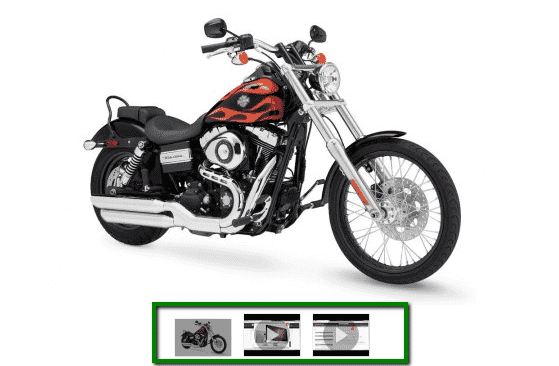
Show beautiful zoomed images on hover alongside product videos.
- Fully responsive Magento image zoom.
- Unrivalled – fresh new releases for 7 years running.
The most powerful Magento image zoom available
Supported Versions
- Enterprise: 2.4.x, 1.11.x - 1.14.x
- Community: 2.4.x, 1.4.x - 1.9.x
Works on these pages
Unimpressed with the default Magento image zoom? You're not the only one.
Switch to the beautiful Magic Zoom to add smooth zooming and responsive resizing to your product images.
Supporting both Magento 1.x and Magento 2, your ecommerce store will immediately benefit from this timeless image zoomer. It's a Magento product image zoom which also supports video too!
Adding videos to your page and swapping between product images and product videos has never been easier. Instinctively click between them and WOW your customers with a fast, professional experience.
You can even go one better! The premium version, Magic Zoom Plus, can enlarge images to full-screen too.
Verified by Magento:
Read reviews of Magic Zoom on the official marketplace for Magento 1.x and Magento 2 extensions.
Rating 
Increase conversions on your Magento store
Either Magento 1 or Magento 2, Magic Zoom can significantly improve your website’s UX. Magnificent image zoom gives a better understanding of your products on different pages & sections of your store. Show every detail of your products and your customers will love it.
Watermark your images
Protect your images from unauthorized copying - turn on the convenient watermark feature. Choose the size, style and location.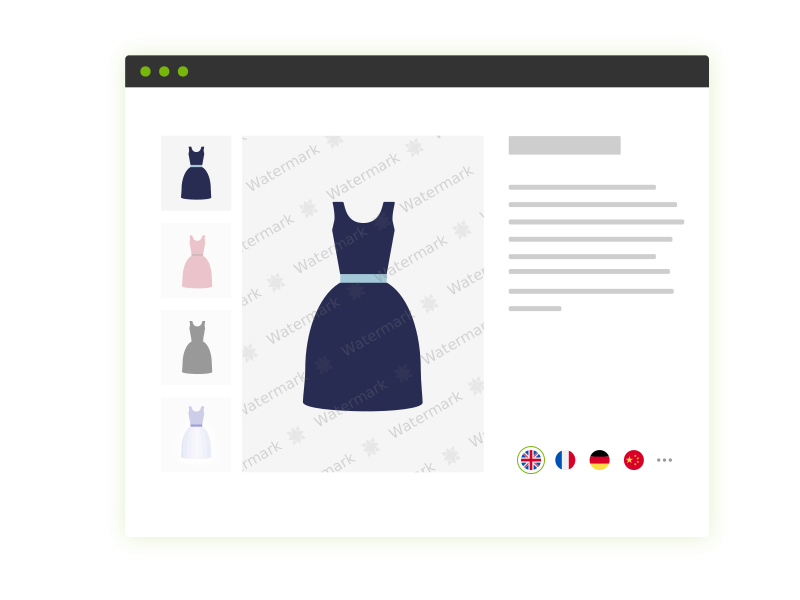
Increase website loading speed
Images are cached for instant download, keeping your page fast and your users happy. For even faster load, set Magic Zoom to load images on request instead of on page load.All Magento versions supported
Install this Magento image zoom extension in one click, directly from your Magento admin. Works on every Magento version (both CE and EE) Forget about manual customisation - adjust everything directly from the Settings page.Helps your SEO
Upload very large product images for a highly detailed zoom - Magic Zoom will automatically resize them for you. It helps SEO and this image zoom extension also supports SEO friendly captions to boost conversions.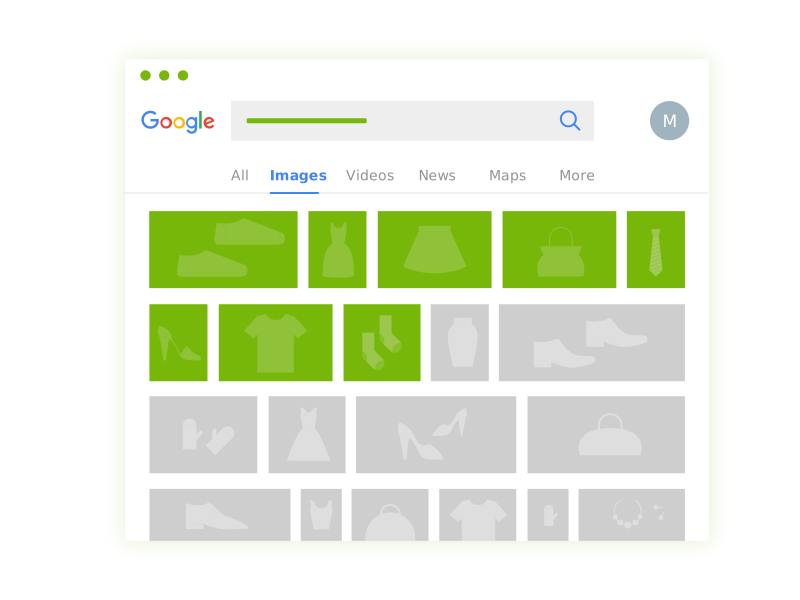
Looks gorgeous on any device
Magic Zoom is refined to look stunning on all types of devices - from cell phones to desktops. It does not require jQuery or any other frameworks to work perfectly on your store!Support you can count on
Our friendly support team will quickly solve any problem you encounter. Our reviews tell it all.
- 1 site
- Unlimited usage on 1 website
- Perfect for webstore owners
£29
One-off payment- 5 sites
- Unlimited usage on 5 sites
- Perfect for freelancers
£95
One-off payment- 10 sites
- Unlimited usage on 10 sites
- Perfect for small agencies
£175
One-off payment- Unlimited
- Unlimited use on unlimited sites
- For big agencies and enterprise
£399
One-off payment "I've been using magictoolbox code almost from the beginning. It is well done, imaginative, and compact. I've tried plenty of other image handlers but none are as good a value as these and I highly recommend them."
Wayne Eskridge, lightingshowroom.com
We've got you covered
Money back guarantee
30-day money back guarantee if you are not 100% satisfied.
Free Support
30 minutes free technical support for all customers. You can buy extra support if you need.
Instant Download
Download your product immediately after payment. Pay by credit card, PayPal or bank transfer.
Free updates
Enjoy 12 months of free updates. After that, new versions are available at 80% discount.
Customer reviews
Thanks again and all the best for the new year.
Simon Crewe, stormtight.co.uk
Bert de Vries, mijnboekjouwboek.nl
Andreas
Henry, shop.richfashion.com
Sushitha
Submit your review
Your review has been received and will be posted soon.
Other Magento extensions
Try our other great image effects!
 Magic Zoom Plus
 Magic Thumb
 Magic 360
 Magic Scroll
 Magic Slideshow
Screenshots


Installation
Magento 1.x reached end-of-support on June 30, 2020. New features will not be added to our Magento 1 extensions after this time.
- Download Magic Zoom for Magento (free and fully functional demo version).
- Unzip the file on your computer and FTP the magiczoom folder to your Magento directory (on your server), keeping the file and folder structure intact.
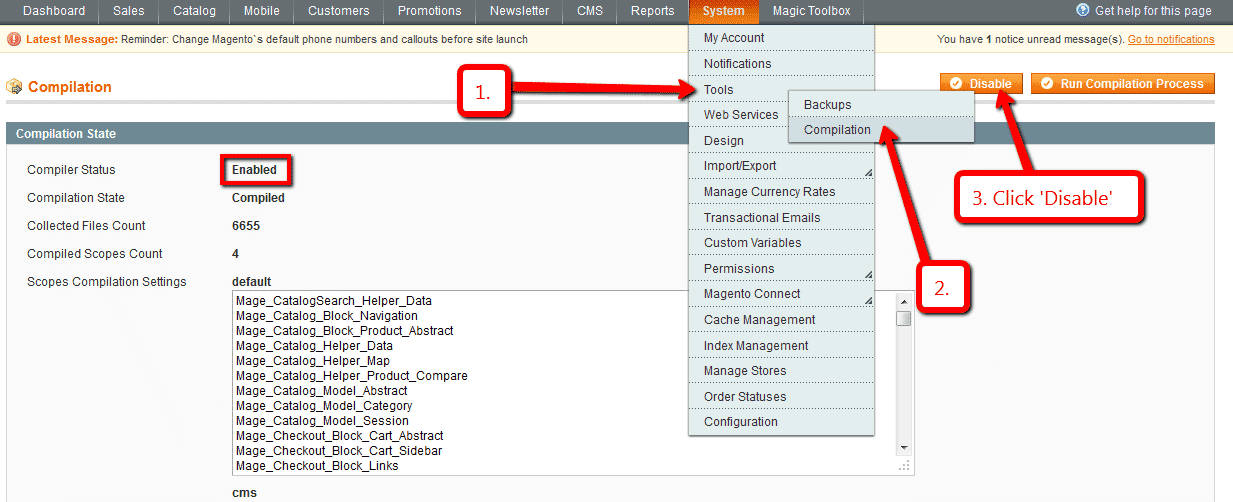
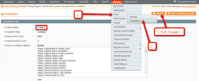 If you use Magento Compiler, disable it System > Tools > Compilation > Disable.
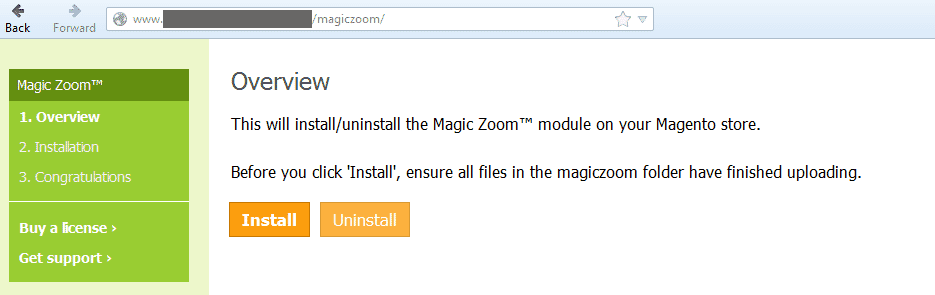
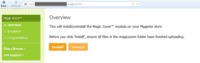 Go to http://www.yoursite.url/magiczoom/ in your browser > click 'Install' (replace yoursite.url with your domain name).
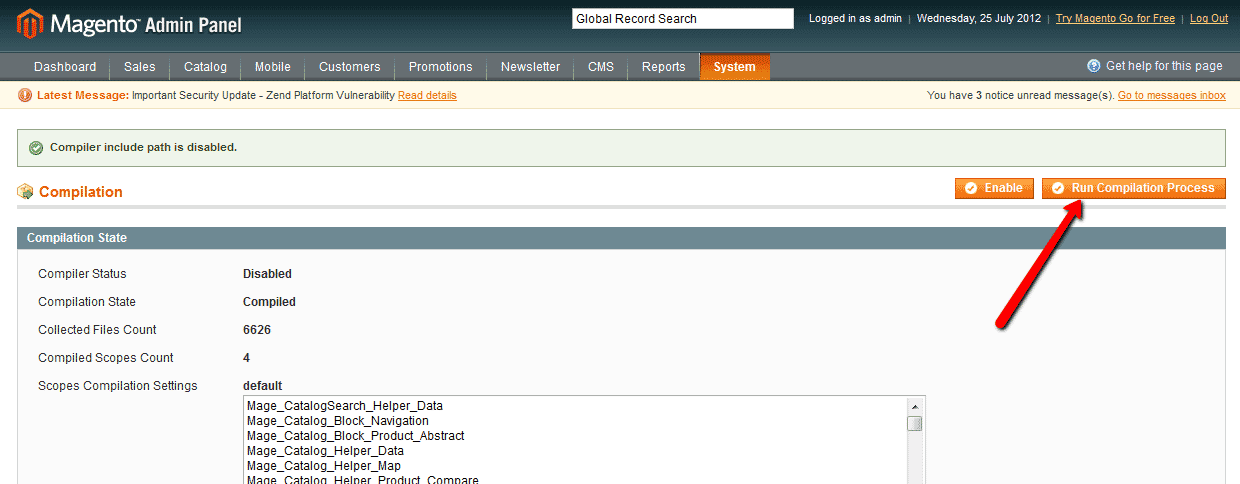
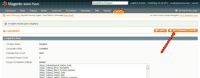 If you use Magento Compiler, click 'Run Compilation Process'.
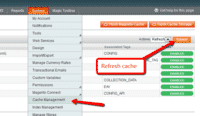 Go to System > Cache Management > Select All and refresh the cache.
- The demo version is now installed!
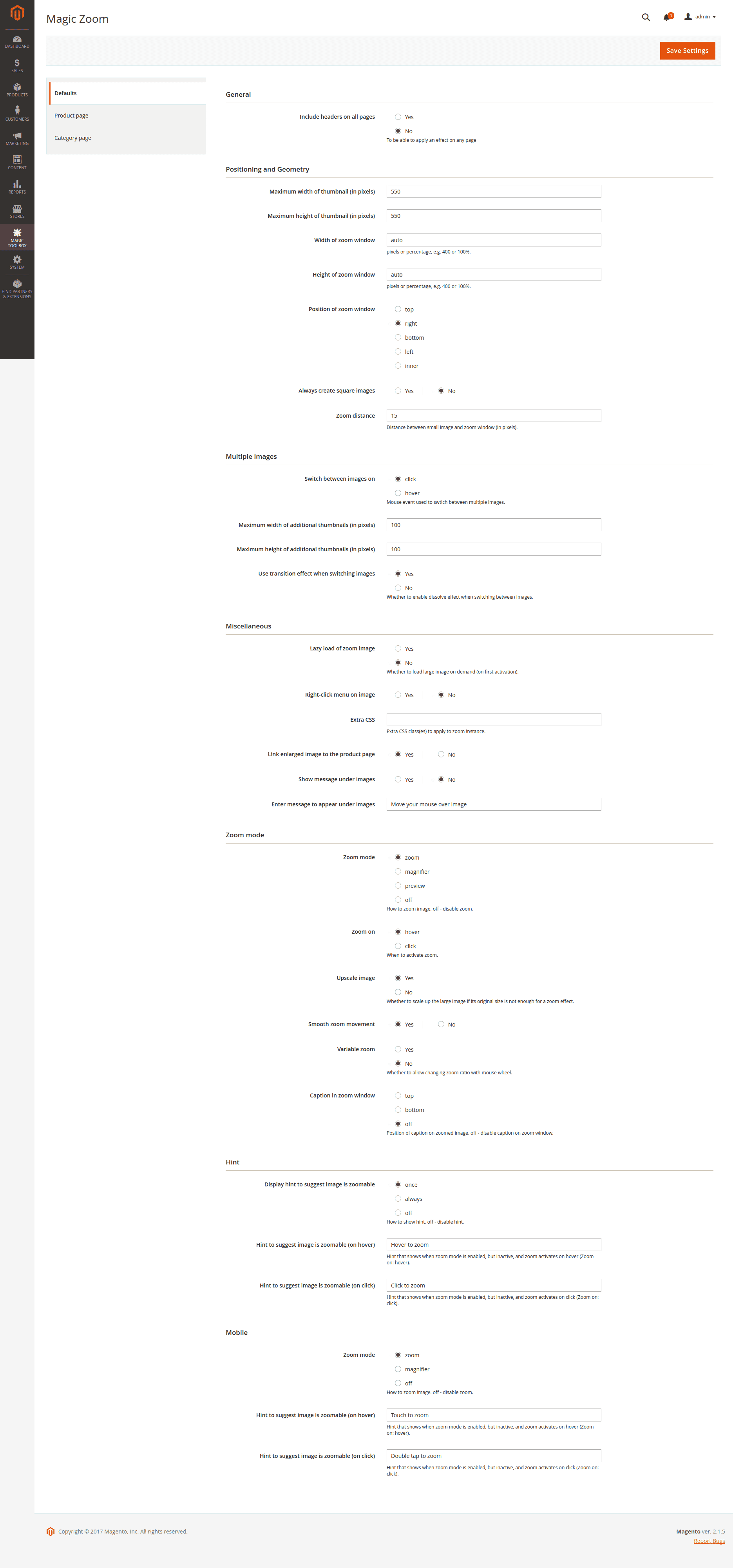
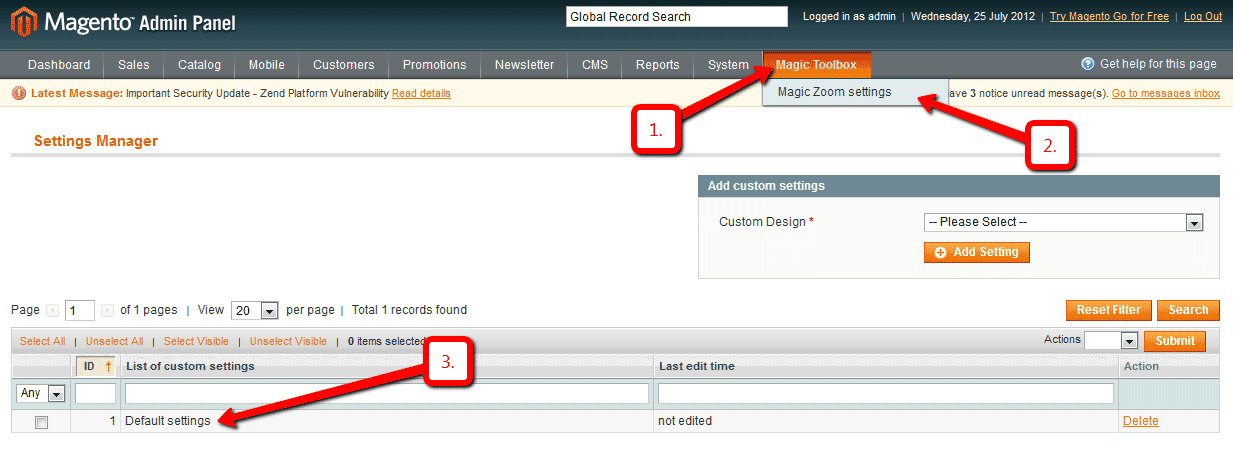
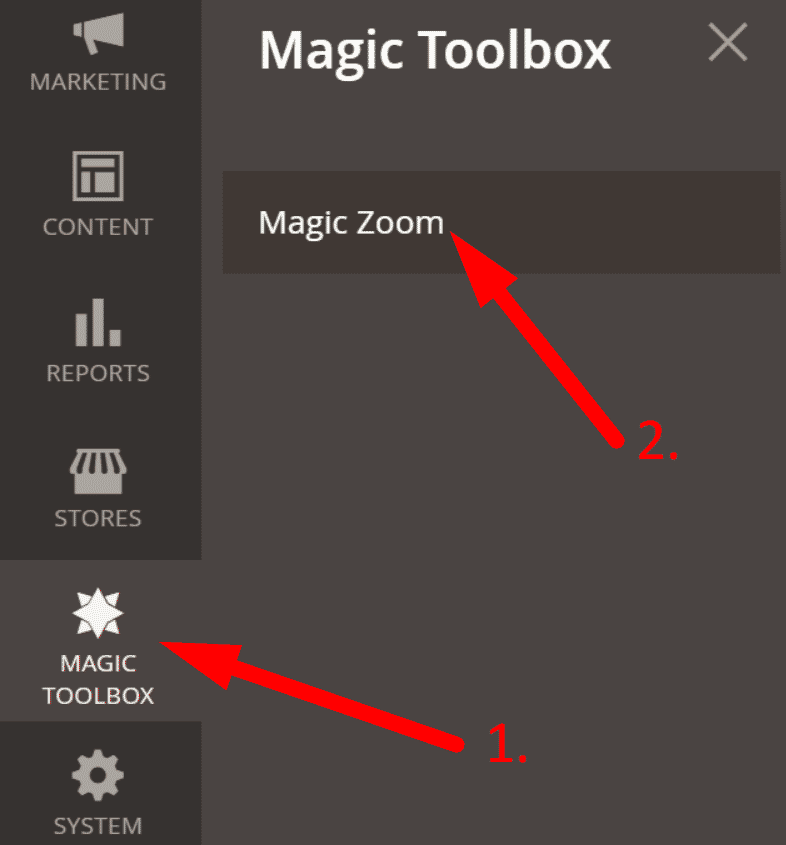
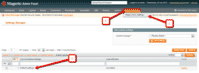 Customize the Magic Zoom extension through the Magic Toolbox > Magic Zoom settings > Default settings menu in your Magento admin panel.
-
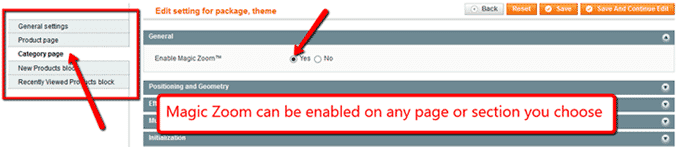
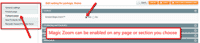 Magic Zoom can be enabled on any page or section you choose.
 -
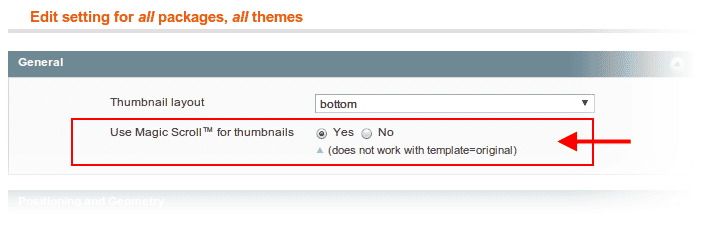
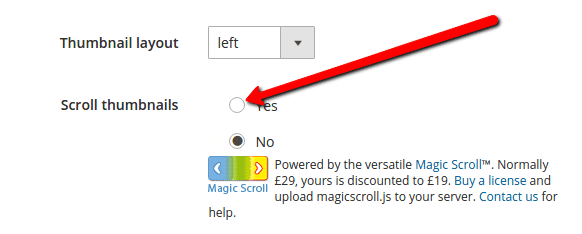
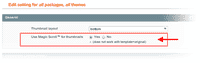 Activate Magic Scroll to enjoy organised thumbnails on your product page: Magic Toolbox > Magic Zoom settings > Default settings > 'Product page' tab > 'General' section > Scroll thumbnails > Select 'Yes' > Save changes.
 -
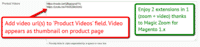 A popular feature is to display product images & video. Do this via: Catalog > Manage Products > [Your product] > 'General' tab > 'Product videos' field > Enter your video url(s) > Save change.
 - Buy Magic Zoom To upgrade your version of Magic Zoom (which removes the "Trial version" text), buy Magic Zoom and overwrite following file with the same one from your licensed version:
/skin/frontend/[your_interface]/[your_theme]/js/magiczoom.js


- Download Magic Zoom for Magento 2 (free and fully functional demo version).
- Unzip the file on your computer and FTP the 'app' folder to your Magento directory (on your server), keeping the file and folder structure intact.
Activate module from command line:
#List all modules php -f bin/magento module:status #Enable Magic Zoom module php -f bin/magento module:enable MagicToolbox_MagicZoom --clear-static-content #Run database installation upgrades php -f bin/magento setup:upgrade #Remove previously compiled classes rm -rf var/generation #Compile (only needed in Production Mode) php -f bin/magento setup:di:compile #Deploy Static Content (only needed in Production Mode) php -f bin/magento setup:static-content:deploy- The demo version is now installed.
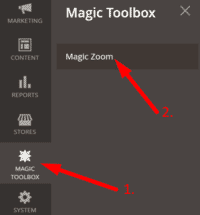 Customize Magic Zoom settings to suit your needs - go to the [Magic Toolbox > Magic Zoom] menu in the Magento admin panel.
- If you need help, please send questions to our support team. Include your page URL and if you'd like us to make changes, a login to your Magento admin. We reply to every email as quickly as possible (Monday-Friday, 9am-5pm UTC).
-
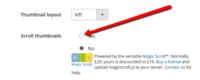 Activate Magic Scroll to enjoy organised thumbnails on your product page: Magic Toolbox > Magic Zoom > 'Product page' tab > 'General' section > Scroll thumbnails > Select 'Yes' > Save changes.
 -
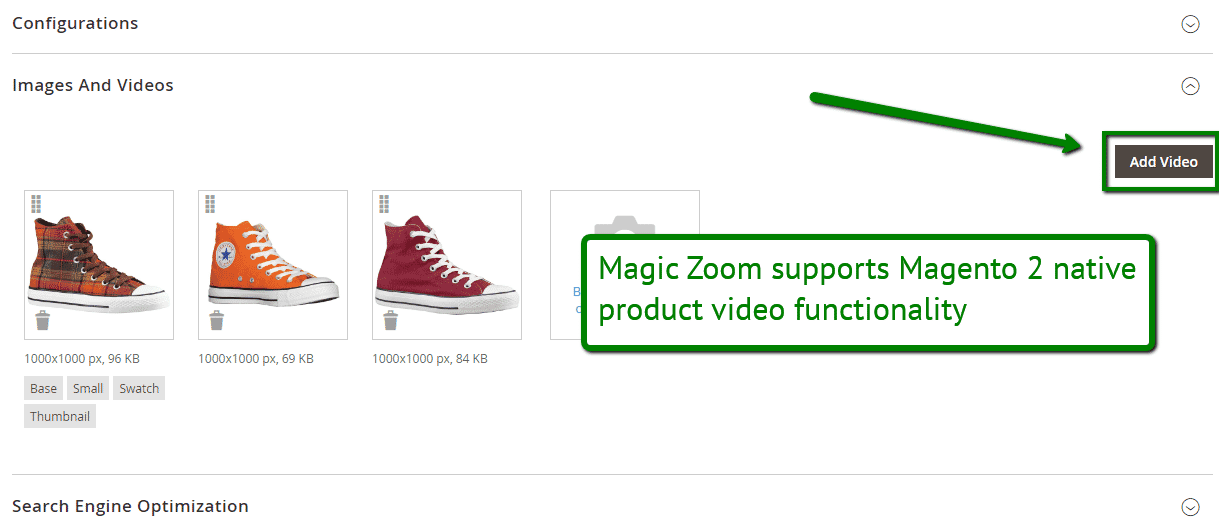
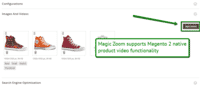 Combine zoomable images & video on your Magento 2 product pages. To add a video, go to: Products > [Your product] > Basic Settings > Images and Video > Click 'Add video' button > Browse for video > Save.
 - Buy Magic Zoom
To upgrade your version of Magic Zoom (which removes the "Trial version" text), buy Magic Zoom and overwrite following file with the same one from your licensed version:
app/code/MagicToolbox/MagicZoom/view/frontend/web/js/magiczoom.js
Video tutorial
Multiple images
Swapping between many images is already a standard feature in Magic Zoom. But if you have lots of images, the page can look complicated.
Make your thumbnails look slick and organised with Magic Scroll for Magento. It neatly contains the images adds arrows to slide between them. Example:









- Simply activate Magic Scroll on the Magic Zoom options page.
- To remove the "Please upgrade" text, buy a license and overwrite the /skin/frontend/[your_interface]/[your_theme]/js/magicscroll.js (app/code/MagicToolbox/MagicZoom/view/frontend/web/js/magicscroll.js for M2) file with that from your licensed version.
Combine zoom & video
Magento 1.x users now receive 2 tools in 1: image zoom & video!
Product videos offer potential customers a clear demonstration of any product. Conveying an incredible amount of information very quickly. Videos are proven to increase likelihood to buy, spend longer on your site and spend more per order.
It's time to stand out from the competition and turn potential customers into actual customers.

- Make sure Magic Zoom is installed on your Magento 1.x store.
- Open your product: Catalog > Manage products > [your product].
- Product will automatically open on 'General' tab.
- Scroll down 'General' tab to 'Product Videos' field > Enter video url(s) > Save change.
 Refresh web page > Video(s) appear as thumbnails on product page.
- That's it!
Magento 2 users are thrilled that Magic Zoom supports native product videos functionality. Combine zoomable images & video on any of your Magento 2 product pages. To add a video...
- Go to: Catalog > Products > [Your product].
- Go to: Images and Video > Click 'Add video' button > Browse for video > Save.
- That's it!
Combine zoom & spin



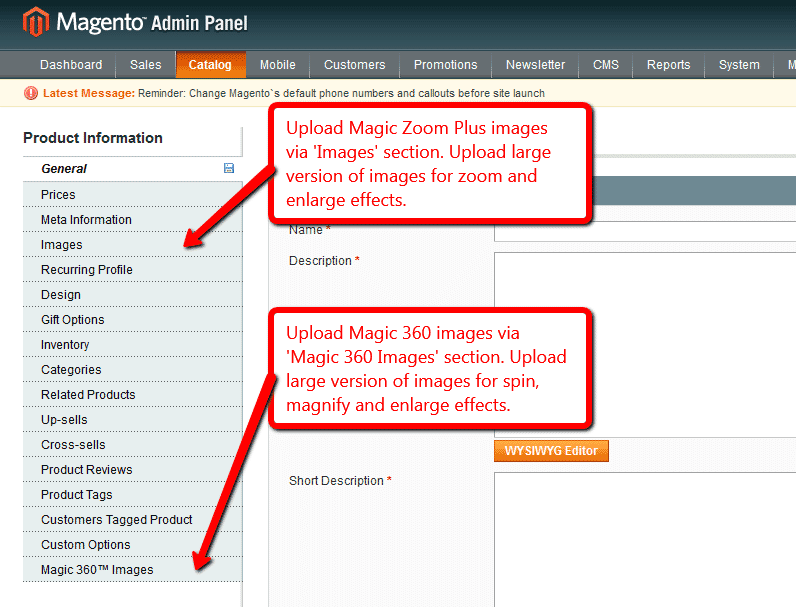
To zoom some images and spin others on your product page, you can install both Magic Zoom and Magic 360.
- Install the Magento module for Magic Zoom.
- Install the Magento module for Magic 360.
- Create product as normal. Click 'Save and Continue Edit'. A new section 'Magic360 Images' will appear at the bottom of the left hand navigation.
- Upload zoom images via 'Images' section. Upload 360 spin images via 'Magic360 Images' section (screenshot -
 ).
).
Multi-language
You can change the language of the message and loading text like so:- Find the locale folder for the language you wish to change e.g. /app/locale/en_US.
- Open the file Mage_Api.csv into the editor and insert these lines at the and of the file:
"MagicZoom_Message","Write your message here"
"MagicZoom_LoadingText","Write your message here"
- Continue these steps for each locale you wish to change.
Zoom in CMS area
- Go to Magic Toolbox > Magic Zoom settings > Default settings menu in your Magento admin panel.
- Go to 'Defaults' tab > General > Include headers on all pages > Select 'Yes' > Save settings.
- Go to 'Content > Pages'.
- Open existing page or create a new page.
- Scroll down to 'Content' section > Click 'Show / Hide Editor' button.
Add zooming to any image on your CMS page by referencing the small and large images. Reference your small image with <img> and link it to your big image using the CSS class of "MagicZoom". Your code will look something like this:
<a href="big.jpg" class="MagicZoom"><img src="small.jpg"></a>
- Click 'Save' button.
- All HTML code for Magic Zoom settings are described here.
Product attributes






Do your products come in different colours or styles?Configure products so each attribute has its own zoomable image.
When customers choose an option from radio, dropdown menu or swatch thumbnails the main image automatically updates to display the new option.
Magic Zoom supports Magento product attributes out of the box.
Uninstallation
Thanks for trying Magic Zoom on your Magento site! What did you hope Magic Zoom could do? How can we improve it? Let us know, we're always improving our tools based on customer feedback.
- If you use Magento Compiler, disable it System > Tools > Compilation > Disable.
- Go to System > Cache Management > Select All and disable the cache.
- Go to http://your.site.url/magiczoom/ in your browser and click 'Uninstall' (replace yoursite.url with your domain name).
- If you use Magento Compiler, click 'Run Compilation Process'.
- Go to System > Cache Management > Select All and refresh / enable the cache.
- Delete the magiczoom folder from the root of your Magento directory (on your server).
- Magic Zoom is now uninstalled.
Deactivate module from command line:
php -f bin/magento module:disable MagicToolbox_MagicZoom --clear-static-content
- Delete folder with module from your Magento directory (on your server).
- Magic Zoom is now uninstalled.
FAQ
Is Magic Zoom compatible with Hyvä theme?
A small customization is required to make Magic Zoom compatible with Hyvä on your Magento 2 store. Please send login details (FTP/SFTP & Admin area) and we will do this for you (free of charge).Does Magic Zoom support video?
Yes! Go ahead and add a video to your product and it'll appear as a thumbnail under the main product image.
If you're using Magento 1.x add your video url here:
Catalog > Manage Products > [Your product] > 'General' tab > 'Product videos' fieldFor Magento 2.x users, upload your video file:
Products > [Your product] > Basic Settings > Images and Video > Click 'Add video' buttonHow should images be setup in the Magento admin?
The Magic Zoom extension uses the default Magento product images as well as their settings (default product image, excluded images, etc.)
The extension also creates resized thumbnails by resizing the original product images.