




- Wordpress 6.x
- Wordpress 5.x
- Wordpress 4.x
- Wordpress 3.x
- Wordpress 2.x
Need to improve your WordPress image experience?
The Magic Thumb lightbox plugin will display your photos in a simple yet beautiful manner. Designed for WordPress, you can easily show your images in full-screen glory. Users simply click or hover on the image to enlarge it.
Our WordPress lightbox plugin works on any page or post of your WordPress website. Anyone can use it - simply choose your images, then insert the shortcode. No HTML or JavaScript coding needed - just point and click.
Convenient for you, even more convenient for your users. Visitors will love exploring your photos in the pleasure of full-screen, whether they're using a desktop, mobile or tablet. Improve your website today - install the free trial of this Wordpress image lightbox plugin and instantly increase the time customers are spending on your website or buying your goods!
Features you'll love
Easy Shortcodes
It's easy to install the plugin, then start embedding image lightboxes in WordPress in minutes. Point and click to choose your settings, then embed lightboxes with a shortcode. No coding needed.Delight your mobile users
Crafted by the team of professionals from 2009, Magic Thumb was neatly refined for all types of screens - mobile, tablet or desktop. Your customers will enjoy using convenient image lightboxes from iPhone, iPad and other mobile screens.Built with SEO in mind
Upload high-quality images for a very detailed zoom. Magic Thumb will automatically resize images to look perfect. Google will love it too. Big images with SEO-friendly URLs help search engines index your images and bring you more visitors. Be sure to use keywords in your image file names.
Faster than ever
Magic Thumb is a rapid JavaScript lightbox plugin. It uses WordPress image caching to load your images faster. To speed your website further, enable the load-on-demand option (which downloads the large image on click).Become part of a community
Over 40,000 websites already use our tools. Our plugins a truly tried-and-tested. We have all these users because customers are our top priority - if you have any questions, please contact our friendly support team and get a response within 24 hours.
Screenshots
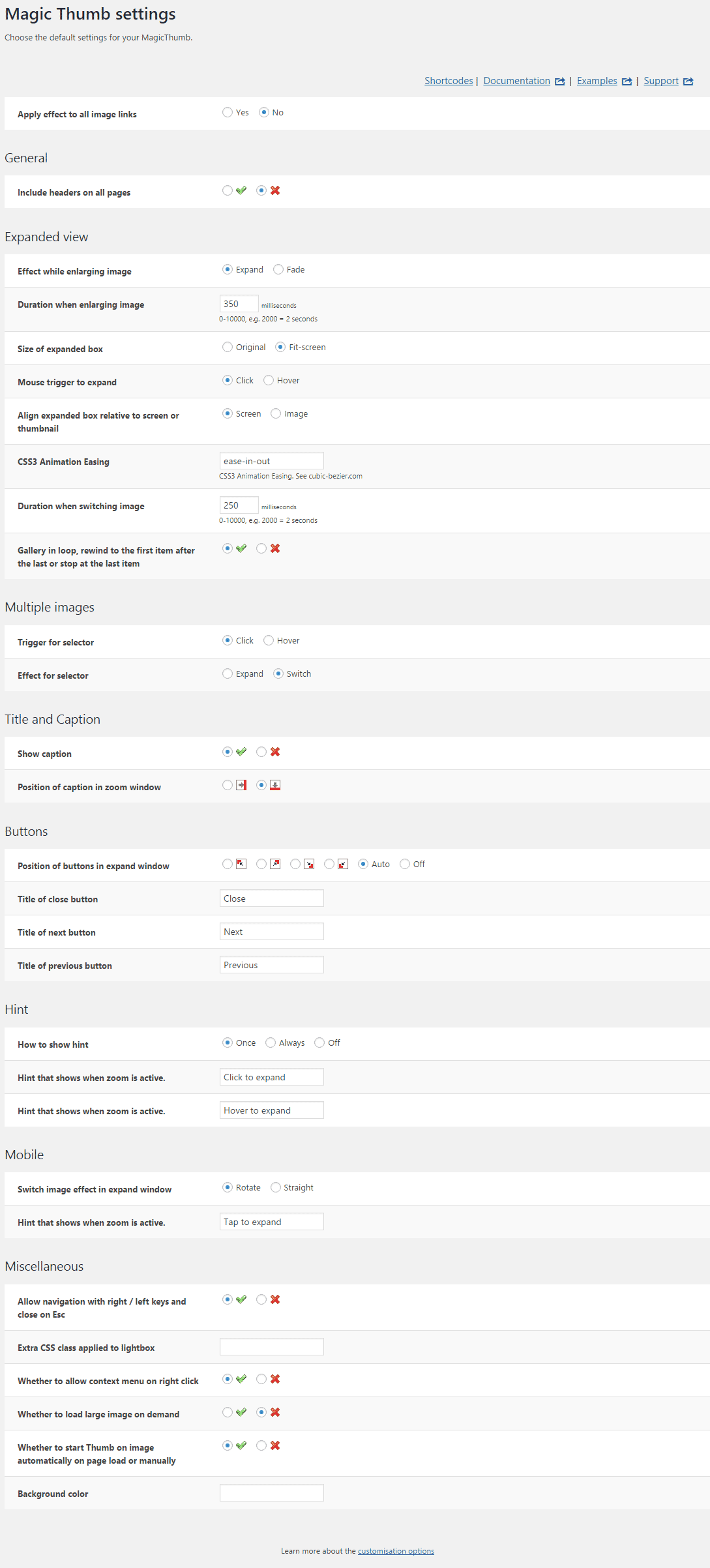
Installation
- Download the Magic Thumb plugin for WordPress (free and fully functional demo version).
-
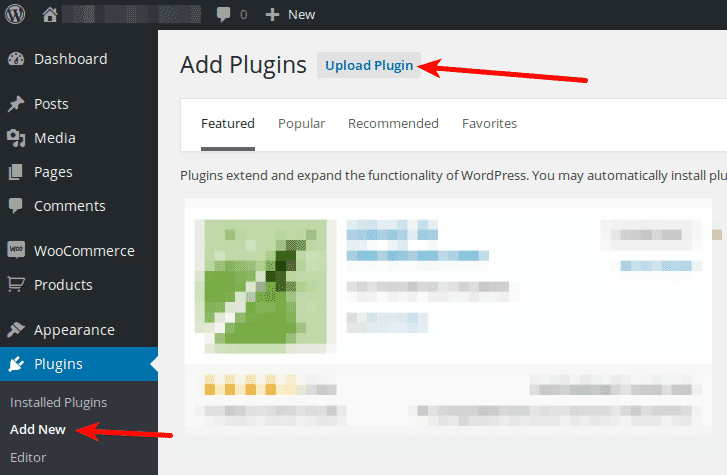
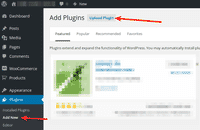 Upload it via your WordPress admin area.
Or unzip the file on your computer and upload the magicthumb folder via FTP to /wp-content/plugins/, keeping the file and folder structure intact. - Activate the plugin in the 'Plugins' menu of WordPress.
The demo version is now installed! To add zooming to any image, create a shortcode. See detailed steps below.
- Buy Magic Thumb To upgrade your free and fully functional trial version of Magic Thumb (which removes the "Trial version" text), buy Magic Thumb and overwrite following file with the same one from your licensed version:
wp-content/plugins/*magicthumb/core/magicthumb.js
Video guide
Thanks to Magic Thumb's shortcode, adding image enlarge effects to your WordPress website is effortless:
Create a zoom
Thanks to Magic Thumb's shortcode functionality, image zooms can be inserted easily on any page or post of your WordPress website. To add Magic Thumb with no coding whatsoever, simply choose where you want your zoom effect to go.
-
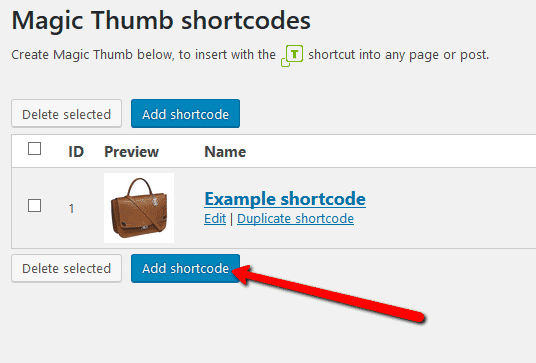
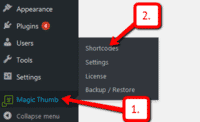 Click Magic Thumb > Shortcodes.
 -
 Click Add shortcode.
 -
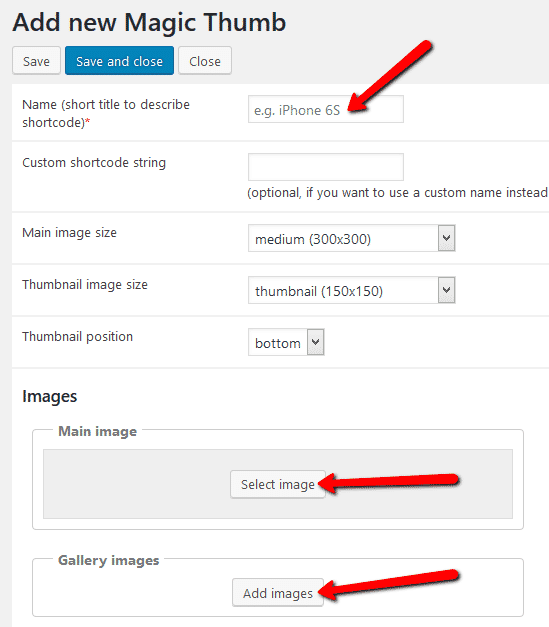
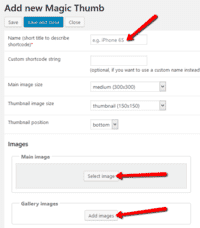 Enter Name > Go to: Main image and/or Gallery images sections > Upload your main image and gallery images. (If you only want to show gallery images, ignore 'Main image' section).
 -
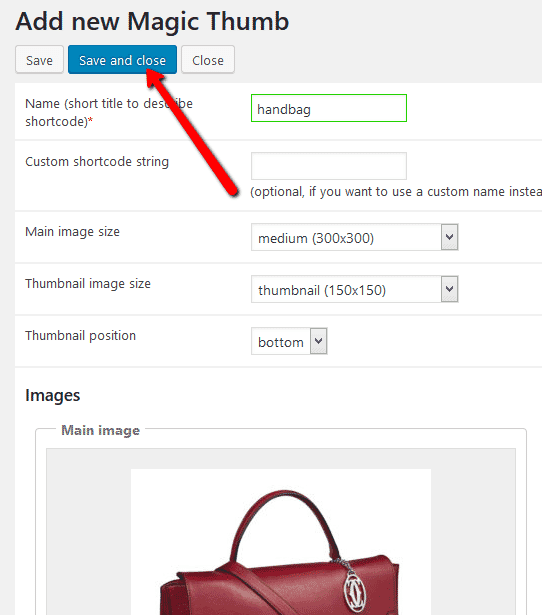
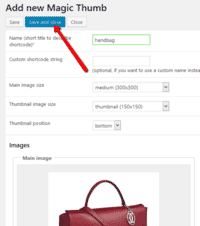 Click Save and close.
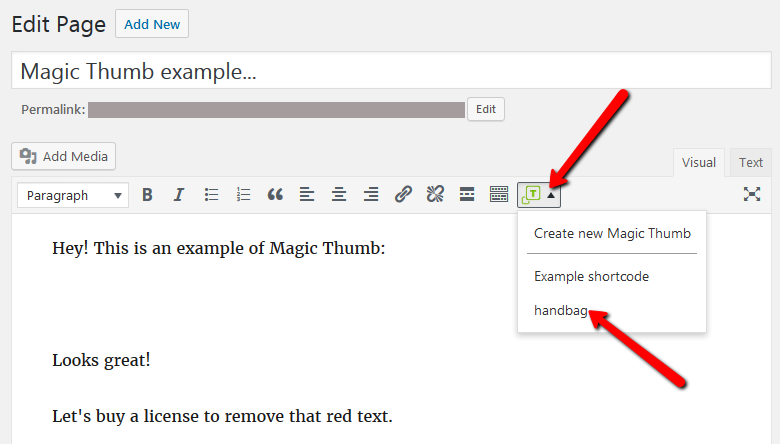
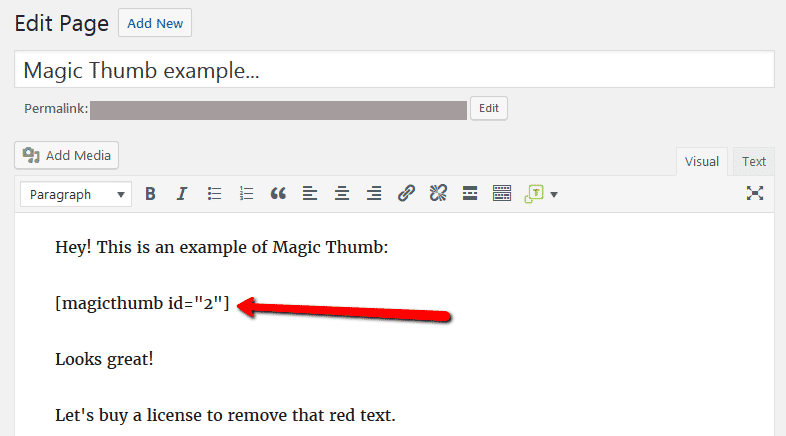
 - Open a post or page in WordPress > Place cursor where you want to insert image zoom.
-
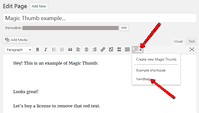 Click Magic Thumb icon > Select name of image zoom you want to insert.
 -
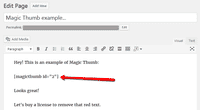 Magic Thumb shortcode will appear on your page.
 -
 Preview page to see zoom working on web page.
 - Create and add as many image zooms to your WordPress site. Enjoy!


Customize
Customize all zooms together or separately. The choice is yours!
-
 Customize all zooms throughout your WordPress website in a couple of clicks:
Go to: Plugins > Magic Thumb > Settings. -
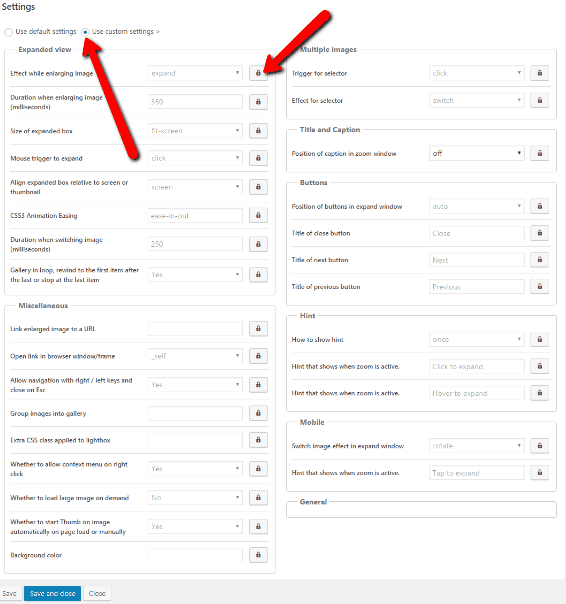
 Each zoom can be customized individually directly in the shortcode:
Go to: Magic Thumb > Shortcodes > [your shortcode] > Click 'Use custom settings' > Click 'locked icon' > Select new setting > Save changes.
Combine zoom & video
WordPress users now receive 2 tools in 1: image zoom & video!
Including videos as part of your image gallery has never been easier!
- Make sure Magic Thumb is installed on your WordPress site.
- Open existing shortcode or create a new one.
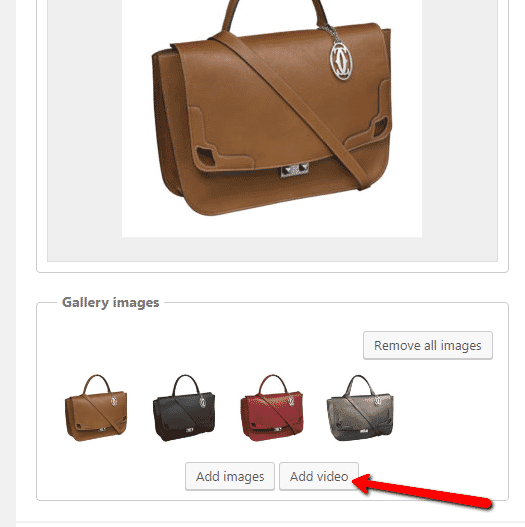
 Go to 'Gallery images' section > Click 'Add video' button.
 Enter YouTube or Vimeo video url > Click 'Add' > Save change.
 Refresh web page or insert shortcode into page/post > Video(s) appear as thumbnails on WordPress page.
- That's it!


Uninstallation
Thanks for trying Magic Thumb on your WordPress site! What did you hope Magic Thumb could do? How can we improve it? Let us know, we're always improving our tools based on customer feedback.
- Delete Magic Thumb code from your content.
- Go to the Plugins menu of WordPress > 'Magic Thumb for WordPress' plugin > Click 'Deactivate'.
- Once page has refreshed, go back to 'Magic Thumb for WordPress' plugin > Click 'Delete' > Click 'Yes, delete these files'.
- Magic Thumb is now uninstalled.
Customer reviews
Support is remarkable - i got very detailed answers within very short time. Really a wonderful team!For me, I am very happy with that plugin.
Customer support has been amazing in walking me through any concerns and questions.
Pradeep Kumar, pranayoga.guru
Support is remarkable - i got very detailed answers within very short time. Really a wonderful team!
For me, I am very happy with that plugin.
Caro
The Magic Thumb extension has been rock-solid on my website, where many other image plugs seem to fail eventually (not well supported long-term), and allows me a variety of layout options to customize to each articles needs.
The addition of the wordpress shortcodes is a well thought addition and much welcomed.
Customer support has been amazing in walking me through any concerns and questions.
I also bought Magic Slideshow for even more product layout flexibility. I strongly believe the Magic Toolbox extensions are the one-stop shop and can now focus on content and not worrying if my gallery and image plugin needs are met. They are!
Denny H, diyhousehelp.com
Submit your review
Your review has been received and will be posted soon.
Other WordPress plugins
Try our other great image effects!
 Magic Zoom
 Magic Zoom Plus
 Magic Slideshow
 Magic Scroll
 Magic 360