










- Wordpress 6.x
- Wordpress 5.x
- Wordpress 4.x
- Wordpress 3.x
- Wordpress 2.x
Need a WordPress image slider gallery? How about an image slider with videos too? Good news - you can have both (and even more)!
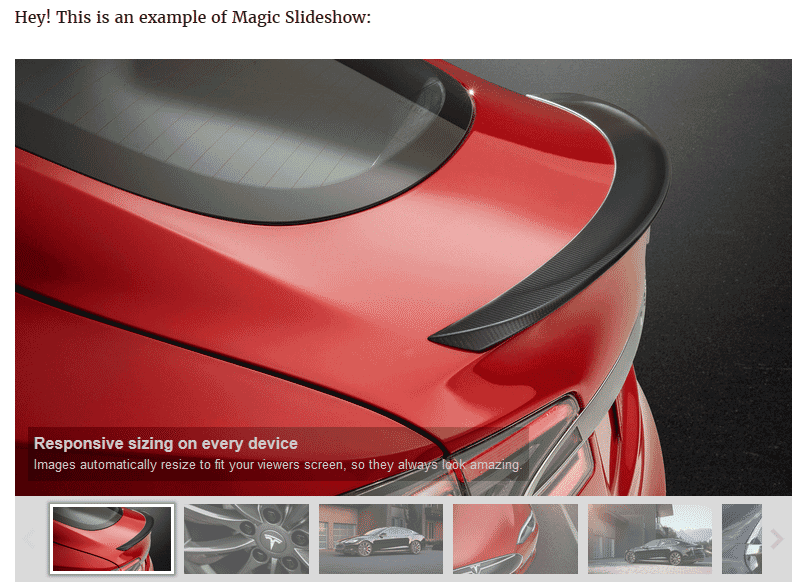
Get the slickest slideshows your WordPress website has ever had. It's so easy, anyone can use it. The Magic Slideshow image plugin for WordPress uses the ever popular shortcode method of adding sliders to your pages and posts. It's never been so easy to make your content look truly unique.
Choose from 14 different gorgeous slide effects including dissolve, cube spin, 3D bars and the eponymous Ken Burns effect for a slow zoom and pan. If you can't decide on your favourite, choose "random" and enjoy them all!
Whether you want a WordPress image slideshow plugin with thumbnails or bullets; image slides, text slides or video slides; Magic Slideshow helps you to create the perfect slider for your site. Refined over 9 years, with constant updates, it'll always work on your WordPress site, with or without jQuery because it's a standalone JavaScript image slideshow plugin with no dependencies on 3rd party libraries.
Download the free trial WordPress slideshow plugin today.
Features you'll love
Attract attention
People always pay attention to the moving objects. That's why slideshows are perfect for showing your top promotions and announcements. Use shortcodes to place slideshows wherever you want them.Always up-to-date
We do our best to improve Magic Slideshow. For 8 years already, our crew has been working to keep it compatible with all new WordPress versions. If it doesn't work immediately with your theme, our friendly support team will resolve it within 24 hours.
Highly customisable
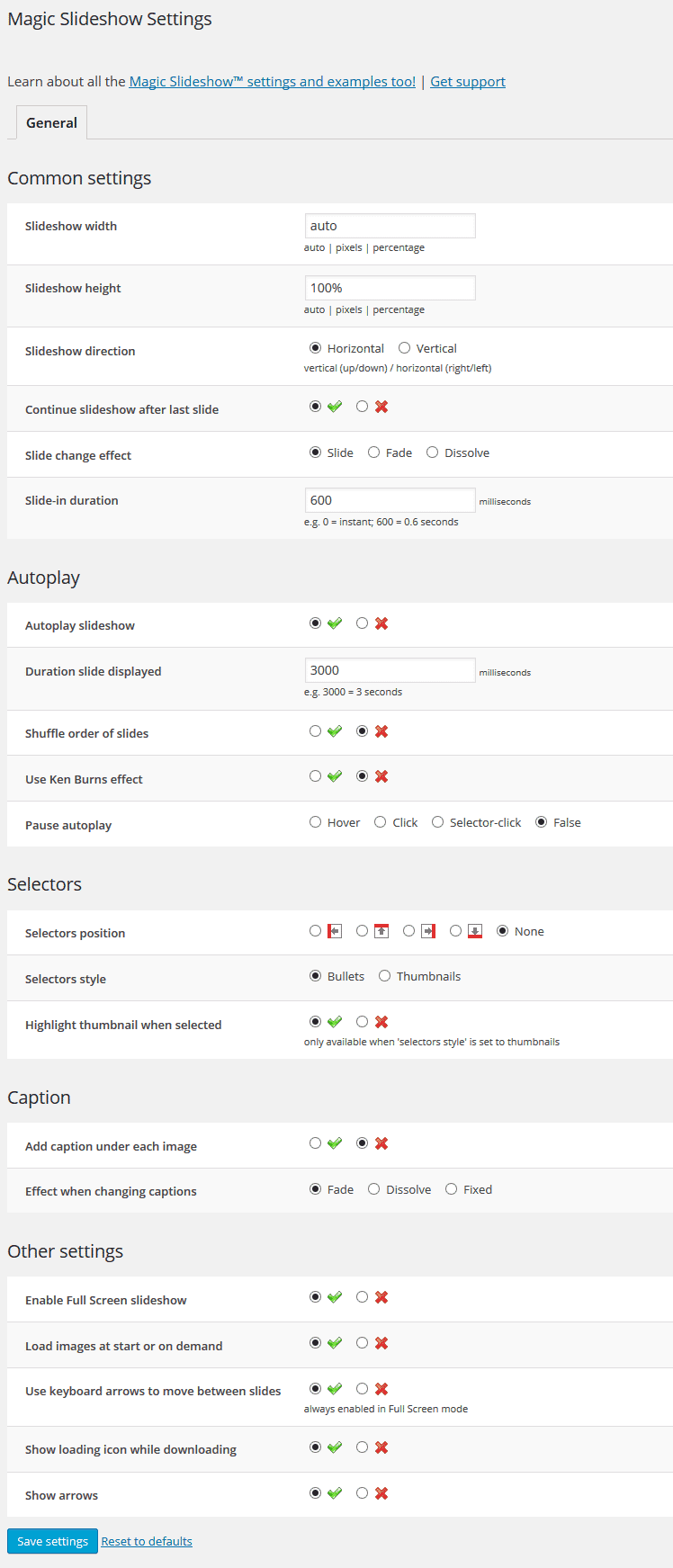
Use one of the popular ready-made templates or customise one to look perfect on your website. Feel the power of customisation with 23 adjustable options like effects, thumbnails, bullets and animation speed.
Easy shortcodes + SEO
Create custom slideshows for any page, to get your site pumping like a piston. You'll obtain a unique shortcode for each slideshow, to easily insert into pages and posts. Use SEO-friendly image names to beat competitors in Google too.
Unprecedented speed
Magic Slideshow is a carefully optimised JavaScript image module, not only fast to install but also fast to load. It allows you to use image caching and lazy loading to rejoice users with slow connections.Screenshots
Installation
- Download the Magic Slideshow plugin for WordPress (free and fully functional demo version).
-
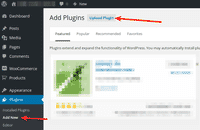 Either upload it via your WordPress admin area. Or unzip the file on your computer and upload the magicslideshow folder via FTP to /wp-content/plugins/, keeping the file and folder structure intact.
 - Activate the plugin in the 'Plugins' menu of WordPress.
The demo version is now installed! To add slideshows to any page or post, create a shortcode. See detailed steps below.
- Buy Magic Slideshow To upgrade your free and fully functional trial version of Magic Slideshow (which removes the "Trial version" text), buy Magic Slideshow and overwrite following file with the same one from your licensed version:
wp-content/plugins/*magicslideshow/core/magicslideshow.js
Video guide
Create a slideshow
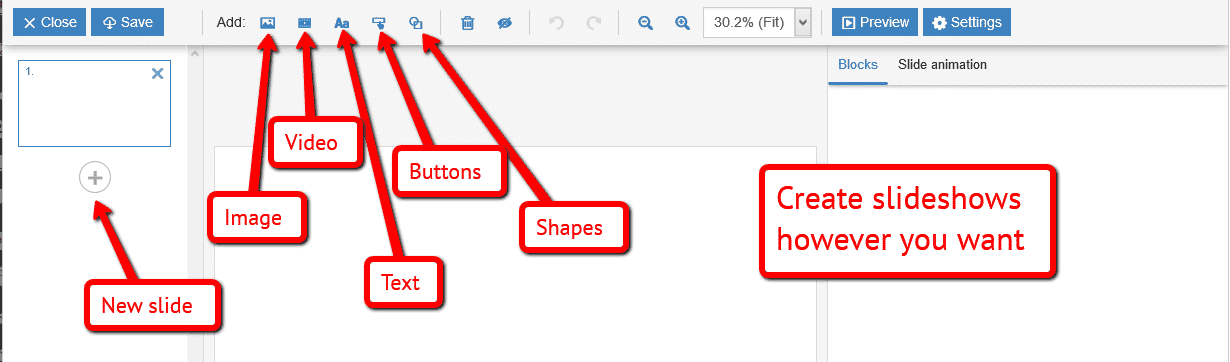
Thanks to Magic Slideshow's shortcode functionality, slideshows can be inserted on any page or post of your WordPress website. Slideshows can include images, videos, text, buttons & shapes. To add Magic Slideshow with no coding whatsoever, simply choose where you want your slideshow to go.
-
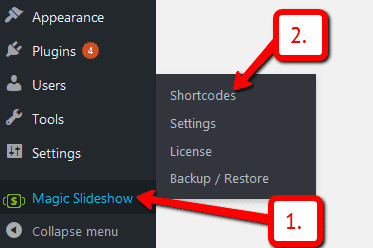
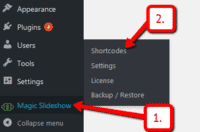 Click Magic Slideshow > Shortcodes.
 -
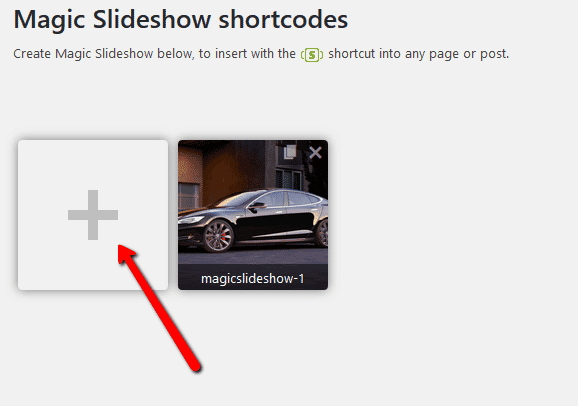
 Click + button.
 -
 Create an image slideshow, video slideshow - any slideshow you want. Include images, videos, text, buttons & shapes.
 -
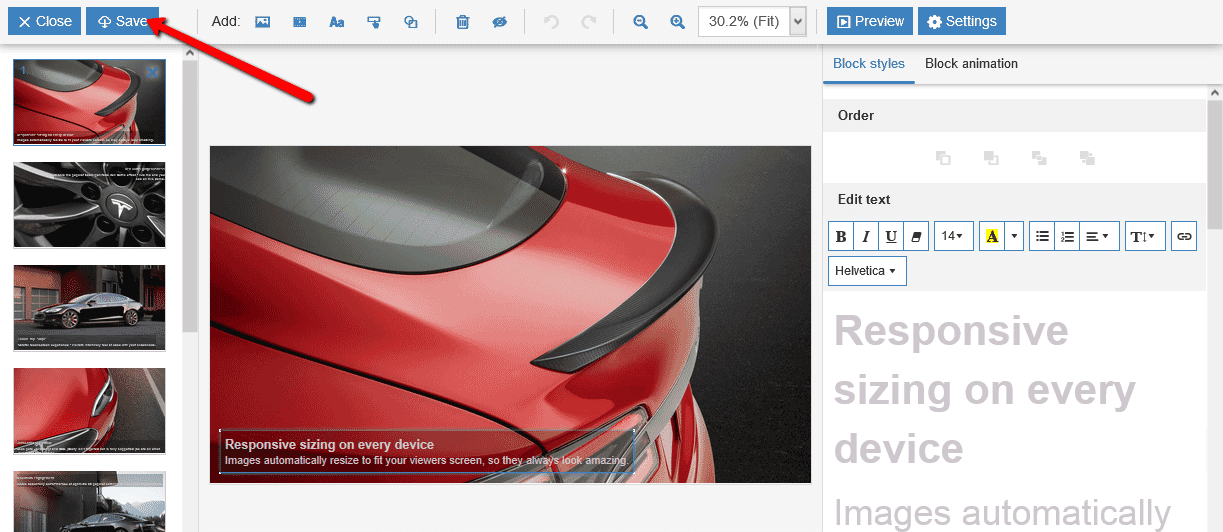
 Click Save.
 -
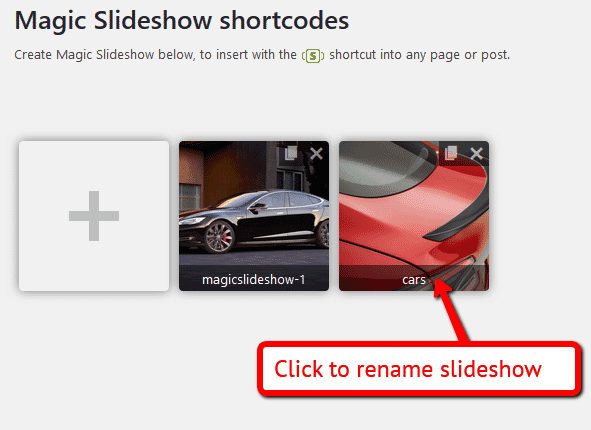
 New slideshow will be given a generic name. To change this to a specific name, double click slideshow name to rename.
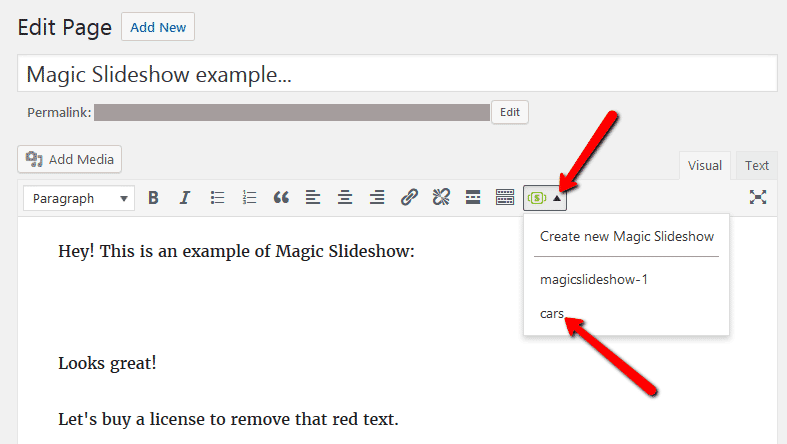
 - Open a post or page in WordPress > Place cursor where you want to insert slideshow.
-
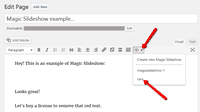 Click Magic Slideshow icon > Select name of slideshow you want to insert.
 -
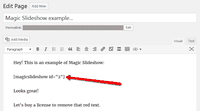 Magic Slideshow shortcode will appear on your page.
 -
 Preview page to see slideshow working on web page.
 - Create and add as many slideshows to your WordPress site. Enjoy!

Uninstallation
Thanks for trying Magic Slideshow on your WordPress site! What did you hope Magic Slideshow could do? How can we improve it? Let us know, we're always improving our tools based on customer feedback.
- Delete Magic Slideshow code from your content.
- Go to the Plugins menu of WordPress > 'Magic Slideshow for WordPress' plugin > Click 'Deactivate'.
- Once page has refreshed, go back to 'Magic Slideshow for WordPress' plugin > Click 'Delete' > Click 'Yes, delete these files'.
- Magic Slideshow is now uninstalled.
Customer reviews
Dirk, waycaps.com
Doug Bonham
Les Streater, marpubs.com
Submit your review
Your review has been received and will be posted soon.
Other WordPress plugins
Try our other great image effects!
 Magic Zoom
 Magic Zoom Plus
 Magic Thumb
 Magic Scroll
 Magic 360
This plugin was designed specifically for use on WordPress, the open source blogging platform. For help, please contact us.