




- Product details page
- Category page
- Search page
- Newest block
- Recent products block
- Most popular block
- Bestsellers block
- On sale block
- Rating block
- Manually block
- Manual install elsewhere
Use it anywhere!
Features you'll love...
- Responsive
- Fast
- Built with SEO in mind
- Image caching
- Easily customisable
- Automatically resizes images
- Scrollable thumbnails
- Supports all templates
- Watermarked images
- On-demand loading
- Regularly updated
- jQuery compatible
- One-off payment
67% of people think clear and detailed product images are more important than reviews and text description (source). Use it to your advantage - download the best CS-Cart image zoom module ever.
Magic Zoom shows beautiful big images by zooming into them on hover. It's a real WOW factor for your online shop visitors, who get to enjoy your images in much higher quality.
Install this CS-Cart image zoom addon in just 5 minutes. Then adjust the plugin exactly as you want. Pick from 4 gorgeous effects: internal zoom, external zoom, quick-preview and image magnifier. Adjust the plugin options easily and quickly - it's a real pleasure to use.
Refined for mobile devices, it will delight your iPhone, iPad and other mobile users. It'll always work perfectly too - whether you use jQuery or any other JavaScript libraries, Magic Zoom is a pure JavaScript image zoom tool which works on any store.
Show your customers beautifully zoomed images and sell more - install the free version of Magic Zoom now!
Installation
CS-Cart 4 installation
- Download the Magic Zoom module for CS-Cart 4 (free and fully functional demo version).
- Unzip the file on your computer and FTP the
app,designandjsfolders to your CS-Cart directory, keeping the file structure intact. - Make sure that the
app/addons/magiczoom/resourcesfolder in your CS-Cart directory is writeable. -
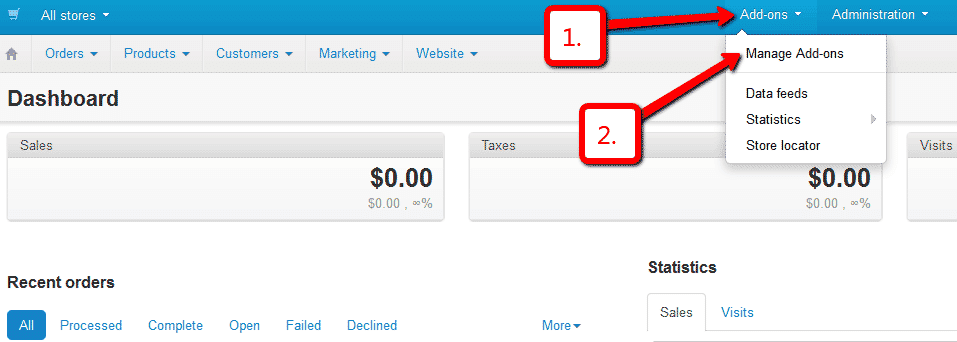
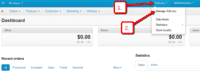 Go to
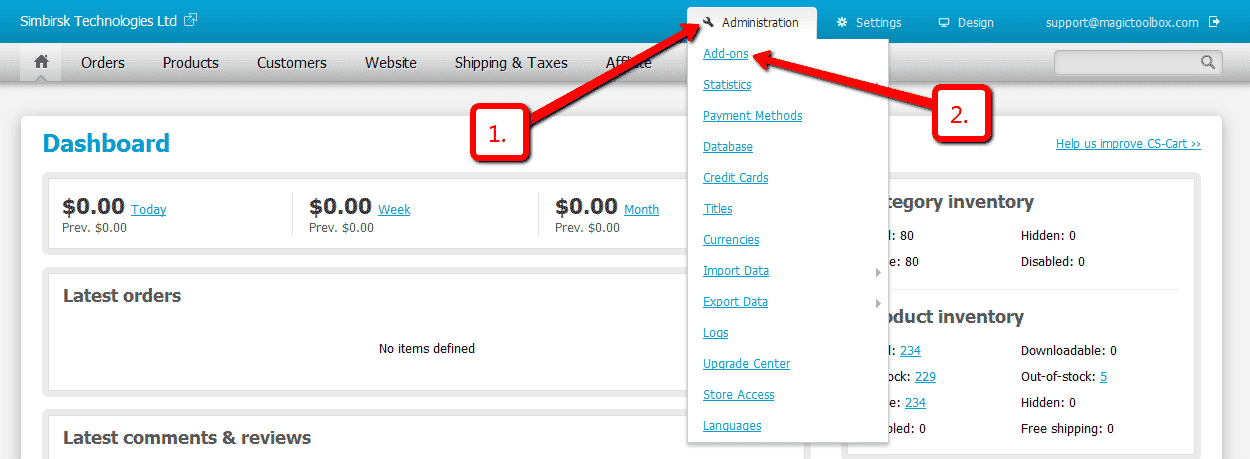
Go to Admin panel > Add-ons > Manage Add-ons. -
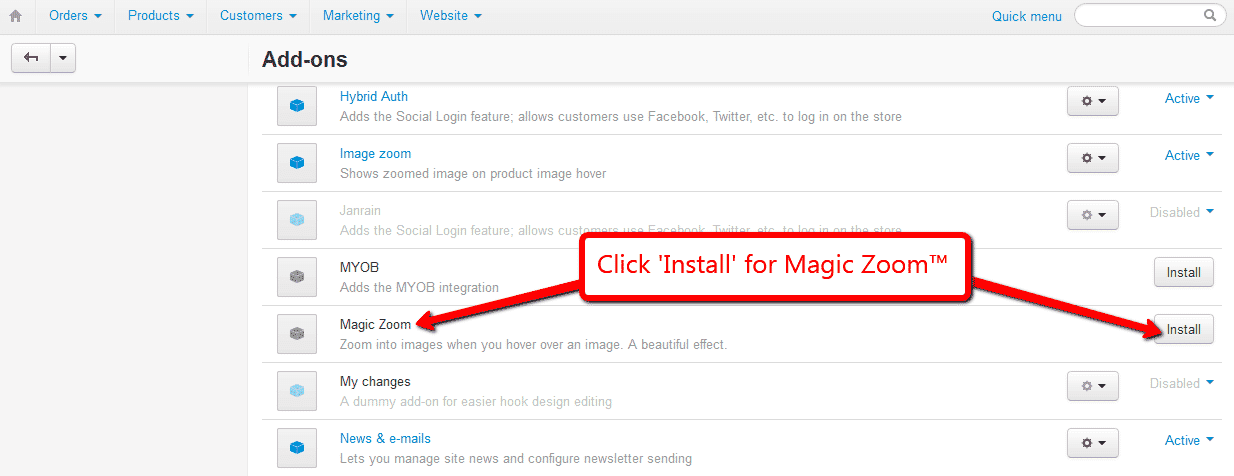
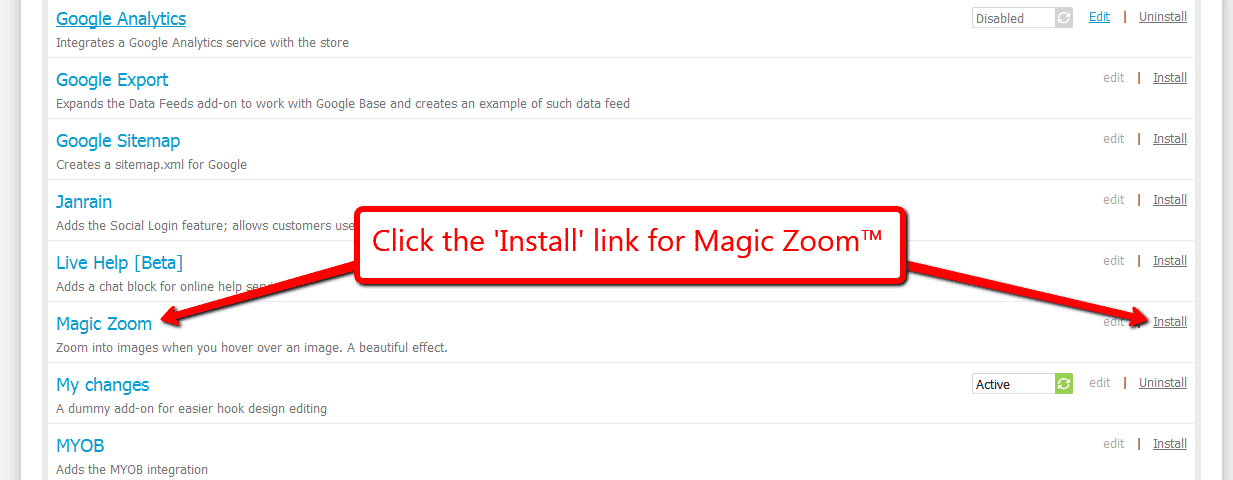
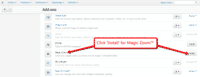 Install add-on.
 - The demo version is now installed!
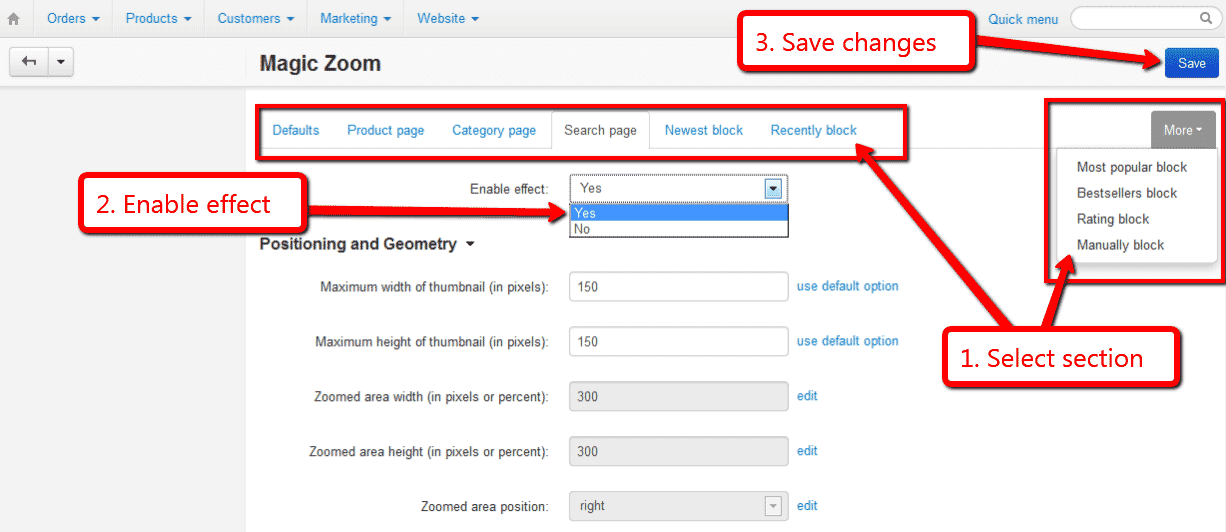
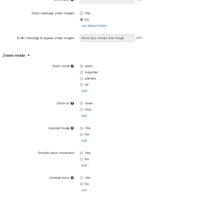 Customize Magic Zoom as you wish.
Go to: Admin panel > Add-ons > Manage Add-ons > Magic Zoom > Click 'Settings' icon > Select 'Manage'.-
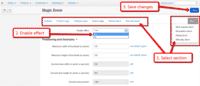 Magic Zoom can be enabled on any page or section you choose.
 -
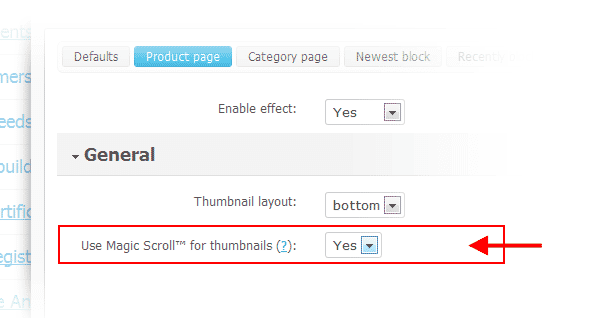
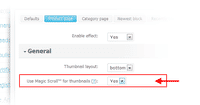 Activate Magic Scroll to enjoy organised thumbnails on your product page: Admin panel > Add-ons > Manage Add-ons > Magic Zoom > Manage > 'Product page' tab > 'General' section > 'Scroll thumbnails' option > Select 'Yes' > Save changes.
 - Buy Magic Zoom To upgrade your free and fully functional trial version of Magic Zoom (which removes the "Trial version" text), buy Magic Zoom and overwrite following file with the same one from your licensed version:
app/addons/magiczoom/resources/magiczoom.js

CS-Cart 2 & 3 installation
- Download the Magic Zoom module for CS-Cart 3 (free and fully functional demo version).
- Unzip the file on your computer and FTP the
magiczoomfolder to theaddonsdirectory of your CS-Cart and upload thevarfolder to the root of your website, keeping the file and folder structure intact. -
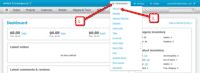 Go to
Go to [Admin panel > Administration > Add-ons] -
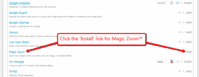 Install add-on.
 - The demo version is now installed!
-
 Customize Magic Zoom as you wish.
 -
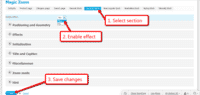 Magic Zoom can be enabled on any page or section you choose.
 - Activate Magic Scroll to enjoy organised thumbnails on your product page: Admin panel > Administration > Add-ons > Magic Zoom > Edit > 'Product page' tab > Use Magic Scroll for thumbnails > Select 'Yes' > Save changes.
- Buy Magic Zoom To upgrade your free and fully functional trial version of Magic Zoom (which removes the "Trial version" text), buy Magic Zoom and overwrite following file with the same one from your licensed version:
addons/magiczoom/core/magiczoom.js


Multiple images
Swapping between many images is already a standard feature in Magic Zoom. But if you have lots of images, the page can look complicated.
Make your thumbnails look slick and organised with Magic Scroll for CS-Cart. It neatly contains the images adds arrows to slide between them. Example:









- Simply activate Magic Scroll on the Magic Zoom options page.
- To remove the "Please upgrade" text, buy a license and overwrite the /addons/magiczoom/resources/magicscroll.js file with that from your licensed version.
Combine zoom & spin




Want to zoom some images and spin others on your product page? You can!
- Install the CS-Cart add-on for Magic Zoom.
- Install the CS-Cart add-on for Magic 360.
- Create a new product or open an existing one.
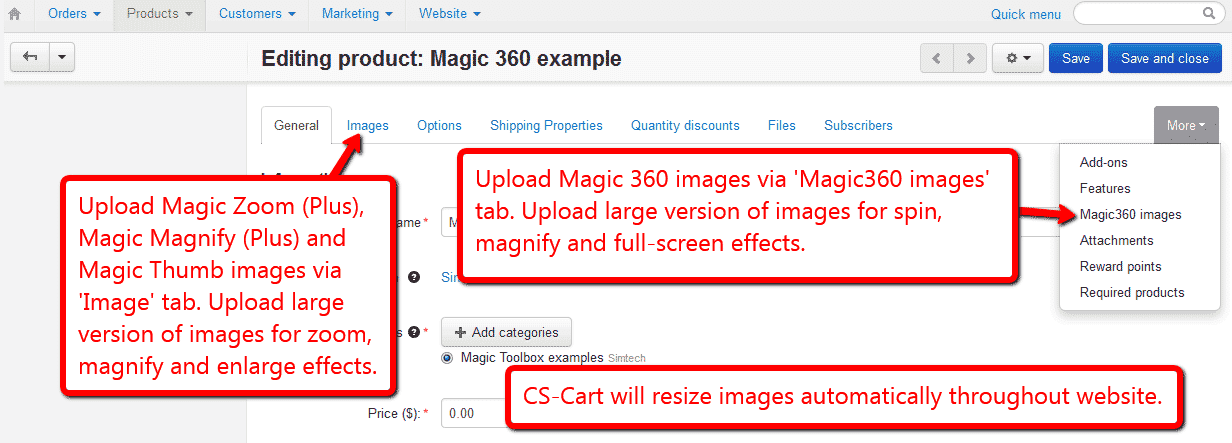
- Upload your zoom images via the 'Images' section. Upload your 360 spin images via the 'Magic360 images' section (
 screenshot).
Product attributes






Do your products come in different colours or styles?
Magic Zoom addon supports CS-Cart product attributes out of the box.
Whether you choose radio, dropdown menu or swatch thumbnails - product attributes is a perfect way to show customers your product range.
Uninstallation
Thanks for trying Magic Zoom on your CS-Cart site! What did you hope Magic Zoom could do? How can we improve it? Let us know, we're always improving our tools based on customer feedback.
CS-Cart 4 uninstallation
- Go to Admin panel > Add-ons > Manage Add-ons.
- Go to Magic Zoom > Click 'Settings' icon > Select 'Uninstall' > Click 'OK'.
- Magic Zoom is now uninstalled.
CS-Cart 2 & 3 uninstallation
- Go to Admin panel > Add-ons > Manage Add-ons.
- Go to Magic Zoom > Click 'Settings' icon > Select 'Uninstall' > Click 'OK'.
- Delete the magiczoom folder from the addons directory on your CS-Cart server.
- Magic Zoom is now uninstalled.
Customer reviews
Submit your review
Your review has been received and will be posted soon.
Other CS-Cart add-ons
Try our other great image effects!
 Magic Zoom Plus
 Magic Thumb
 Magic Slideshow
 Magic Scroll
 Magic 360
This zoom tool plugin was created for CS-Cart PHP shopping cart. Use the instructions above to integrate it into your store. Contact us if you need any help.