










No coding required.
Use your Magic Slideshow extension almost anywhere on your OpenCart site.
You can even apply different slideshow options to each page or block.
Supported pages & blocks
- Latest block
- Featured block
- Bestsellers block
- Specials block
- Layout blocks
- Manual install elsewhere
- OpenCart 3.x
- OpenCart 2.x
- OpenCart 1.5.x
Bring your OpenCart store to life, with a beautiful image slideshow.
This OpenCart image slideshow module will attract your customer's attention much more than a lifeless static page. Choose from a range of 15 spectacular effects, such as Ken Burns fading images, dissolve, cube, slide and flip.
Create slideshows for OpenCart pages in under 5 minutes, thanks to the easy Magic Slideshow module for OpenCart. Install the module, upload your images, add a description and you are done! It works on the Latest block, Featured block, Bestsellers block and Specials block of your store. It'll work on any other page too, just add the code to the appropriate template.
It's easy to apply up to 30 customizations, to perfectly match the slider style of your site. It supports swipe gestures on touch-screen devices and includes an incredible full-screen view.
Make your OpenCart store look amazing - download the best OpenCart slideshow extension now.
Verified by OpenCart:
Read reviews of Magic Slideshow on the official marketplace for OpenCart extensions.
Key features
Magnificent slideshows
Whether you have OpenCart 1.5, 2.0, 3.0 or another version, Magic Slideshow works all the time. We spent 8 years improving it for all possible themes and we are not going to stop.
Spectacular effects
Check out the gorgeous sliding effects - Ken Burns fading images, dissolve, slide-in, cube rotation - then customize them with more than 30 adjustable options. Create individual styles for different pages if you wish.Slideshows in 3 minutes
Enjoy the convenience of our image tool for creating custom slideshows in less than 5 minutes. Display them on your Bestsellers block, Specials block, Featured block and Latest block.
Fast load
Be pleasantly surprised by your images loading speed. Magic Slideshow uses only pure JavaScript (no jQuery or other frameworks) so it's extremely fast. This OpenCart slideshow addon includes image caching and lazy loading, to improve the speed even more.Stay protected
Don’t let anyone use your work for free. Protect your images from plagiarism with a convenient watermark tool – choose its size, opacity and position.Live demos

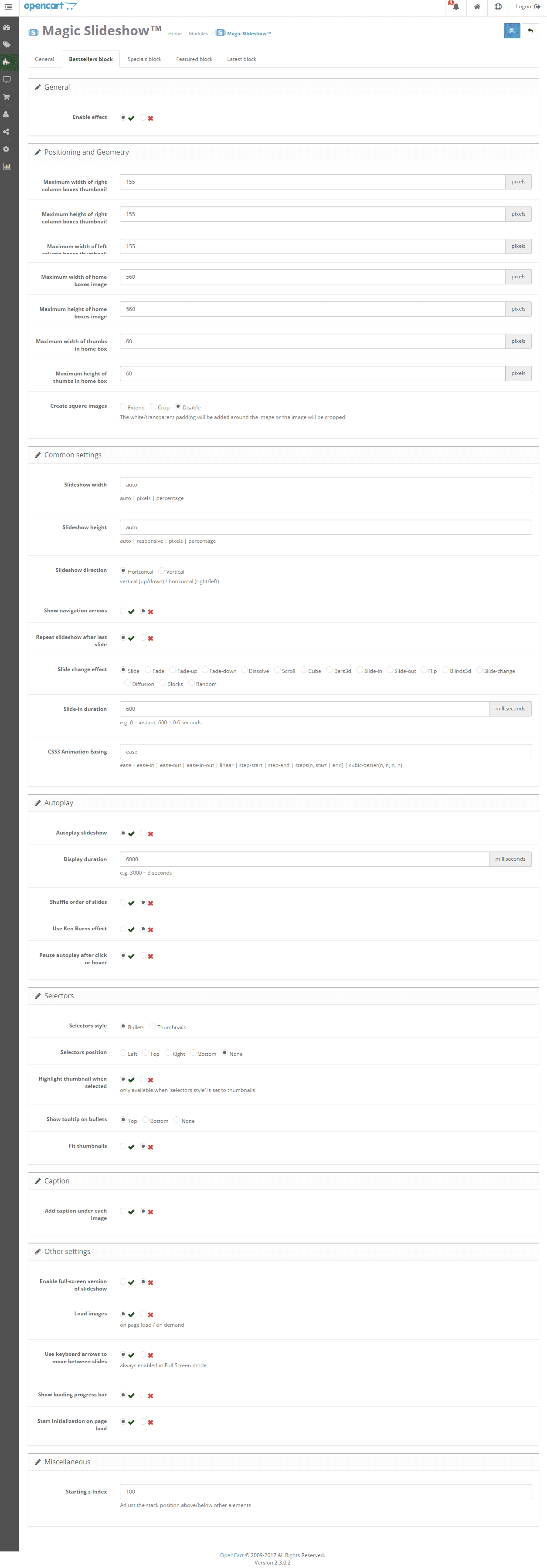
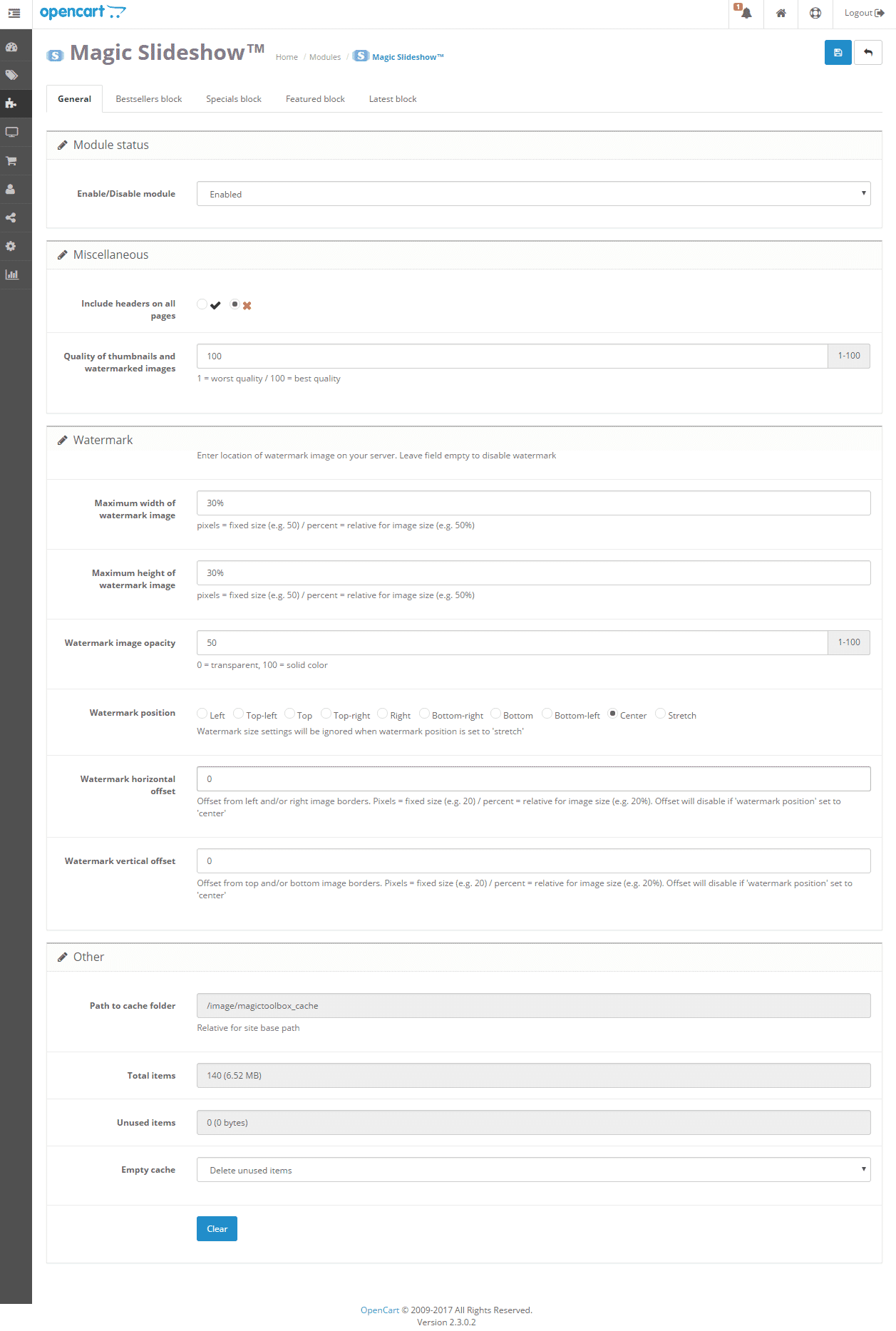
Screenshots
Installation
- Download Magic Slideshow for OpenCart (free and fully functional demo version).
- Unzip the file on your computer and FTP the magicslideshow folder to your OpenCart directory (on your server), keeping the file and folder structure intact.
 Go to http://www.yoursite.url/magicslideshow/ in your browser > click 'Install' (replace yoursite.url with your domain name.
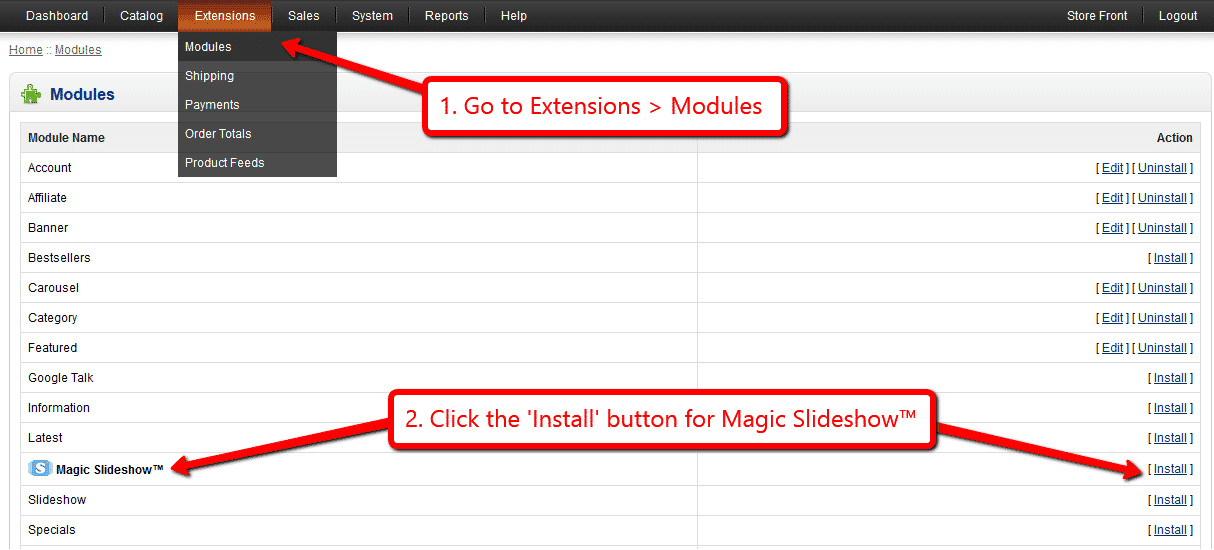
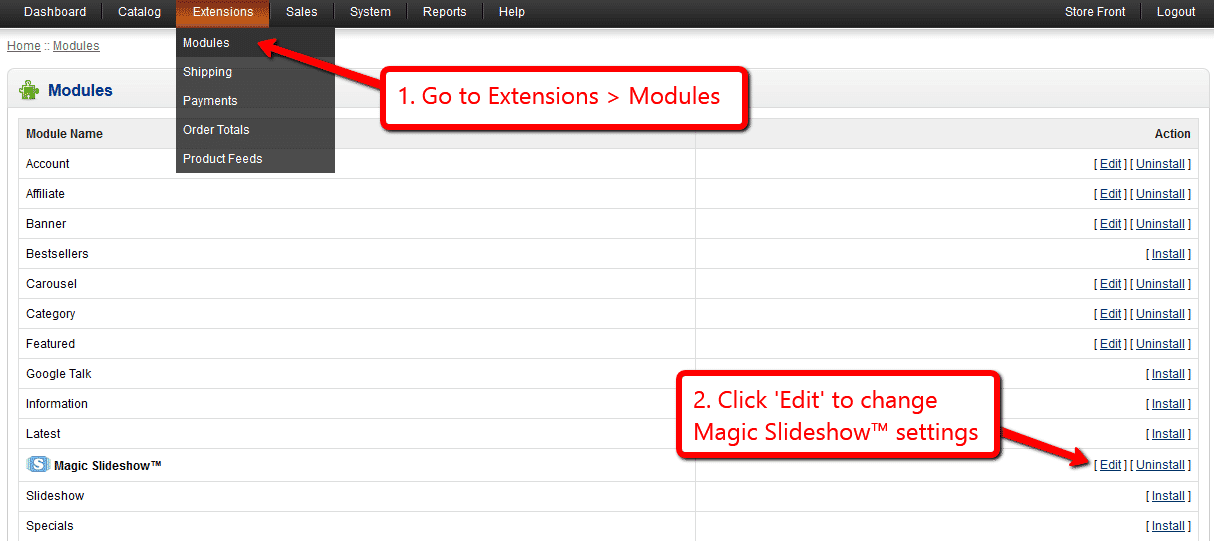
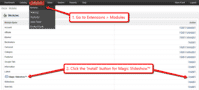 Go to [Admin panel > Extensions > Modules] and install module.
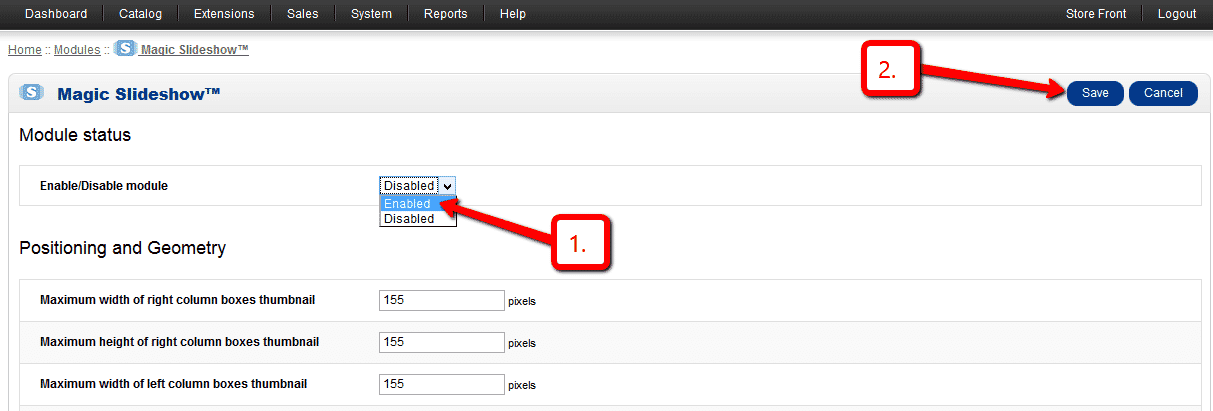
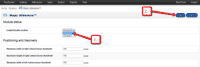 Remain on [Admin panel > Extensions > Modules] and click 'Edit' by the Magic Slideshow listing and enable module.
- If you are using OpenCart 2.x go to [Admin panel > Modifications] and click 'Refresh' button.
- Magic Slideshow is now installed!
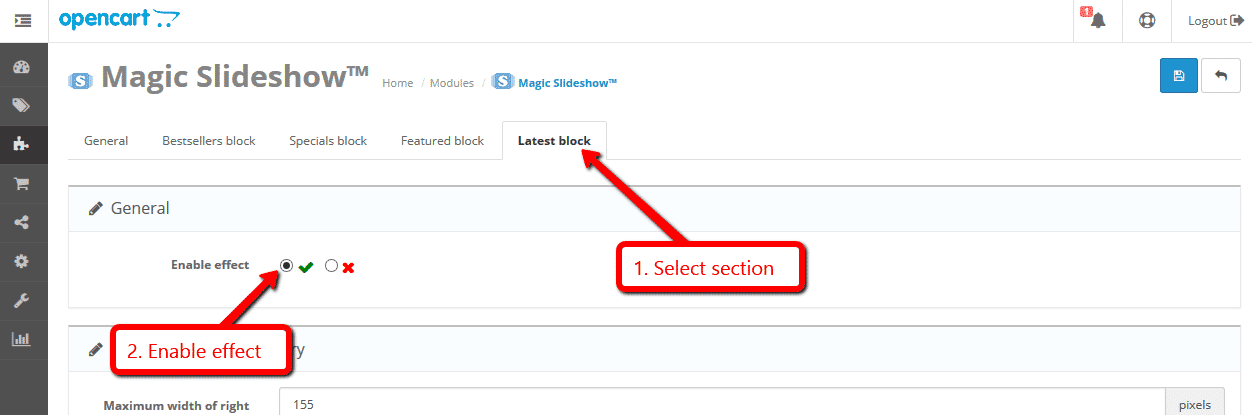
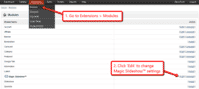 Customize the Magic Slideshow module through the [Extensions > Modules > Edit] menu in your OpenCart admin panel.
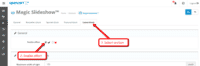 Magic Slideshow can be enabled on any page or section you choose.
- Buy Magic Slideshow To upgrade your free and fully functional trial version of Magic Slideshow (which removes the "Trial version" text), buy Magic Slideshow and overwrite following file with the same one from your licensed version:
catalog/view/javascript/magicslideshow.js

If you run OpenCart inside Joomla using AceShop, please integrate Magic Slideshow using the instructions below.
- Download Magic Slideshow for OpenCart (free and fully functional demo version).
- Unzip the file on your computer and FTP the admin and catalog folders to the components/com_aceshop/opencart/ folder (on your server).
- Go to [Admin panel > Components > AceShop > Dashboard > Extensions > Modules] and install module.
- Go to [Admin panel > Components > AceShop > Dashboard > Extensions > Extension Installer] and install magicslideshow.ocmod.xml file.
- Go back to [Admin panel > Components > AceShop > Dashboard > Extensions > Modules] and click 'Edit' by the Magic Slideshow listing and enable module.
- Magic Slideshow is now installed!
- Customize the Magic Slideshow module through the [Admin panel > Components > AceShop > Dashboard > Extensions > Modules > Edit] menu in your Joomla admin panel.
- Buy Magic Slideshow To upgrade your free and fully functional trial version of Magic Slideshow (which removes the "Trial version" text), buy Magic Slideshow and overwrite following file with the same one from your licensed version:
components/com_aceshop/opencart/catalog/view/javascript/magicslideshow.js
If you run OpenCart inside Joomla using MijoShop, please integrate Magic Slideshow using the instructions below.
- Download Magic Slideshow for OpenCart (free and fully functional demo version).
- Unzip the file on your computer and FTP the admin and catalog folders to the components/com_mijoshop/opencart/ folder (on your server).
- Go to [Admin panel > Components > MijoShop > Dashboard > Extensions > Modules] and install module.
- Go to [Admin panel > Components > MijoShop > Dashboard > Extensions > Extension Installer] and install magicslideshow.ocmod.xml file.
- Go back to [Admin panel > Components > MijoShop > Dashboard > Extensions > Modules] and click 'Edit' by the Magic Slideshow listing and enable module.
- Magic Slideshow is now installed!
- Customize the Magic Slideshow module through the [Admin panel > Components > MijoShop > Dashboard > Extensions > Modules > Edit] menu in your Joomla admin panel.
- Buy Magic Slideshow To upgrade your free and fully functional trial version of Magic Slideshow (which removes the "Trial version" text), buy Magic Slideshow and overwrite following file with the same one from your licensed version:
components/com_mijoshop/opencart/catalog/view/javascript/magicslideshow.js
If you run OpenCart inside Joomla using jCart, please integrate Magic Slideshow using the instructions below.
- Download Magic Slideshow for OpenCart (free and fully functional demo version).
- Unzip the file on your computer and FTP the admin, catalog and system folders to the components/com_jcart/ folder (on your server).
- Go to [Admin panel > Components > jCart > Modules] and install module.
- Go back to [Admin panel > Components > jCart > Modules] and click 'Edit' by the Magic Slideshow listing and enable module.
- Magic Slideshow is now installed!
- Customize the Magic Slideshow module through the [Admin panel > Components > jCart > Modules > Edit] menu in your Joomla admin panel.
- Buy Magic Slideshow To upgrade your free and fully functional trial version of Magic Slideshow (which removes the "Trial version" text), buy Magic Slideshow and overwrite following file with the same one from your licensed version:
components/com_jcart/catalog/view/javascript/magicslideshow.js
This module lets you create slideshows on your product details page and other blocks such as featured products
Add slideshow to any page layout editor
Using OpenCart 2 or 3? Add an image slideshow to any page layout on your OpenCart store using a slideshow box. Want an image slideshow in the top content area of your Homepage? You can! What about a slideshow in the left column of your Category page? You can have that too!
Create your image slideshow, then use Design > Layouts to position the slideshow. It's that easy!
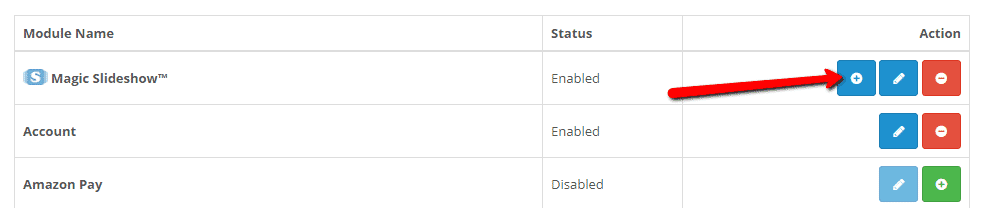
 Click the 'Add slideshow box' button.
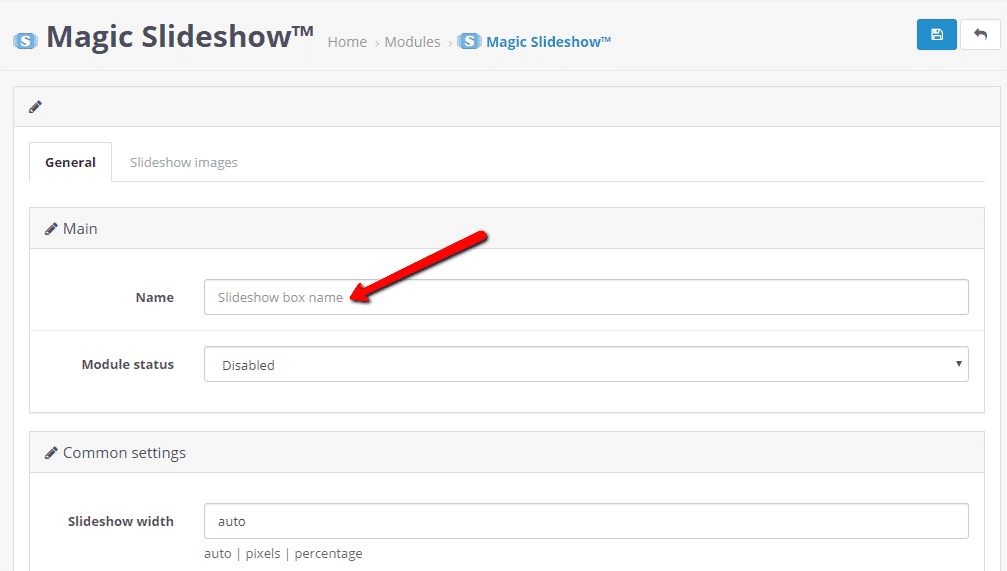
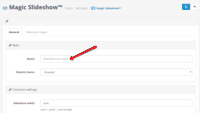 Enter slideshow name.
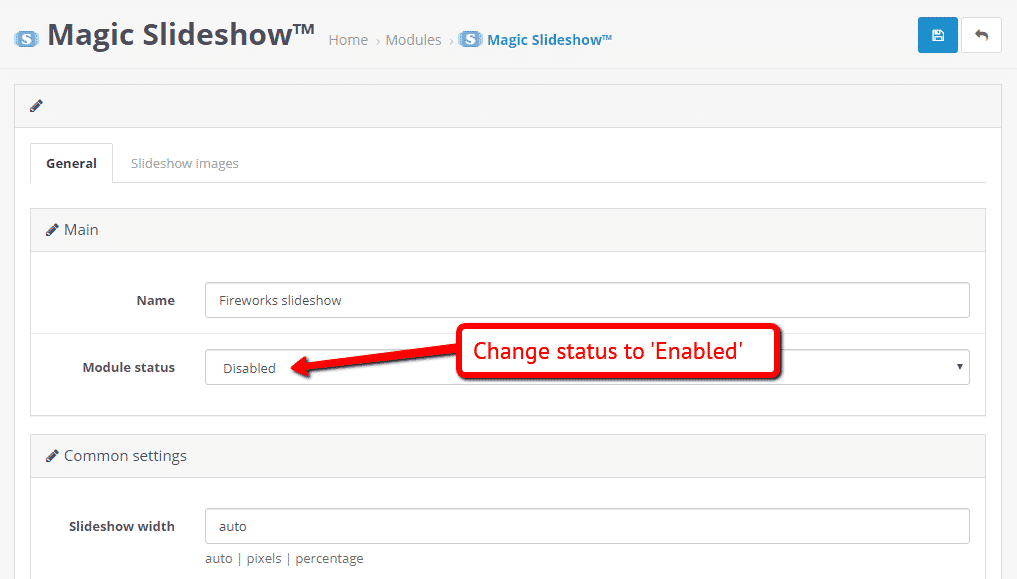
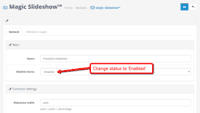 Change status to 'Enabled'.
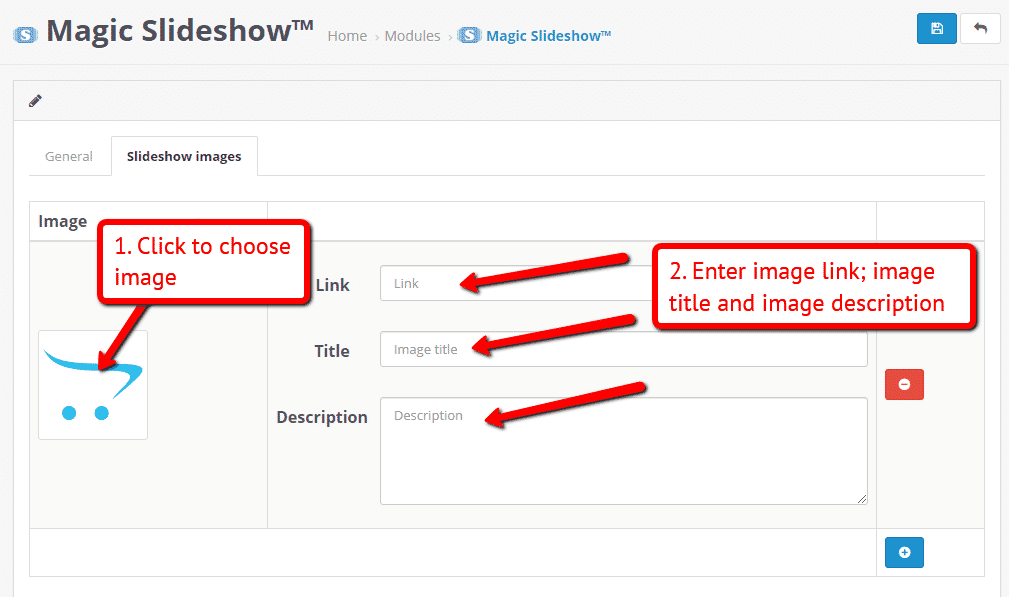
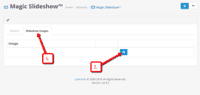 Click 'Slideshow images' tab > Click 'Add image' button.
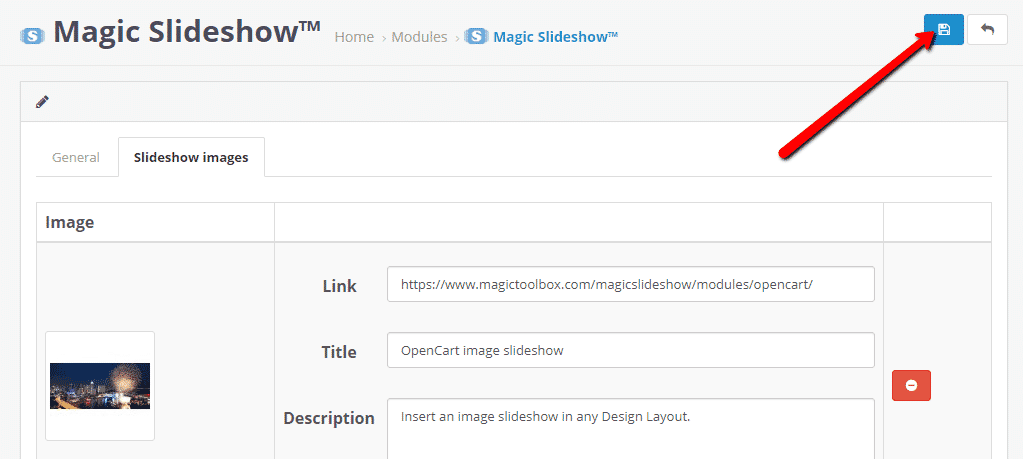
 Upload slideshow image and enter image link, image title and image description.
(Repeat Steps 4 and 5 to upload each slideshow image.)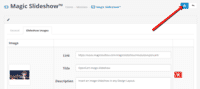 Click 'Save' button when all slideshow images uploaded.
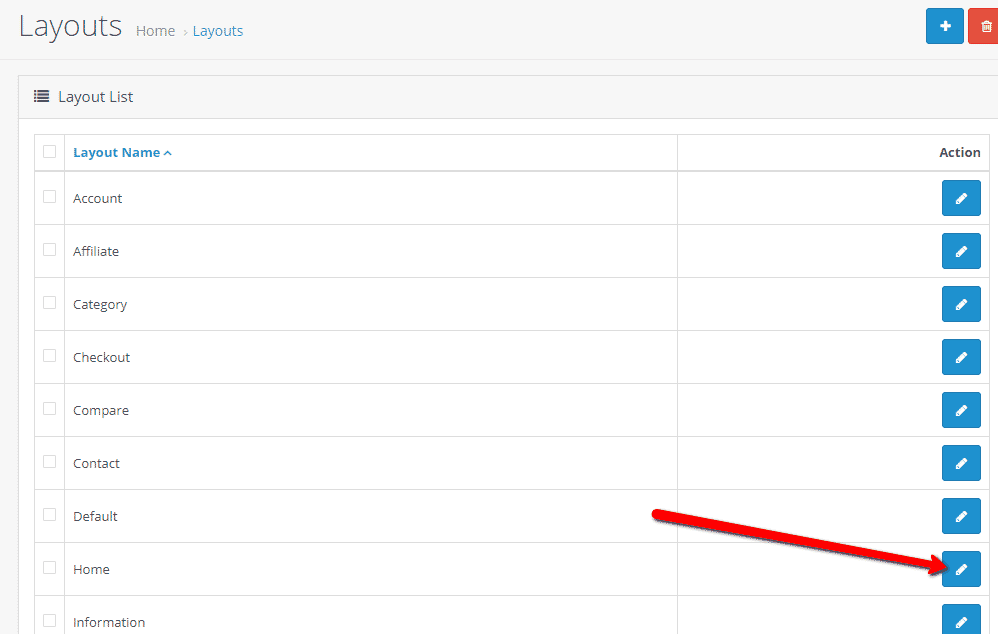
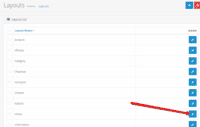 Go to: Design > Layouts > Choose page where you want to insert image slideshow > Click 'Edit' button.
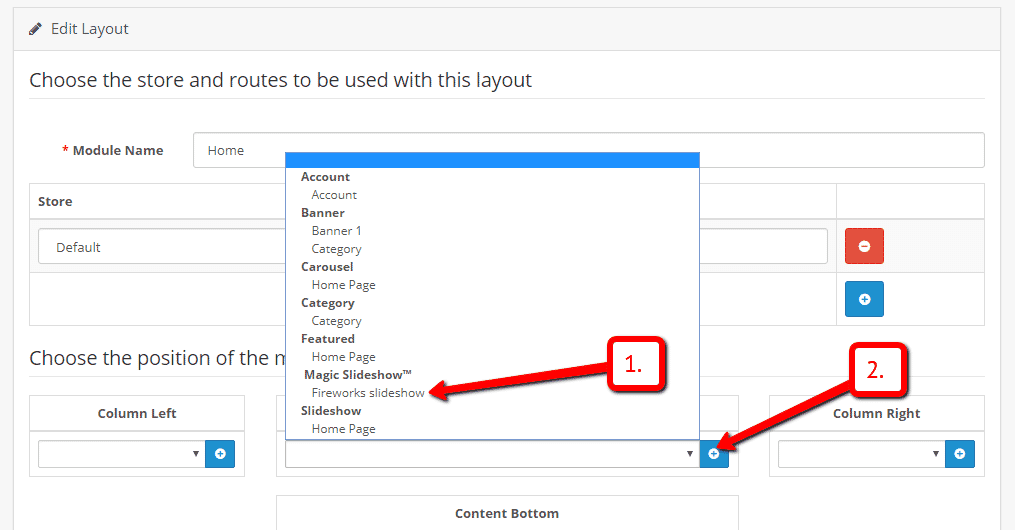
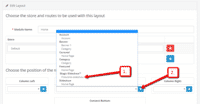 Choose area you want slideshow to appear on page > Select [your image slideshow] from drop down menu > Click 'Add module' button.
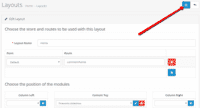 Click 'Save' button.
- Refresh web page. New image slideshow will appear.
- That's it! Repeat Steps 1-10 for every new image slideshow.
- Customization options appear on the 'General' tab of the slideshow. Choose slideshow direction, slideshow change effect, slideshow full-screen and more. Once you've selected your options, click the 'Save' button.


CMS page slideshow
Add image slideshows to any CMS page on your OpenCart store. If you have any questions, get in touch.
- Go to the module options page: [Admin panel > Extensions > Magic Slideshow].
- Go to 'General' tab > 'Miscellaneous' section > 'Include headers on all pages' option > Click 'tick' > Save settings.
- Go to 'Catalog > Information'.
- Open existing page or create a new page.
- Scroll down to 'Description' section > Click 'Code View' button.
- Insert Magic Slideshow anywhere in the code. It requires a div with a class of MagicSlideshow and all your sliding images inside. The HTML will look something like this:
<div class="MagicSlideshow">
<img src="example1.jpg">
<img src="example2.jpg">
<img src="example3.jpg">
<img src="example4.jpg">
</div>
- Save changes.
- Check out detailed HTML instructions for changing the settings of your image slideshow - thumbnails, bullets, slide change effects, arrows etc.
Uninstallation
Thanks for trying Magic Slideshow on your OpenCart site! What did you hope Magic Slideshow could do? How can we improve it? Let us know, we're always improving our tools based on customer feedback.
- Go to [Admin panel > Extensions > Modules] and Uninstall module.
- Go to http://yoursite.url/magicslideshow/ in your browser and click 'Uninstall' (replace yoursite.url with your domain name).
- If you are using OpenCart 2.x go to [Admin panel > Modifications] and click 'Refresh' button.
- Delete the magicslideshow folder from your OpenCart directory (on your server).
- Magic Slideshow is now uninstalled.
If you run OpenCart inside Joomla using AceShop, please uninstall Magic Slideshow using the instructions below.
- Go to [Admin panel > Components > AceShop > Dashboard > Extensions > Modules] and click 'Edit' by the Magic Slideshow listing and disable module.
- Remain on [Admin panel > Components > AceShop > Dashboard > Extensions > Modules] and uninstall module.
- Magic Slideshow is now uninstalled!
If you run OpenCart inside Joomla using MijoShop, please uninstall Magic Slideshow using the instructions below.
- Go to [Admin panel > Components > MijoShop > Dashboard > Extensions > Modules] and click 'Edit' by the Magic Slideshow listing and disable module.
- Remain on [Admin panel > Components > MijoShop > Dashboard > Extensions > Modules] and uninstall module.
- Magic Slideshow is now uninstalled!
Alex MSangani, teakdeals.com Ridz, afzara.com Alexandra, adfk.co.uk/newadfkCustomer reviews
This plugin is really a nice addition to your webshop!
I needed little customization with the css, the support guys patiently answered all my question and came up with solution for my queries. I'm using it for Opencart 2.2.
Thank you so much!Submit your review
Your review has been received and will be posted soon.
Other OpenCart modules
Try our other great image effects!
 Magic Zoom
 Magic Zoom Plus
 Magic Thumb
 Magic Scroll
 Magic 360
This module was created for OpenCart, the shopping cart platform, to make it easy to add JavaScript slideshows to your site. The OpenCart slideshow script works on iPad and iPhone as well as the major browsers (Internet Explorer, Firefox, Chrome, Safari, Opera). Download this free Opencart addon for your site today and enjoy this beautiful slideshow software. And if you get stuck, contact us.