
SOME OF THE WORLD’S MOST RESPECTED BRANDS TRUST MAGIC TOOLBOX

     | |
Responsive imaging, created just for you.
Let your customers enjoy the smallest detail of your items.
- Effortless to use, whether on desktop or mobile.
- Use it with AyelShop, AceShop and MijoShop when running OpenCart in Joomla.
The most powerful Joomla product image zoom available
Supported Versions
- Joomla 4.x
- Joomla 3.x
- Joomla 2.5
- Joomla 1.7
- Joomla 1.6
- Joomla 1.5
Works on these pages
Joomla is a long-standing favourite CMS for publishing websites. We're confident to claim that Magic Zoom Plus is the best Joomla image zoom extension (and has been for 7 years in a row).
This beautiful Joomla image zoom just gets better and better. We are constantly adding new features and refinements, so that it gives your website a real WOW factor.
Use it on any page of your Joomla site and easily customize it with over 70 options in your Joomla admin area. Simply point and click on the options you wish - choose the zoom style, size, hover effects, enlarge effects, colours and styling.
It works perfectly on all browsers and devices, including fast touchscreen response. It supports retina screens and multi-language websites. All-in-all, this is the best Joomla image zoom extension and we're so confident you'll love it, every license has a 30 day moneyback guarantee.
Download this image & lightbox Joomla extension (free trial) today and make your images look amazing!
Spectacular products
Big product images can raise conversions by 13%, product videos by 144% (if watched). That's why Magic Zoom Plus is your perfect sales tool, revealing high-quality zoomable images and videos too. Boost your sales today.
Trustworthiness + flexibility
Your products will look much more trustworthy when customers see highly detailed photos (on click or hover - your choice). It gives shoppers confidence, helping to raise conversions. Easily use this ultimate Joomla image zoom extension wherever you need it.Fast loading
Magic Zoom Plus is a carefully refined JavaScript image zoom to work on any website - with or without jQuery. It looks perfect on any device and works faster than ever. It is responsive, so adapts to iPhones, iPads and other mobile screens so shoppers happily visit your store. It uses best-practice image caching and lazy loading too, for fast loading pages.Automatic SEO and anti-plagiarism
Upload high-quality images and Magic Zoom Plus will automatically resize them to appropriate sizes. Add captions and SEO-friendly image names, to help bring you more Google search engine visitors. Protect against theft too - easily add watermarks, with dimensions, position and opacity to suit your store.All Joomla versions supported
Magic Zoom Plus supports any version of Joomla. We're constantly improving our modules, you can be sure that when a big update happens - we'll update our products accordingly.



- 1 site
- Unlimited usage on 1 website
- Perfect for webstore owners
£49
One-off payment- 5 sites
- Unlimited usage on 5 sites
- Perfect for freelancers
£149
One-off payment- 10 sites
- Unlimited usage on 10 sites
- Perfect for small agencies
£249
One-off payment- Unlimited
- Unlimited use on unlimited sites
- For big agencies and enterprise
£599
One-off payment "I've been using magictoolbox code almost from the beginning. It is well done, imaginative, and compact. I've tried plenty of other image handlers but none are as good a value as these and I highly recommend them."
Wayne Eskridge, lightingshowroom.com
We've got you covered
Money back guarantee
30-day money back guarantee if you are not 100% satisfied.
Free Support
30 minutes free technical support for all customers. You can buy extra support if you need.
Instant Download
Download your product immediately after payment. Pay by credit card, PayPal or bank transfer.
Free updates
Enjoy 12 months of free updates. After that, new versions are available at 80% discount.
Customer reviews
Lee Parkinson, strikeking.com
Submit your review
Your review has been received and will be posted soon.
Other Joomla components
Try our other great image effects!
 Magic Zoom
 Magic Thumb
 Magic 360
 Magic Scroll
 Magic Slideshow
Screenshots
Installation
- Download the Magic Zoom Plus component for Joomla content (free and fully functional demo version).
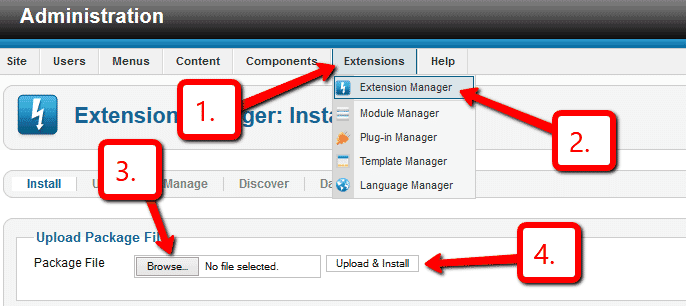
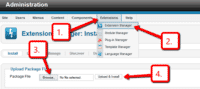 Upload it via your Joomla admin panel Extensions > Extension Manager > Browse File > Click 'Upload & Install'. Component will automatically enable.
To zoom an image, put a small image into your content (either by using TinyMCE image wizard or using mos_image extension). Then link it to your large image with a class of MagicZoom e.g.
<a href="large.jpg" class="MagicZoom"><img src="small.jpg"></a>
- That's all!
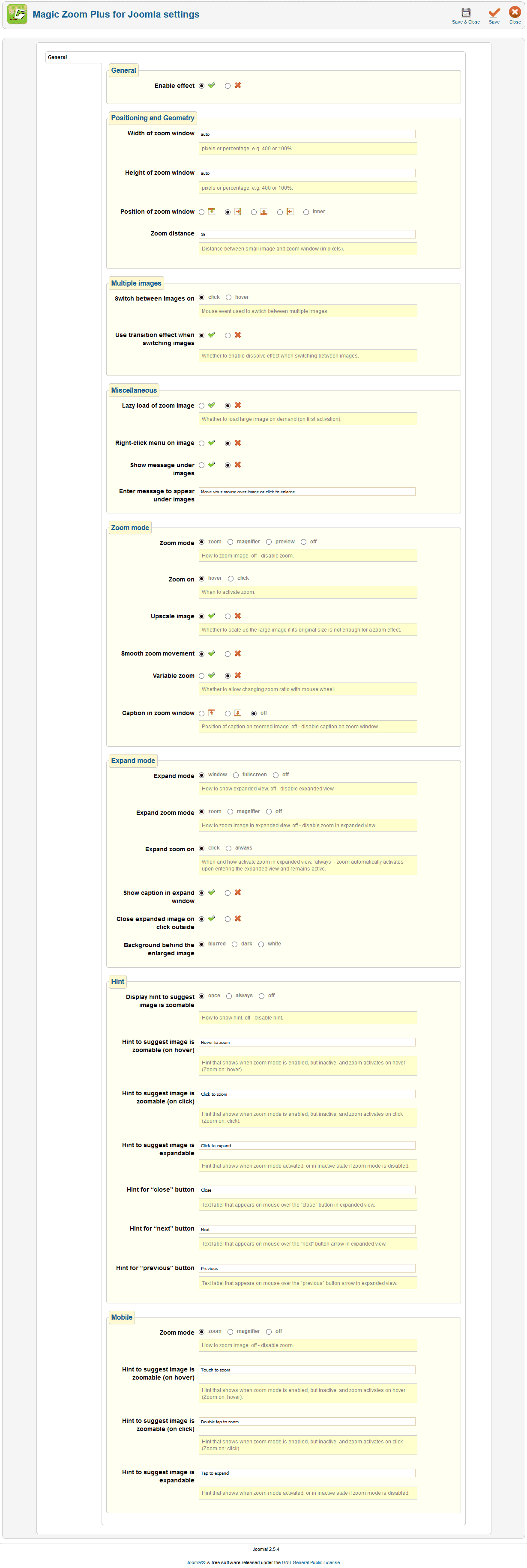
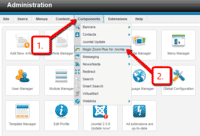 Customize Magic Zoom Plus how you want. Go to Components > Magic Zoom Plus for Joomla
- Buy Magic Zoom Plus To upgrade your free and fully functional trial version of Magic Zoom Plus (which removes the "Trial version" text), buy Magic Zoom Plus and overwrite following file with the same one from your licensed version:
/media/plg_system_magiczoomplus/magiczoomplus.js

- Download the Magic Zoom Plus component for Joomla content (free and fully functional demo version).
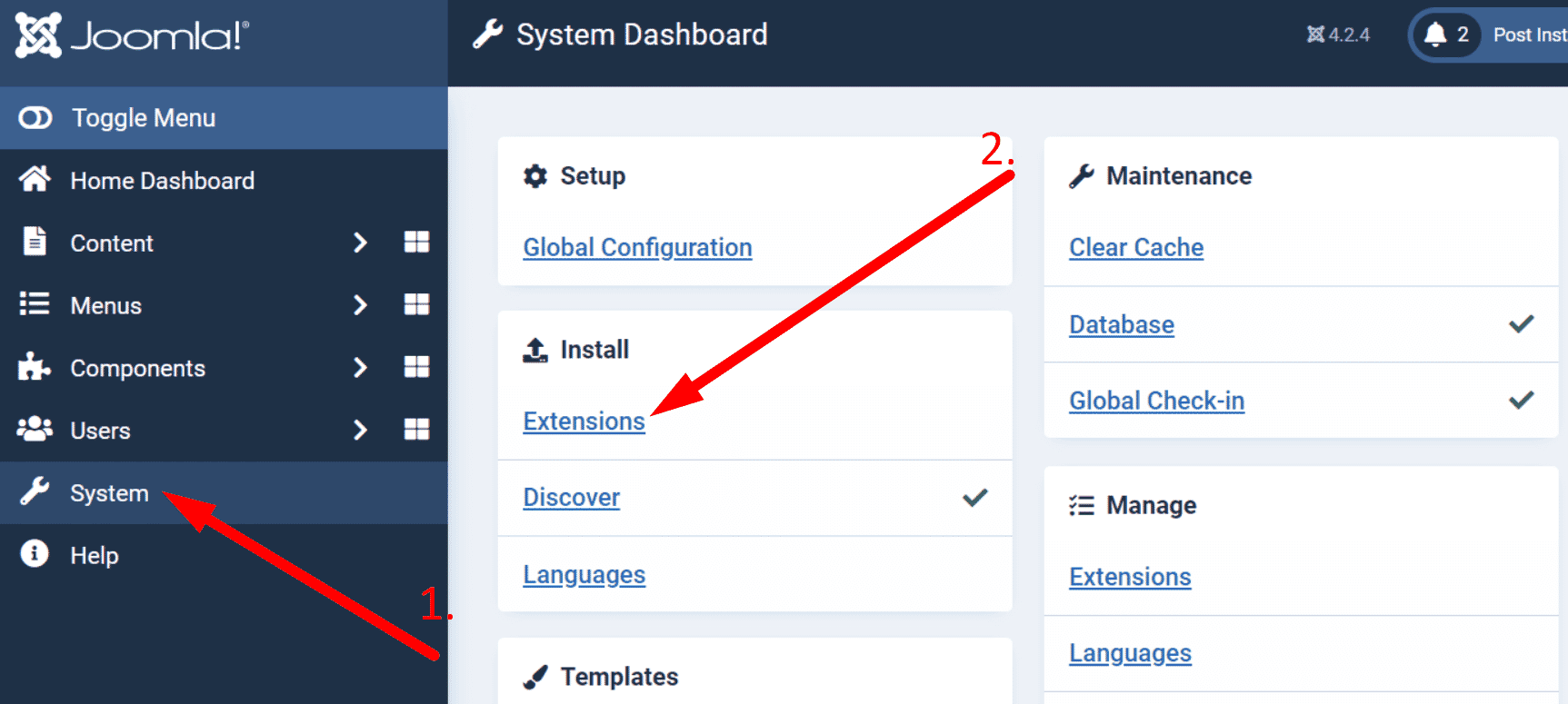
 Upload it via your Joomla admin panel System > Install > Extensions > Browse File.
To zoom an image, put a small image into your content (using TinyMCE image wizard). Then link it to your large image with a class of MagicZoom e.g.
<a href="large.jpg" class="MagicZoom"><img src="small.jpg"></a>
- That's all!
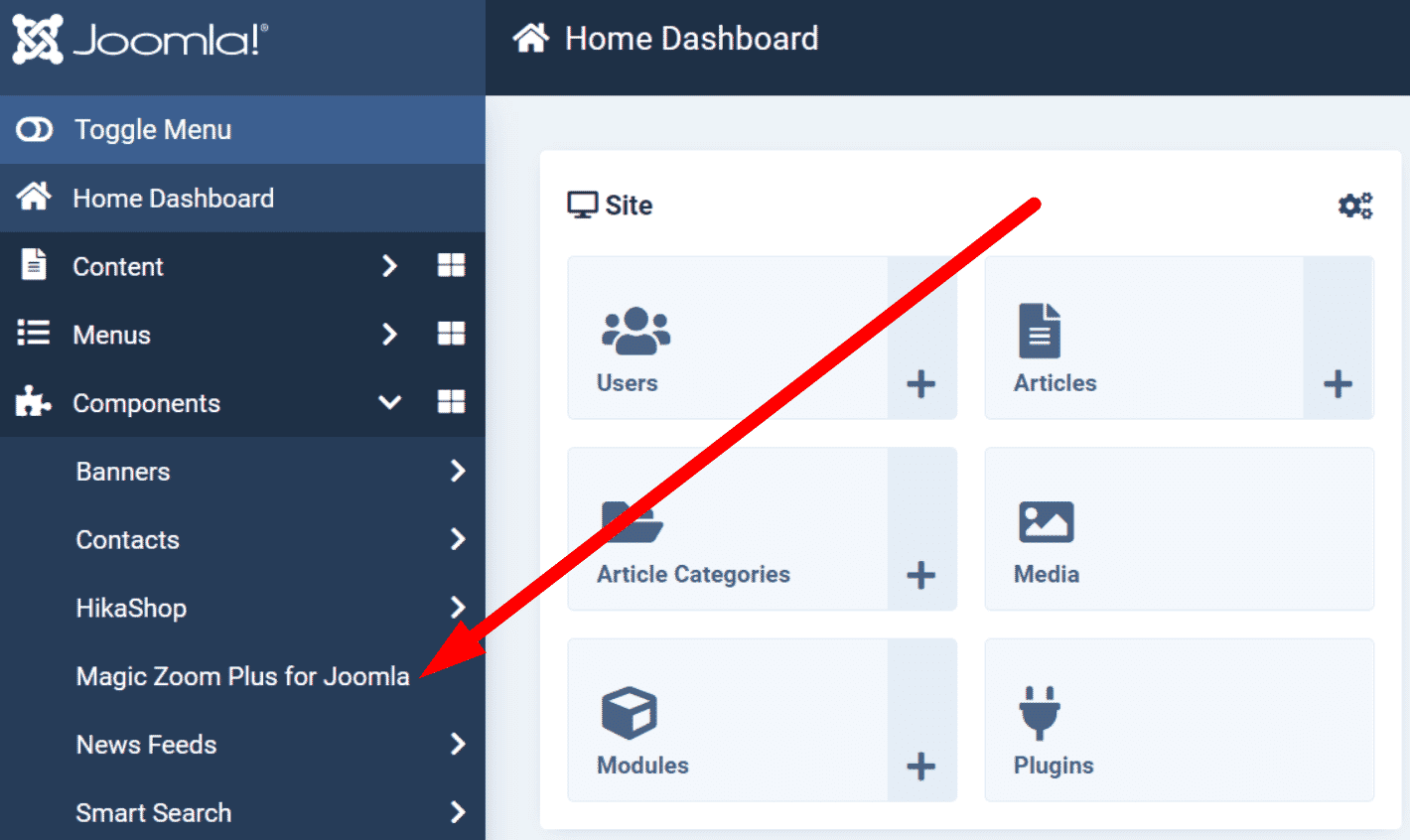
 Customize Magic Zoom Plus how you want. Go to Components > Magic Zoom Plus for Joomla.
- Buy Magic Zoom Plus To upgrade your free and fully functional trial version of Magic Zoom Plus (which removes the "Trial version" text), buy Magic Zoom Plus and overwrite following file with the same one from your licensed version:
/media/plg_system_magiczoomplus/magiczoomplus.js
Uninstallation
Thanks for trying Magic Zoom Plus on your Joomla site! What did you hope Magic Zoom Plus could do? How can we improve it? Let us know, we're always improving our tools based on customer feedback.
- Delete Magic Zoom Plus code from your content.
- Go to: Extensions > Plugin Manager > Disable plugin.
- Go to: Extensions > Extension Manager > Manage > Add tick in box next to Magic Zoom Plus for Joomla > Click 'Uninstall'.
- Magic Zoom Plus is now uninstalled.
- Delete Magic Zoom Plus code from your content.
- Go to: System > Manage > Extensions.
- Search 'Magic Zoom Plus' > Add tick in box next to Magic Zoom Plus for Joomla > Click 'Uninstall'.
- Magic Zoom Plus is now uninstalled.