




Works on these pages:
- Product details page
- Category page
- WP e-Commerce 3.8
- WP e-Commerce 3.7
- WP e-Commerce 3.6
Do you need better looking WP eCommerce images? Then you need the best WP eCommerce plugin for images.
This spectacular image zoom will instantly improve your website's appearance. Magic Zoom for WP eCommerce solves the problem of showing beautiful big images, without taking up lots of space. By zooming images on hover, users can see every detail in your product photos while still leaving plenty of space for all the other important content your page needs.
Easy to install, you can quickly make this image zoom plugin look exactly how you want. Choose from 4 effects: internal zoom, external zoom, quick-preview and image magnifier. Adjust the plugin options easily and quickly - it's a pleasure to use.
Use it to show beautiful images on your WP eCommerce product pages or on any other page/post of your WordPress website. Images are responsive and support touch gestures, for a gorgeous experience on iPhones, iPads and other mobile screens.
Download the free trial WP eCommerce extension now and make your images look amazing!
Features you'll love...- Responsive
- Fast
- Built with SEO in mind
- Image caching
- Easily customisable
- Automatically resizes images
- Scrollable thumbnails
- All templates supported
- Instant watermarks for images
- On-demand loading
- Constantly updated
- no jQuery required
- Single payment and it's your forever
- Responsive
- Fast
- Built with SEO in mind
- Image caching
- Easily customisable
- Automatically resizes images
- Scrollable thumbnails
- All templates supported
- Instant watermarks for images
- On-demand loading
- Constantly updated
- no jQuery required
- Single payment and it's your forever
Screenshots
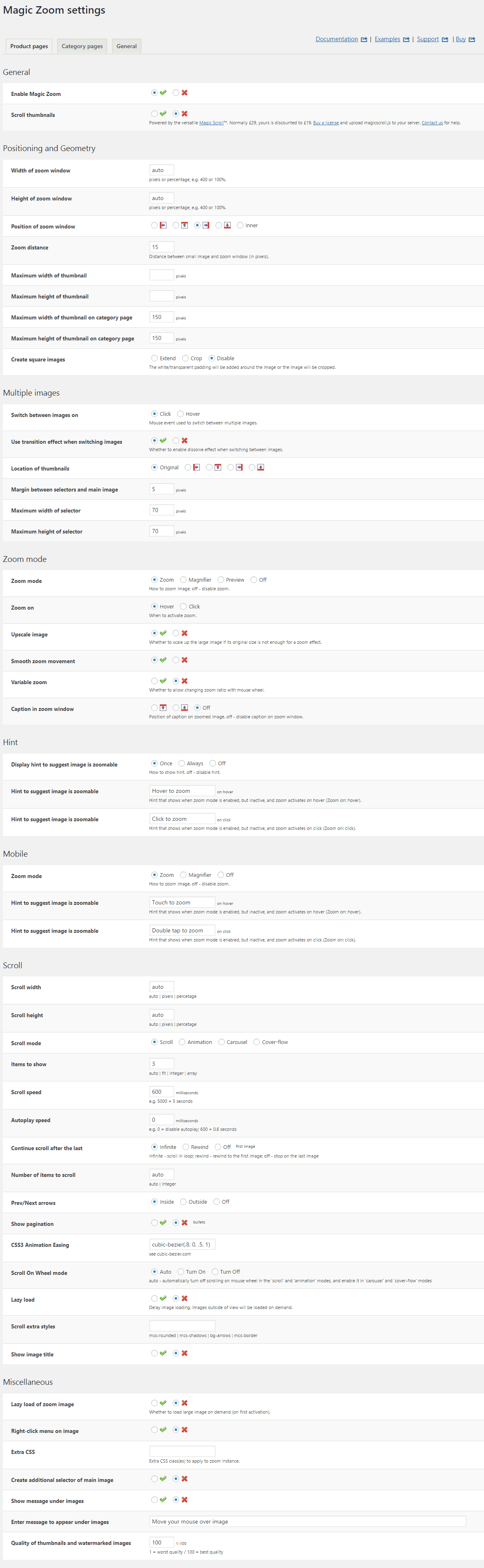
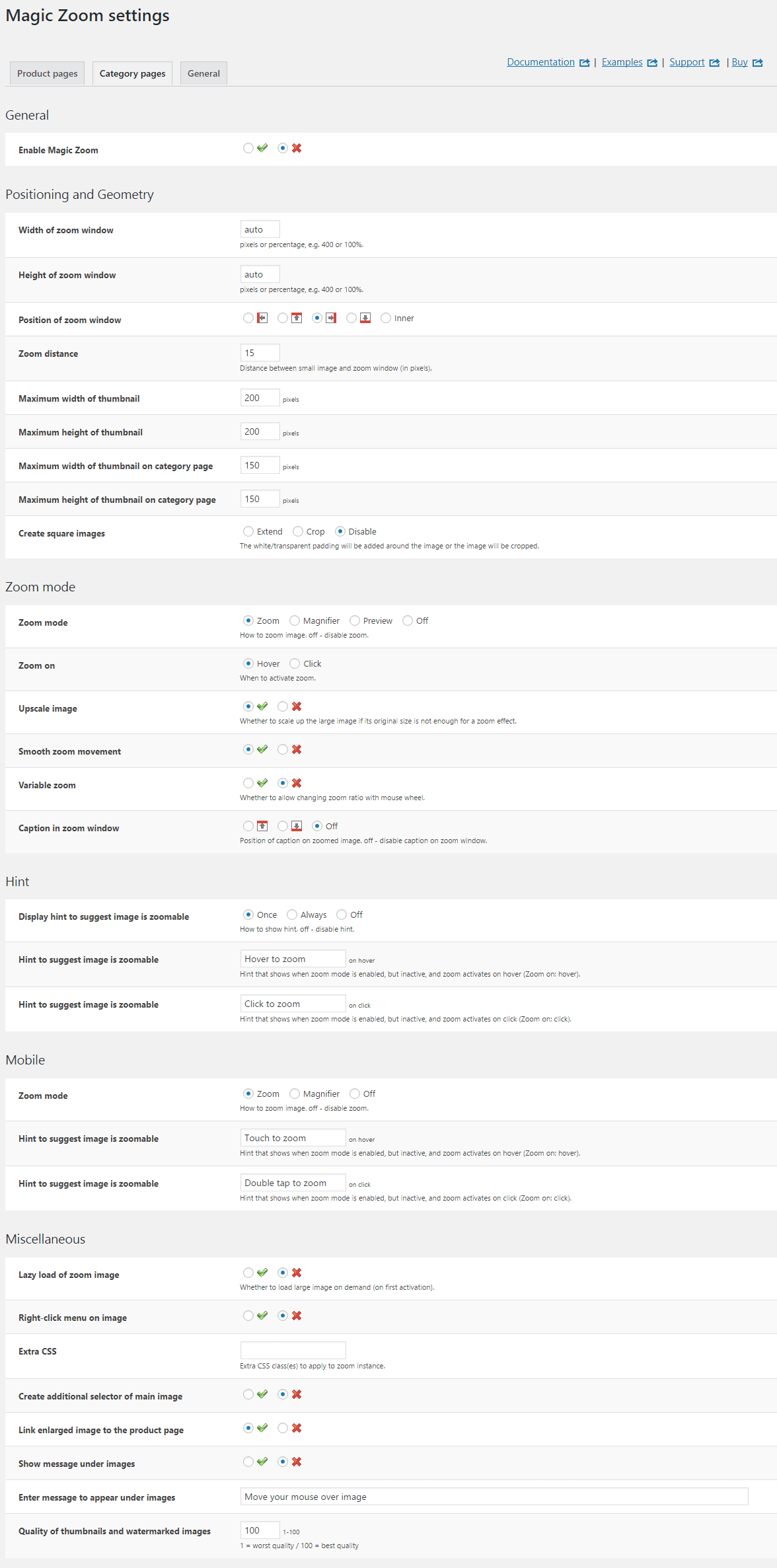
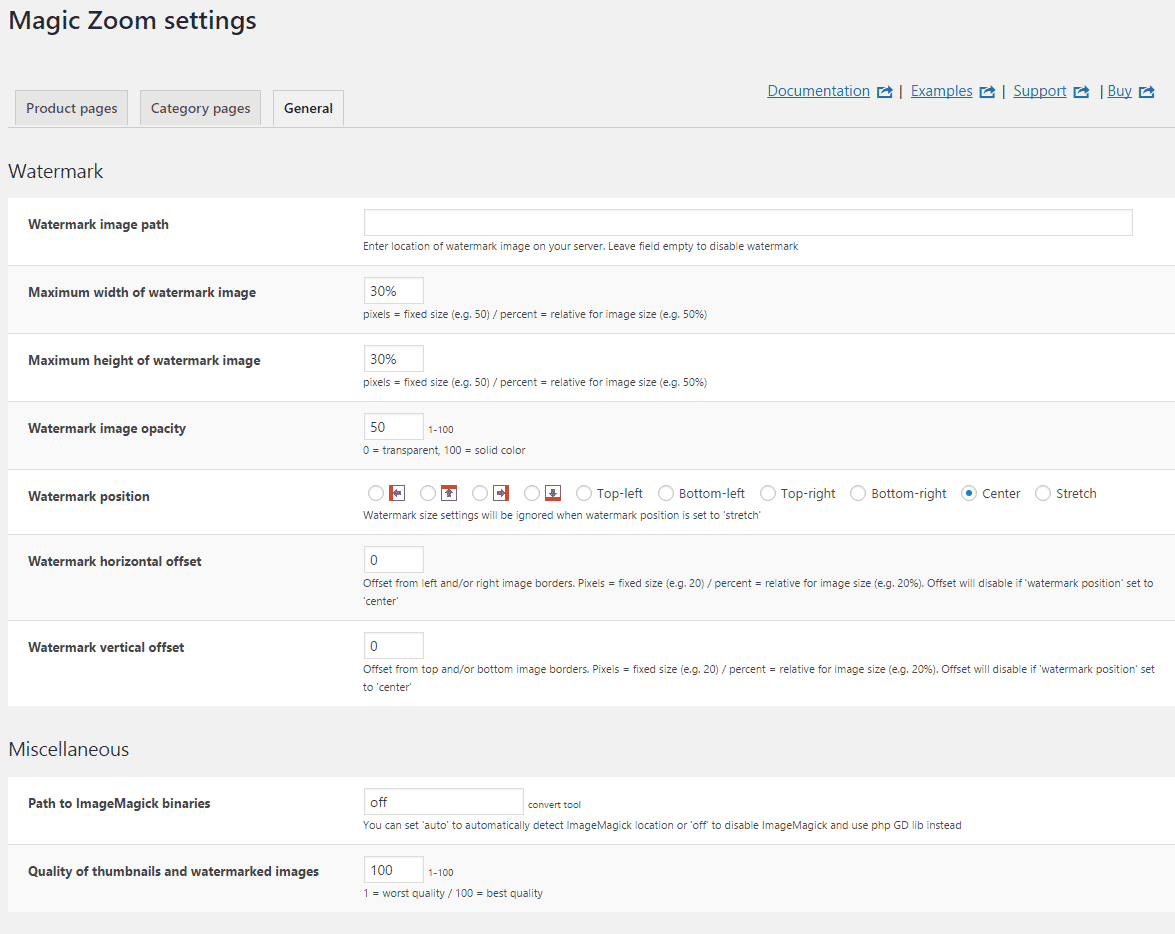
Installation
- Download the Magic Zoom plugin for use with WordPress e-Commerce (free and fully functional demo version).
(If you don't use the WP e-Commerce plugin, please use our standard WordPress plugin for content). -
 Either upload it via your WordPress admin area. Or unzip the file on your computer and upload the magiczoom-wpecommerce folder via FTP to /wp-content/plugins/, keeping the file and folder structure intact.
 - Activate Magic Zoom plugin in the Plugins menu of WordPress.
- The demo version is now installed!
- Buy Magic Zoom To upgrade your free and fully functional trial version of Magic Zoom (which removes the "Trial version" text), buy Magic Zoom and overwrite following file with the same one from your licensed version:
wp-content/plugins/mod_wpecommerce_magiczoom/magiczoom-wpecommerce/core/magiczoom.js
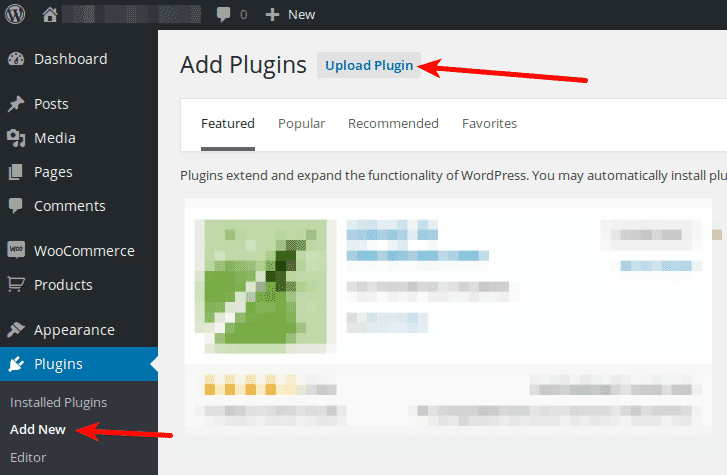
Multiple images
Swapping between many images is already a standard feature in Magic Zoom. But if you have lots of images, the page can look complicated.
Make your thumbnails look slick and organised with Magic Scroll for WP e-Commerce. It neatly contains the images adds arrows to slide between them. Example:









- Simply activate Magic Scroll on the Magic Zoom options page.
- To remove the "Please upgrade" text, buy a license and overwrite the wp-content/plugins/mod_wpecommerce_magiczoom/magiczoom-wpecommerce/core/magicscroll.js file with that from your licensed version.
Uninstallation
Thanks for trying Magic Zoom on your WP e-Commerce site! What did you hope Magic Zoom could do? How can we improve it? Let us know, we're always improving our tools based on customer feedback.
- Go to the Plugins menu of WordPress > 'Magic Zoom for WP e-Commerce' plugin > Click 'Deactivate'.
- Once page has refreshed, go back to 'Magic Zoom for WP e-Commerce' plugin > Click 'Delete' > Click 'Yes, delete these files'.
- Magic Zoom is now uninstalled.
FAQ
Does Magic Zoom support retina screens?
Yes! Retina images are served for all your products. Your WP e-Commerce customers will enjoy the high-def quality.
Customer reviews
However when i switched hosting, i encountered problems with the plugin that i was not able to solve.
I contacted MagicZoom support team And i recieved fast and professional support. despite many connection problems they had to my server, and the fact that i bought the plugin 3 years ago - they helped me all the way and solved the problem.
I recommend anyone who wants to dramatically improve sales and visibility of products, to buy and use this plugin.
Thank you MagicZoom support!
Amir Guez, danaashkenazi.com
Submit your review
Your review has been received and will be posted soon.
Other WP e-Commerce plugins
Try our other great image effects!
 Magic Zoom Plus
 Magic Thumb
 Magic 360