










Works on these pages:
- Product details page
- Home page
- Featured block
- Popular block
- Manual install elsewhere
Make your CubeCart store come to life with our eye-catching Magic Slideshow module.
Boring static pages became obsolete many years ago. This expressive slideshow extension will attract even the most heedless customers! Enjoy 15 spectacular effects, such as Ken Burns fading images, dissolve, cube, slide and flip.
The best image slideshow for CubeCart, add a new slider to your page in just 5 minutes. Simply install the module, upload your images, add a description and that's all! It works on your home page, product details page, featured block and popular block. All without any HTML or JavaScript programming required. So easy, anyone can use it.
Apply up to 30 customizations to create perfect sliders for your site. Magic Slideshow also supports swipe gestures on touch-screens and has an incredible full-screen view.
Bring your store to life today - install this stunning CubeCart image slideshow now.
Verified by CubeCart:
Read reviews of Magic Slideshow on the official marketplace for CubeCart 5/6 extensions.
Features you'll love...- Responsive
- Fast
- Built with SEO in mind
- Image caching
- Easily customisable
- Automatically resizes images
- Scrollable thumbnails
- All templates supported
- Watermarked images
- On-demand loading
- Regularly updated
- jQuery compatible
- One-off payment
- Responsive
- Fast
- Built with SEO in mind
- Image caching
- Easily customisable
- Automatically resizes images
- Scrollable thumbnails
- All templates supported
- Watermarked images
- On-demand loading
- Regularly updated
- jQuery compatible
- One-off payment
Live demos

Installation
- Download the module for Magic Slideshow CubeCart 5/6 or CubeCart 3/4 (free and fully functional demo version).
- Unzip the file on your computer and FTP the magicslideshow folder to the root of your CubeCart website (on your server), keeping the file and folder structure intact.
-
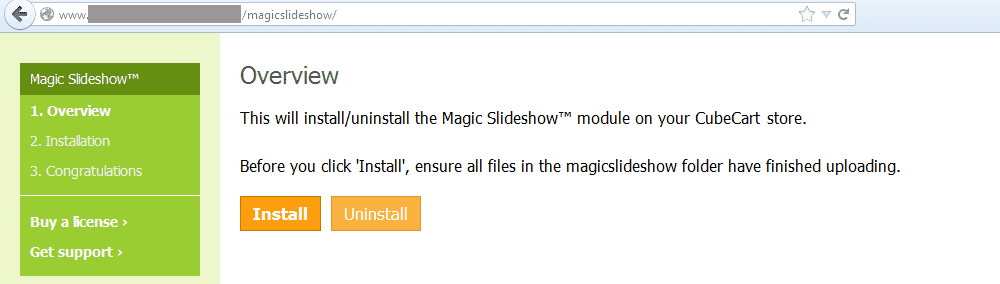
 Go to http://www.yoursite.url/magicslideshow/ in your browser and click 'Install' (replace yoursite.url with your domain name).
 -
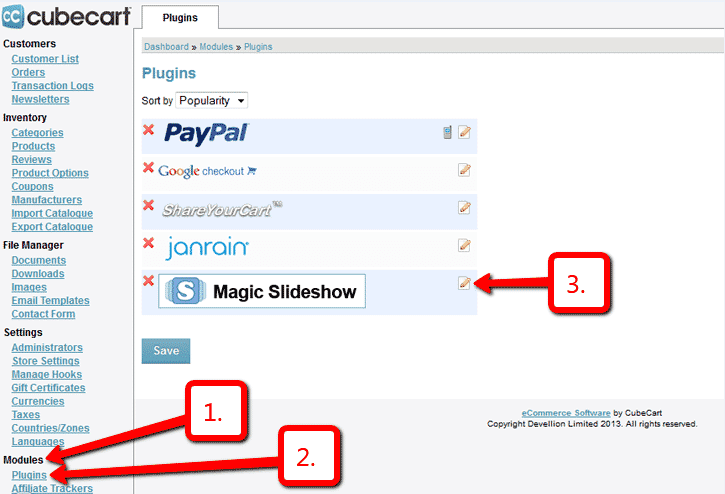
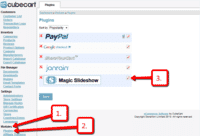 Go to Admin panel > Modules > Plugins > Magic Slideshow > Edit.
 -
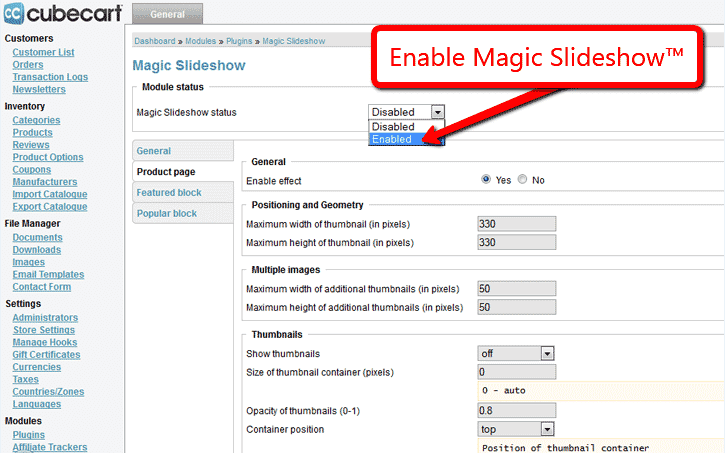
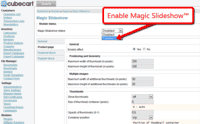 Remain on Magic Slideshow settings page and enable module.
 - The demo version is now installed!
-
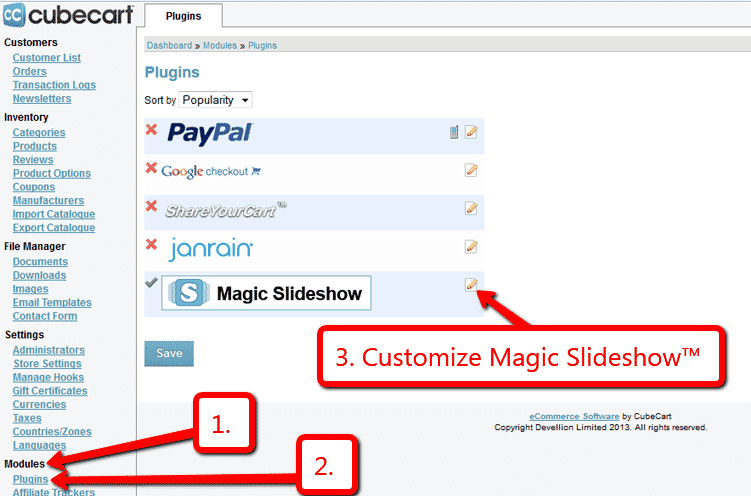
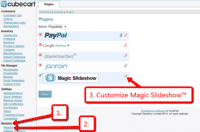 Customize the Magic Slideshow plugin through Modules > Plugins > Magic Slideshow > Edit menu in your CubeCart admin panel.
 - Buy Magic Slideshow
To upgrade your free and fully functional trial version of Magic Slideshow (which removes the "Trial version" text), buy Magic Slideshow and overwrite following file with the same one from your licensed version:
CubeCart 5/6:
modules/plugins/MagicSlideshow/core/magicslideshow.js
CubeCart 3/4:
modules/magictoolbox/MagicSlideshow/core/magicslideshow.js
Setup a homepage slideshow
You can now add a slideshow to your homepage in just a couple of clicks:
-
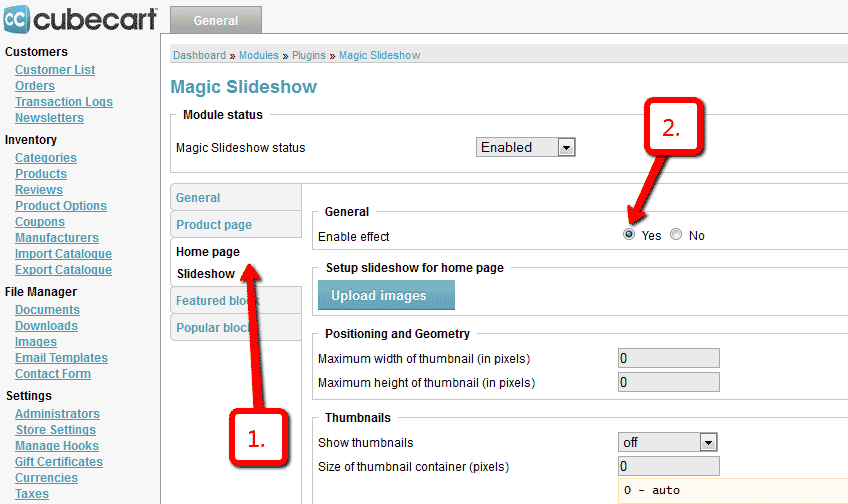
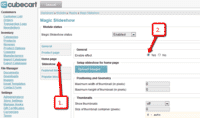 Home page Slideshow section will be automatically enabled when Magic Slideshow™ installed.
 -
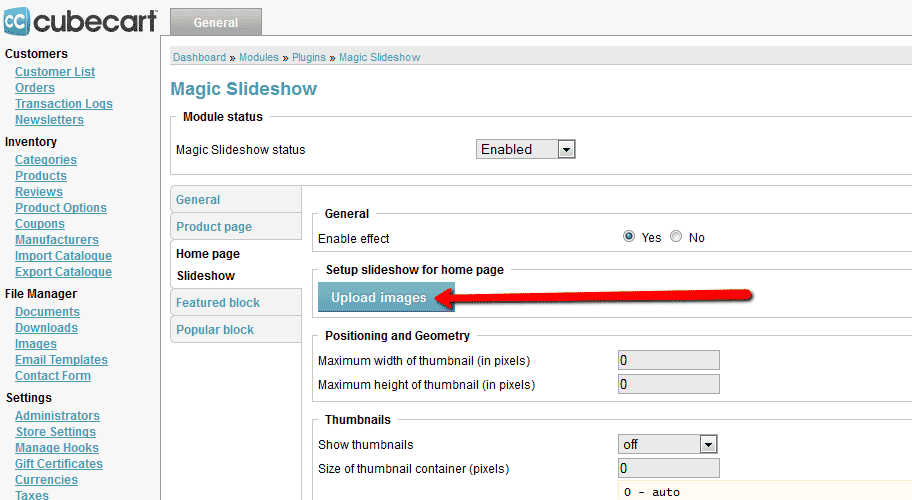
 Select Upload images and browse your computer for your set of slideshow images.
 - Your slideshow is now working!
-
 Slideshow will automatically resize to the size of container. To set a specific slideshow size, change Slideshow width (pixels) and Slideshow height (pixels) options.
 - There are over 30 customizations available. Have fun, try them all!

Uninstallation
Thanks for trying Magic Slideshow on your CubeCart site! What did you hope Magic Slideshow could do? How can we improve it? Let us know, we're always improving our tools based on customer feedback.
- Go to: Admin panel > Modules > Plugins > Magic Slideshow > Edit > 'Magic Slideshow status' option > Select 'Disabled' to disable module.
- Go to http://www.yoursite.url/magicslideshow/ in your browser and click 'Uninstall' (replace yoursite.url with your domain name).
- Delete the magicslideshow folder from the root of your CubeCart website (on your server).
- Magic Slideshow is now uninstalled.
Customer reviews
Submit your review
Your review has been received and will be posted soon.
Other CubeCart plugins
Try our other great image effects!
 Magic Zoom
 Magic Zoom Plus
 Magic Thumb
 Magic Scroll
 Magic 360
If you had a problem with the instructions above, you can manually install Magic Slideshow using the instructions in the readme_manual.txt located in the zip file.
For more help, just contact us and we can help you install this CubeCart module.
Use this module throughout your site - on your home page, product page, category page - as you wish. There are lots of setup options to make it look exactly how you want it. If you get stuck, just contact us. It is built with JavaScript and CSS and works on all major browsers (Internet Explorer, Firefox, Safari, Opera, Chrome) as well as iPhone / iPad.
This slideshow module was created specially for CubeCart shopping cart. It is updated regularly and always supports the latest version of CubeCart.