

- Product details page
- Manual install elsewhere
Use it anywhere!
Features you'll love...
- Responsive
- Fast
- Built with SEO in mind
- Image caching
- Easily customisable
- Automatically resizes images
- Scrollable thumbnails
- Supports all templates
- Watermarked images
- On-demand loading
- Regularly updated
- jQuery compatible
- One-off payment
Research conducted by McKinsey (unamo.com) revealed that 70% of buying experiences are based on how the customer feels they're being treated.
Offer your customers full disclosure with products they can view from every angle. This 360 viewer brings products to life thanks to its 360 degree spin, magnify effect for close-up detail and full-screen spin. Customers feel as though they're in the shop touching each item.
What you'll need...
A set of images which move ever so slightly. When merged together, your set of images create a gorgeous 360 rotation. Most leading eCommerce sites use either 18, 36 or 72 photos to create a 360 spin.
The web installer feature has Magic 360 installed on your Zen-Cart store in minutes. Follow the helpful instructions to create a 360 spin on any product page.
We know you'll love this 360 product. Let your customers know you love them too - try Magic 360 now!
Installation
IMPORTANT: Static images will not display when Magic 360 installed. To show standard product images and 360 degree spin on same product page, install Magic Zoom Plus (zoom & enlarge) image zoom tool.
- Download Magic 360 for Zen Cart (free and fully functional demo version).
- Unzip the file on your computer and FTP the magic360 folder to your Zen Cart directory (on your server), keeping the file and folder structure intact.
-
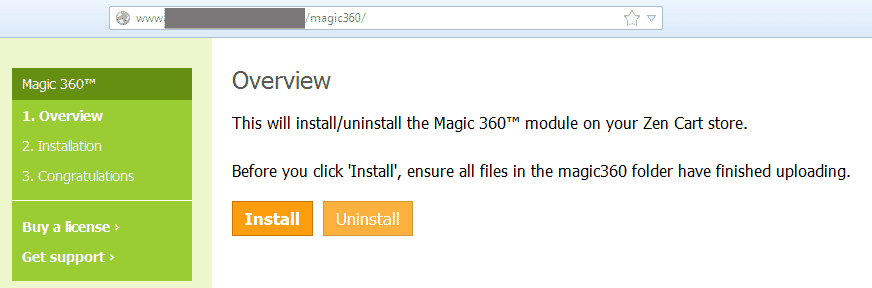
 Go to http://www.yoursite.url/magic360/ in your browser > click 'Install' > click 'Continue' (replace yoursite.url with your domain name).
 -
 The demo version is now installed!
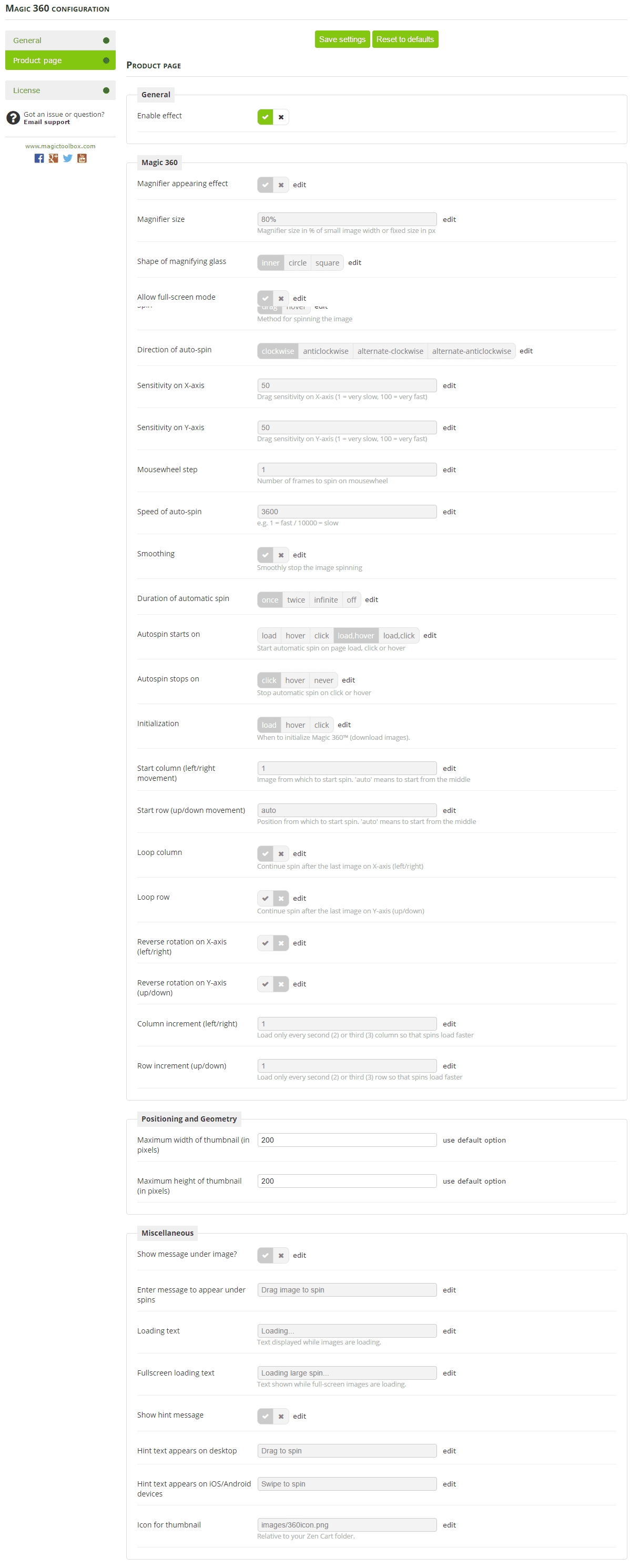
 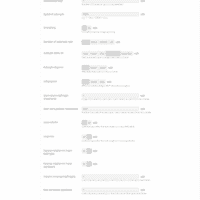 Go to [Admin panel > Magic Toolbox > Magic 360] and configure Magic 360 how you want it.
- Buy Magic 360 To upgrade your free and fully functional trial version of Magic 360 (which removes the "Trial version" text), buy Magic 360 and overwrite following file with the same one from your licensed version:
includes/templates/YOUR-TEMPLATE-FOLDER/jscript/magic360.js

Video tutorial
Setup a 360 spin
-
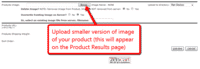 Create product in Admin Panel. Upload image to appear on Category page.
 -
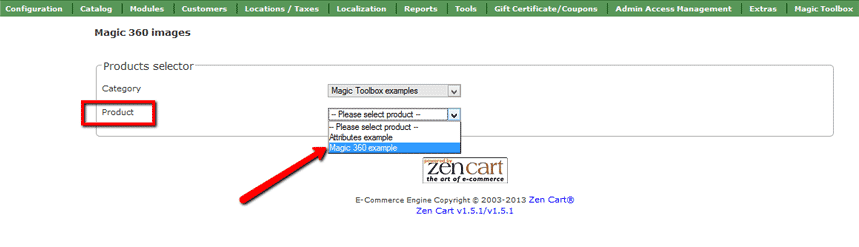
 Go to: Magic Toolbox > Magic 360 images.
 Select product images will be uploaded to:
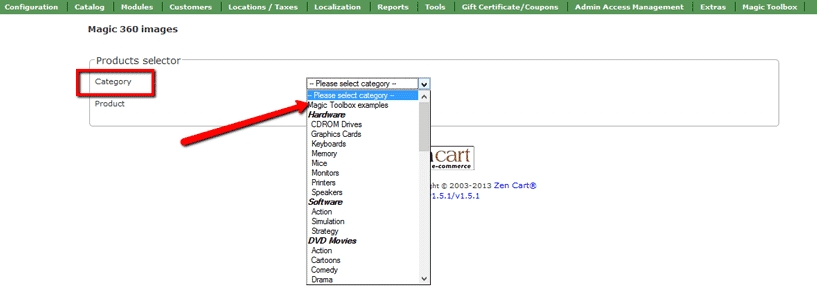
Category - select category your product appears. screenshot

Product - select product images will be uploaded. screenshot
-
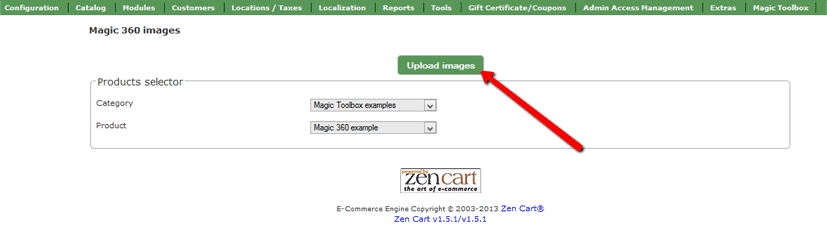
 Click Upload images and browse your computer for your set of images. (Depending on your server settings you may have to upload images in batches eg: 01-20 and then 21-36).
 -
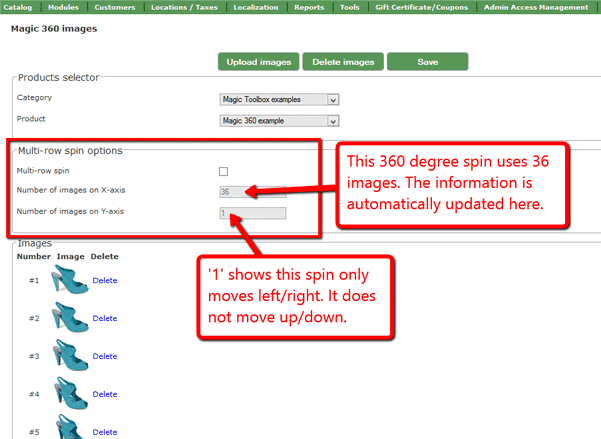
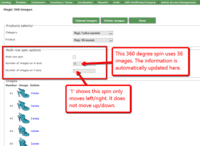 The 'Multi row spin' section at top of the page will automatically appear and update. The 'Number of images on X-axis' shows how many images are in your spin. The 'Number of images on Y-axis' shows if your spin moves up/down. '1' means one row only.
 -
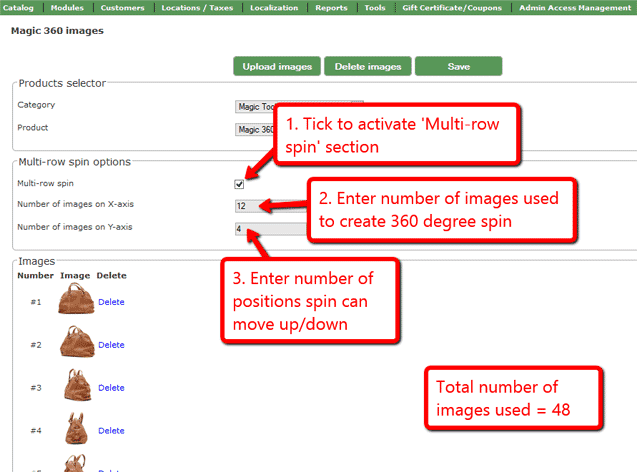
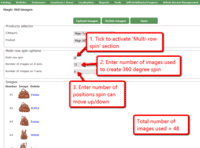 If your spin has multiple rows, click 'Multi-row spin' and enter the number of columns and rows in 'Number of images on X-axis' and 'Number of images on Y-axis'.

Multiple images
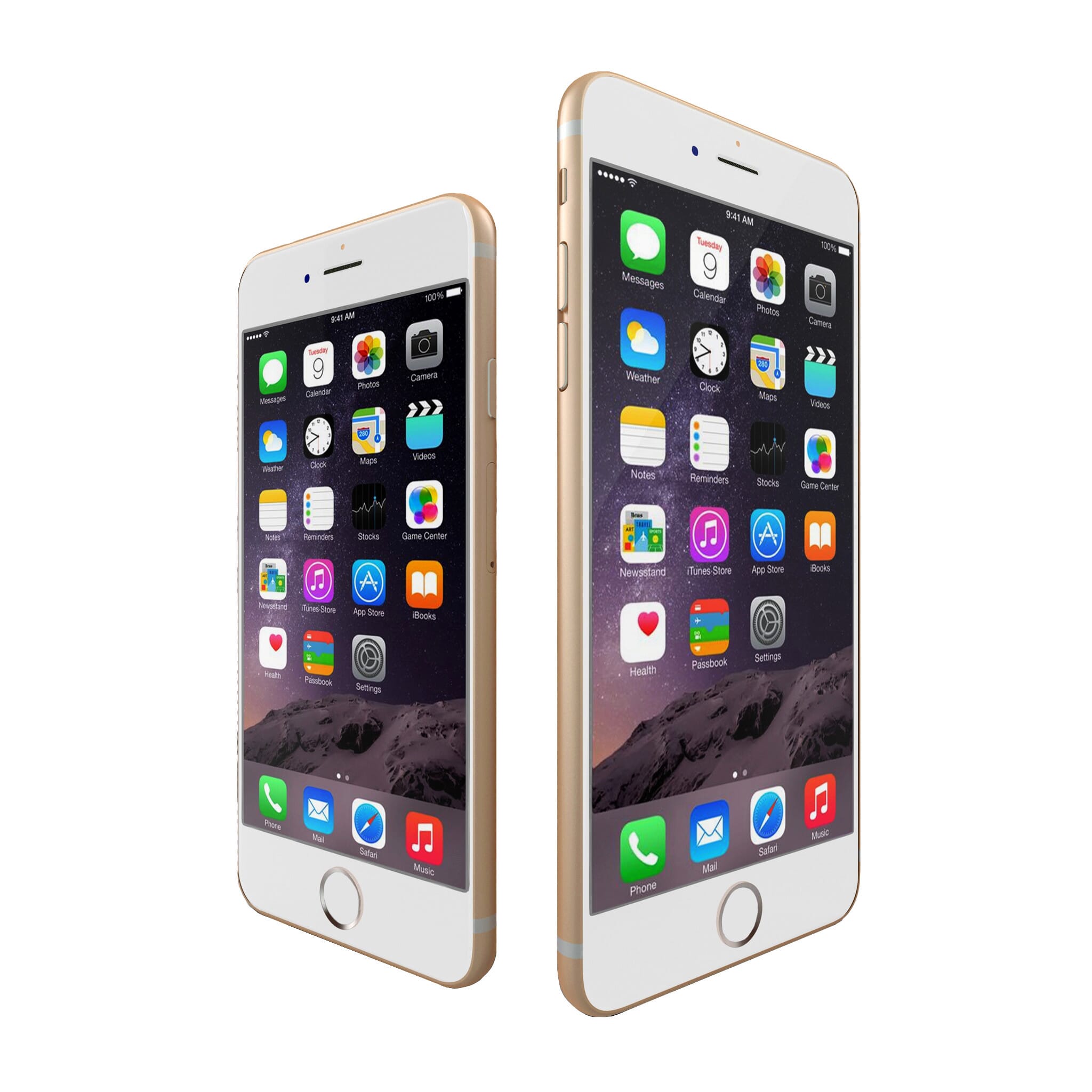
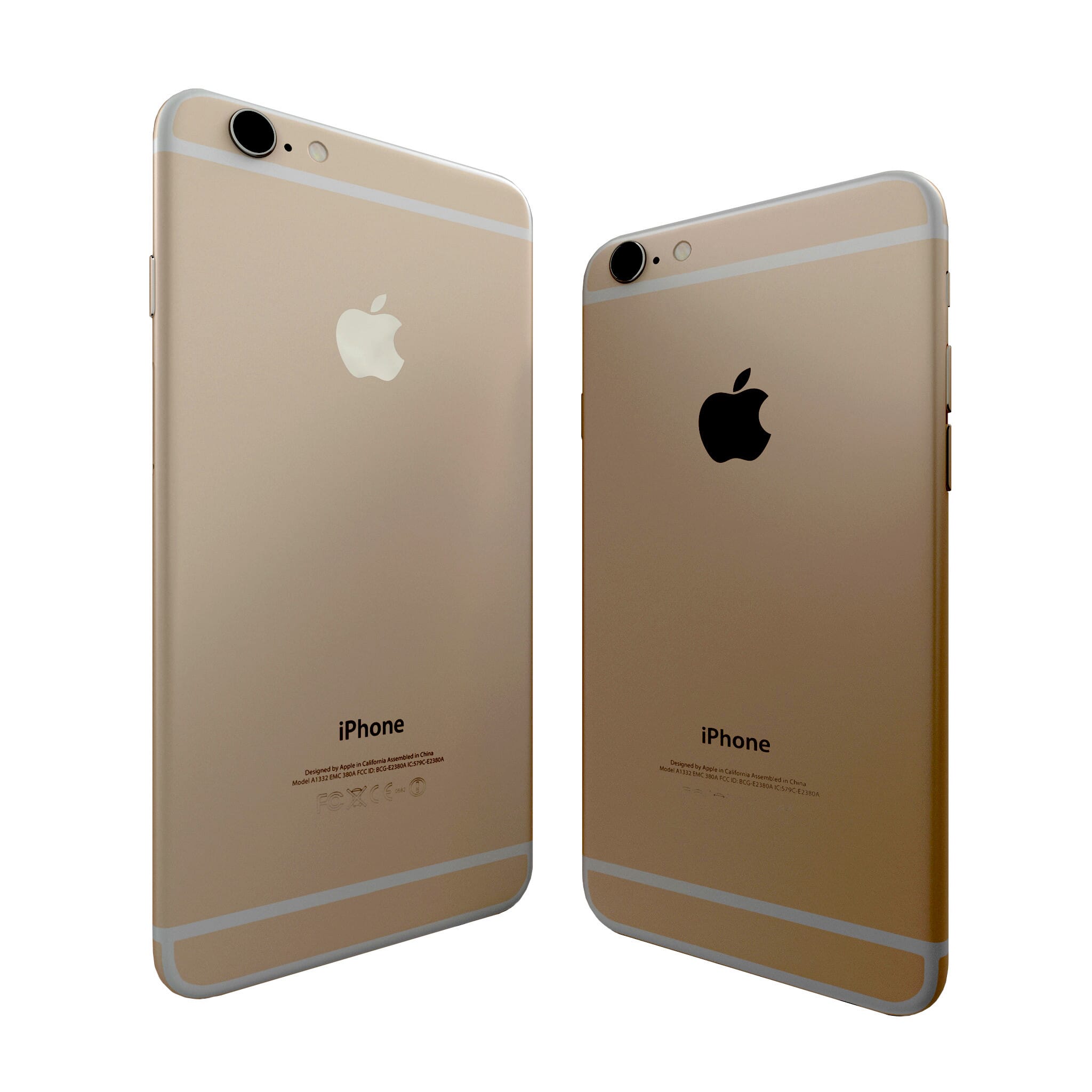


To spin some images and zoom others (like the example above), you can install both Magic 360 and Magic Zoom Plus.
- Install the Zen Cart module for Magic 360.
- Install the Zen Cart module for Magic Zoom Plus.
- Create a new product or open an existing one.
- Upload your 360 spin images via Upload images and browse your computer for your set of images.
Upload your zoom images.
If you use the following folders to upload product images, please continue to do so:
images / dvd
images / medium
images / largeThis example will use the 'images / dvd' folder only.
The filenames of your large images (we recommend 800px height for each image but you can use any size) should be in a sequence ending in -01.jpg, -02.jpg etc. like so:
bike-01.jpg
bike-02.jpg
bike-03.jpgUpload all the large images to 'images / dvd' folder on your server. (NB: Zen Cart will automatically create a smaller version of your images to fit your Product and use your original large images for the zoom and enlarge effects).
- screenshot
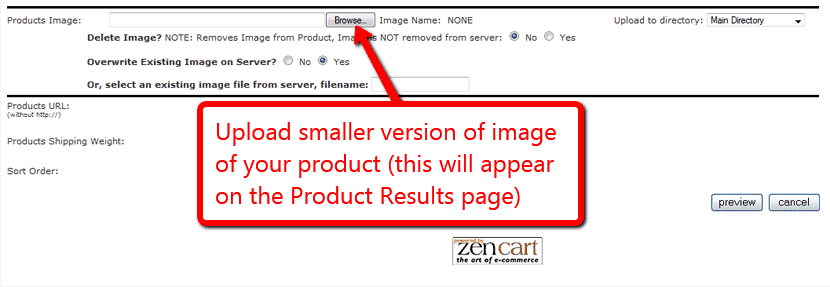
Go to Admin panel > Catalogue > Categories/Products > [Your product]. Scroll down to the product image section and click 'Browse'. Upload a small image of your product (to appear on the Category page). The image name must be the same prefix as your large zoom images, in this example it would be:
bike.jpg
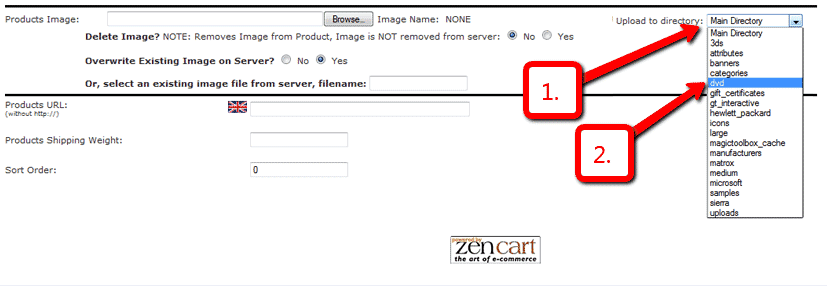
- screenshot Under Upload to directory, select "dvd" from the drop down menu.
- Under Overwrite Existing Image on Server? select "no".
- Click 'Preview'.
- Click 'Update'.
- That's it! Your small image will now appear on the Category page. Your large images will appear as zoom and enlarge features on your Product page.
- screenshot
Uninstallation
Thanks for trying Magic 360 on your Zen Cart site! What did you hope Magic 360 could do? How can we improve it? Let us know, we're always improving our tools based on customer feedback.
- Go to http://yoursite.url/magic360/ in your browser and click 'Uninstall' (replace yoursite.url with your domain name).
- Delete the magic360 folder from your Zen Cart directory (on your server).
- Magic 360 is now uninstalled.
FAQ
What is a 360 product viewer?
A 360 product viewer takes a set of 360 degree images and merges them together on a web page. This creates an interactive spin which visitors can move left and right to see every angle of the item. (If your 360 photography was also taken on Rows, your 360 spin will move up and down too.)Is Magic Zoom Plus included in the Magic 360 license or is it purchased separately?
Magic Zoom Plus should be purchased separately. You should use it if you want to combine both regular product images and spin on the same product details page. To receive 35% discount off Magic Zoom Plus, add Magic 360 to your Cart first and then add Magic Zoom Plus.
Customer reviews
Submit your review
Your review has been received and will be posted soon.
Other Zen Cart plugins
Try our other great image effects!
 Magic Zoom
 Magic Zoom Plus
 Magic Thumb
 Magic Slideshow
 Magic Scroll
This 360 degree spin was built for Zen Cart using JavaScript. You can customise the speed, borders, effects, blur, autostart and other options. Please contact us if you need help.
For each product you want to spin in 360 degree view, you need a set of 18 or 36 photos. Each set of photos should be shot on a turntable, with each shot equally spaced when rotating. You can display photos in either 360-degree spin (left/right), 3D spin (up/down/left/right) or with the Martini effect (one horizontal axis, one vertical axis) like the blue running shoe above.
If you don't already have photos, tell us what your products are and we can get quotations for professional 360 product photography for you.
Unlike other 360° tools, Magic 360 even works on iOS devices (iPad, iPhone) and most Android devices. It is built with JavaScript and does not require Flash.