
SOME OF THE WORLD’S MOST RESPECTED BRANDS TRUST MAGIC TOOLBOX


Create a delightful shopping experience.
The fastest, easiest way to make your store magnificent.
- Install the component in 5 minutes.
- Responsive image scaling to automatically fit your responsive theme.
The most powerful PrestaShop 360 degree view available
Supported Versions
- PrestaShop 9
- PrestaShop 8
- PrestaShop 1.0 - 1.7.x
Works on these pages
Let your customers inspect your products from all angles with our 360-degree viewer for PrestaShop – Magic 360.
According to various studies, 360-degree spins increase conversions by at least 27%. (source) They also tend to decrease returns. It’s based on a simple fact – 360-degree view provides an almost real life like experience, which alleviates all doubt and concern.
There’s no better 360 degree viewer for PrestaShop than Magic 360. It’s fast, easy to use, SEO friendly and works on every device. With over 35 customization options, it's easy to make Magic 360 your own.
Get started in minutes – download your free trial of this product 360 spin today.
Maximise your conversions
360 spins are the easiest way for customers to experience a product. Giving them control to rotate and zoom into images builds the confidence they need to buy your goods.
Optimized loading speed
Magic 360 will not slow down your website, in fact, it can even increase your loading speed.No coding needed
Magic 360 is completely tweakable from its own settings page in your admin area. Over 35 great settings including rotation speed, direction, auto-spin and magnifier style. It works with or without jQuery.Become part of a community
Join more than 40,000 happy customers, our community is growing every day. Everyone enjoys free support and a 30 day moneyback guarantee.
Support that's always there for your
Your success is important to us. That's why we offer free support. We'll solve any problem you might have in a jiffy.

"I've been using magictoolbox code almost from the beginning. It is well done, imaginative, and compact. I've tried plenty of other image handlers but none are as good a value as these and I highly recommend them."
Wayne Eskridge, lightingshowroom.com
We've got you covered
Money back guarantee
30-day money back guarantee if you are not 100% satisfied.
Free Support
30 minutes free technical support for all customers. You can buy extra support if you need.
Instant Download
Download your product immediately after payment. Pay by credit card, PayPal or bank transfer.
Free updates
Enjoy 12 months of free updates. After that, new versions are available at 80% discount.
Customer reviews
David Georges
Hi David,
We're sorry you feel our customer service was not up to standard on this occasion, but redesigning the Magic 360 functionality for you is not possible.
Magic 360 supports 1 spin per product page. To display 1 spin per product option, we recommend using the Sirv PrestaShop addon:
https://sirv.com/integration/prestashop/
Thanks!
Anette, spiderlabz.com
Submit your review
Your review has been received and will be posted soon.
Other PrestaShop modules
Try our other great image effects!
 Magic Zoom
 Magic Zoom Plus
 Magic Thumb
 Magic Slideshow
 Magic Scroll
Screenshots

Installation
IMPORTANT: When installed, Magic 360 replaces PrestaShop image gallery meaning only 360 spin will show on product page. If you have standard images for the same product and want to display them on the same product page, install Magic Zoom Plus (video, zoom & enlarge).
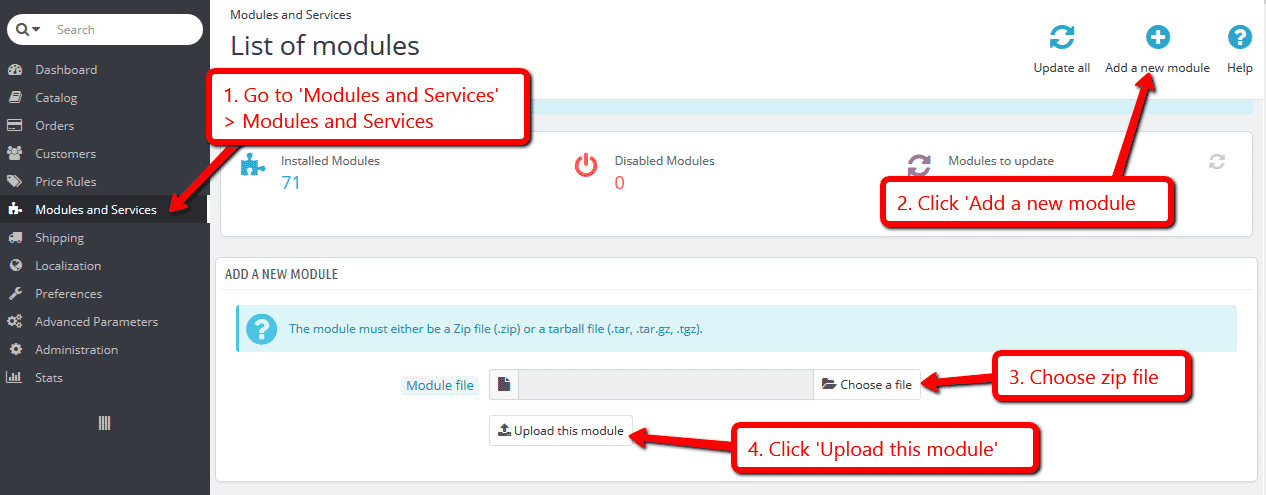
- Download the PrestaShop module for Magic 360 (free and fully functional demo version).
-
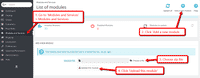 Either upload it via your PrestaShop admin area. Or unzip the file on your computer and FTP the magic360 folder to the /modules/ directory of your store, keeping the file and folder structure intact.
 -
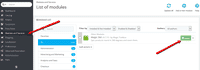 Activate the module via the Modules menu Modules > Other Modules > Install.
 - The demo version is now installed! To create a 360 spin, scroll down...
-
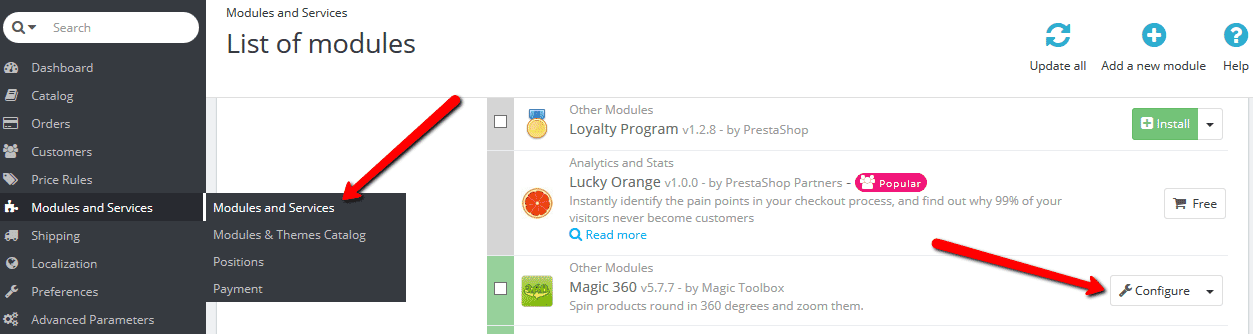
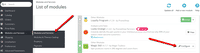 To customize Magic 360 (speed, autospin etc.), go to [Admin panel > Modules > Other Modules > Configure].
 - Buy Magic 360 To upgrade your free and fully functional trial version of Magic 360 (which removes the "Trial version" text), buy Magic 360 and overwrite following file with the same one from your licensed version:
/modules/magic360/magic360.js

Setup a spin
-
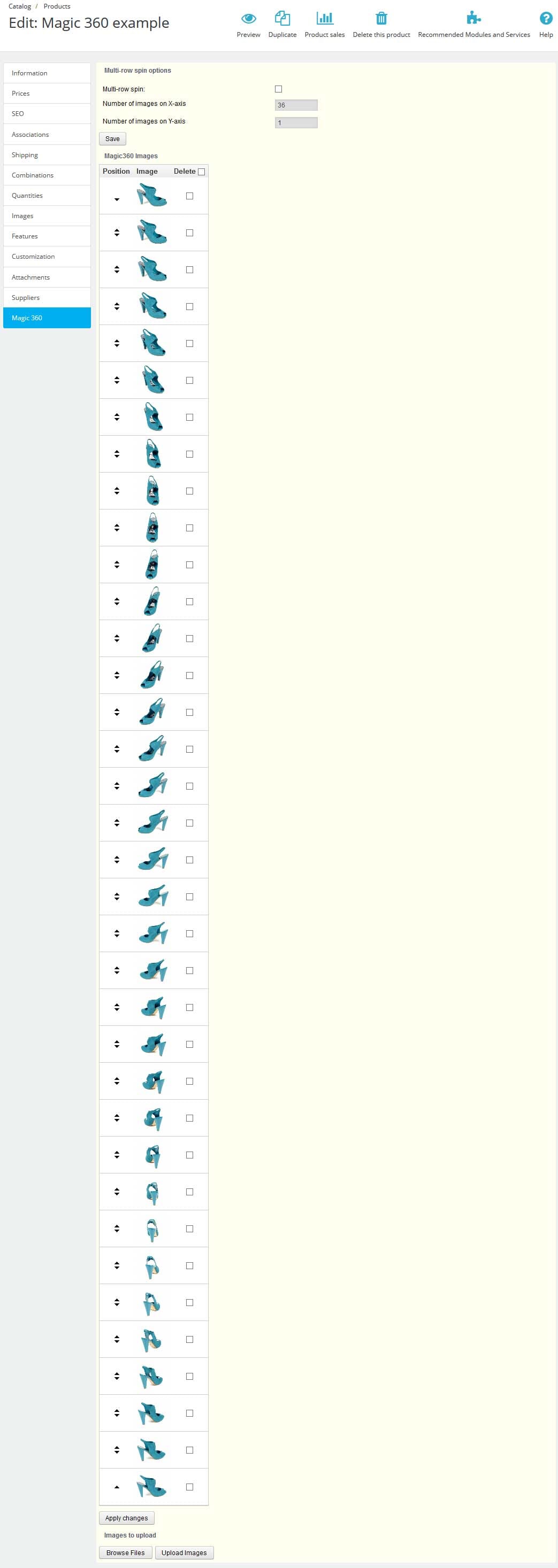
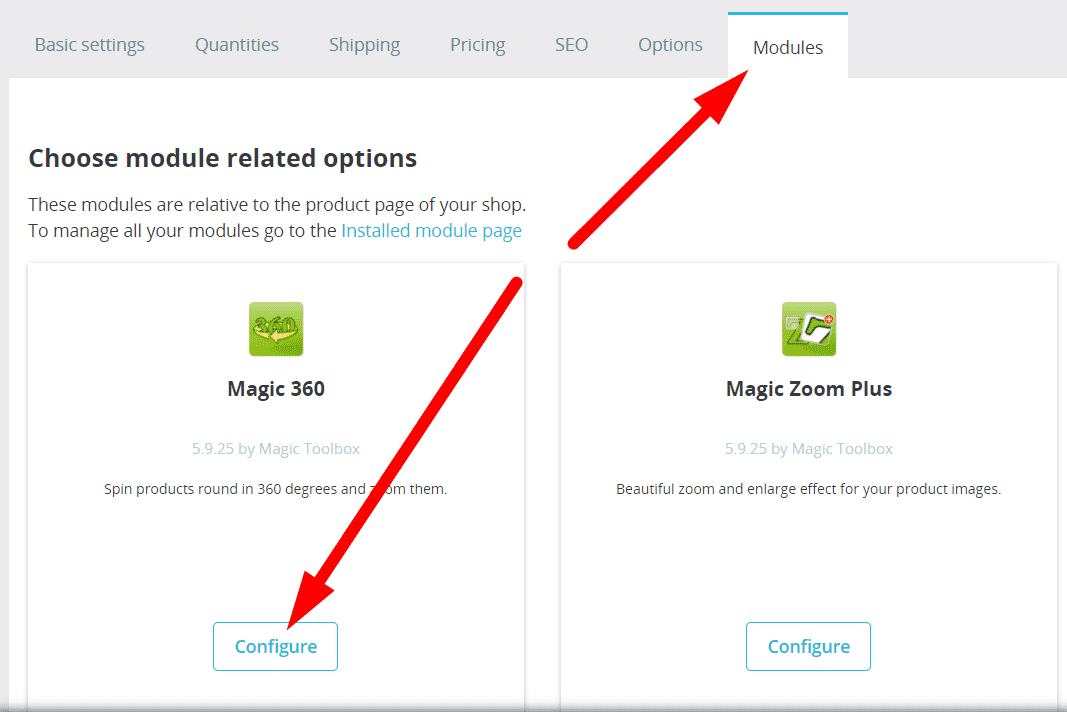
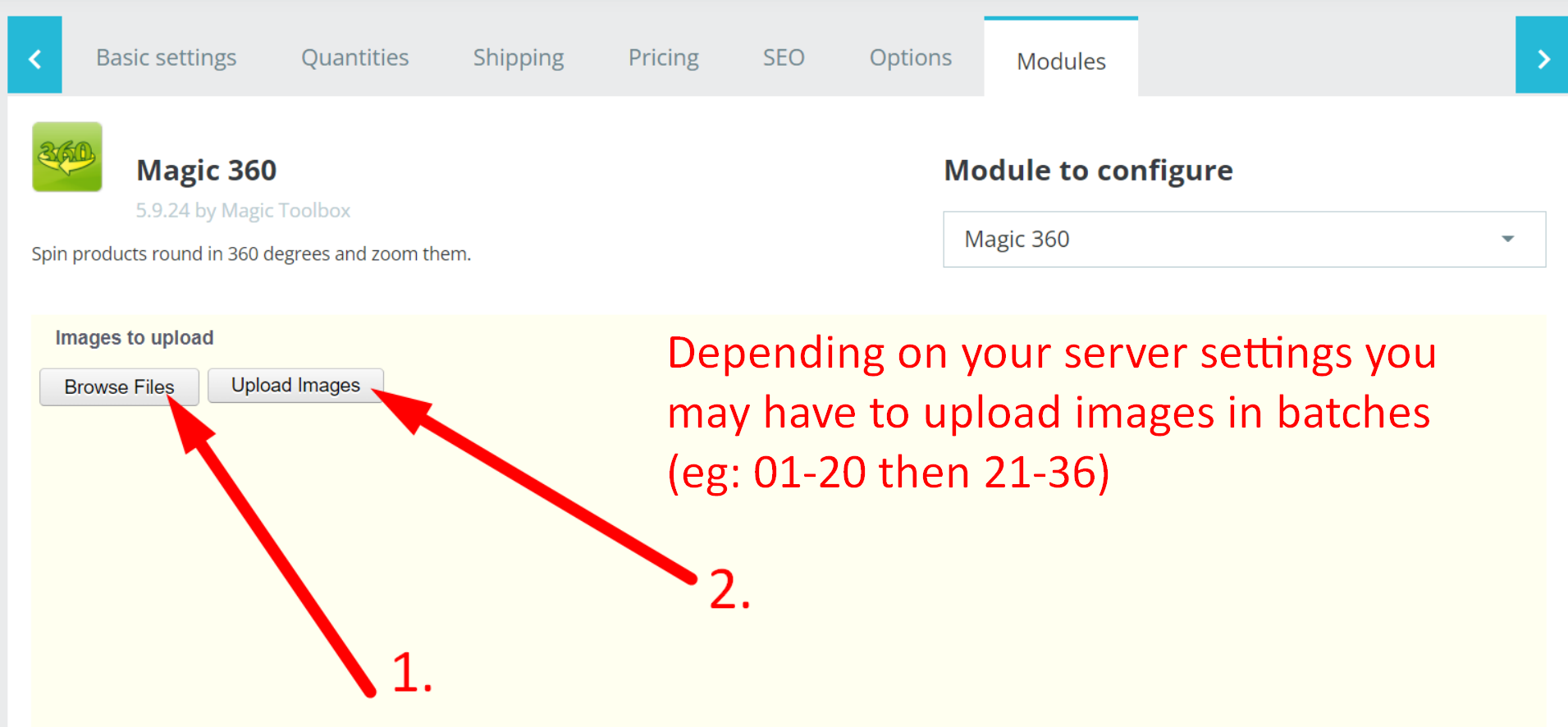
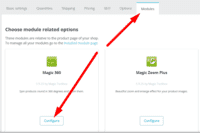 Open the product which you'd like to spin and click 'Modules' tab at the top > Configure.
 -
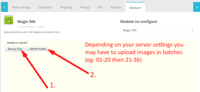 Browse your computer for your set of images and click Upload images. (Depending on your server settings you may have to upload images in batches eg: 01-20 and then 21-36).
 -
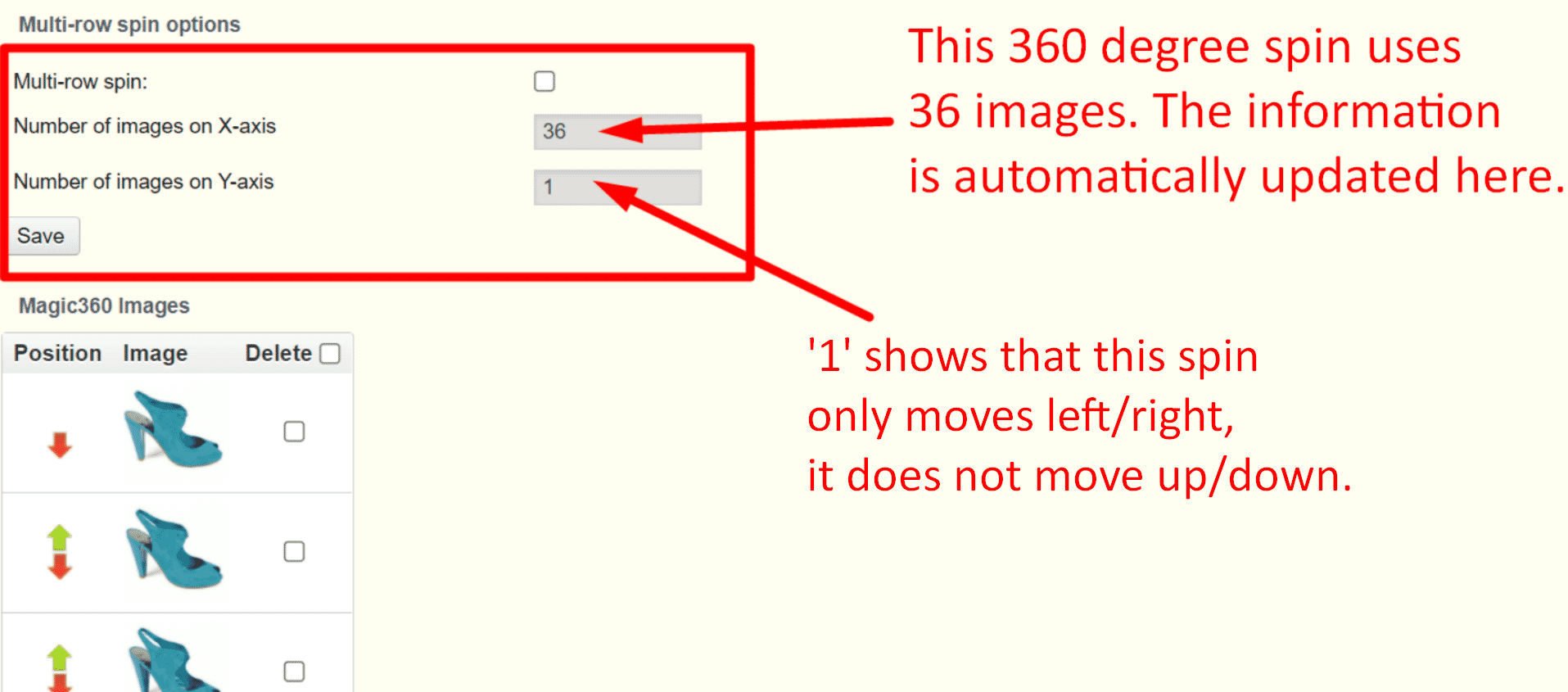
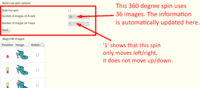 The 'Multi row spin' section at top of the page will automatically appear and update. The 'Number of images on X-axis' shows how many images are in your spin. The 'Number of images on Y-axis' shows if your spin moves up/down. '1' means one row only.
 -
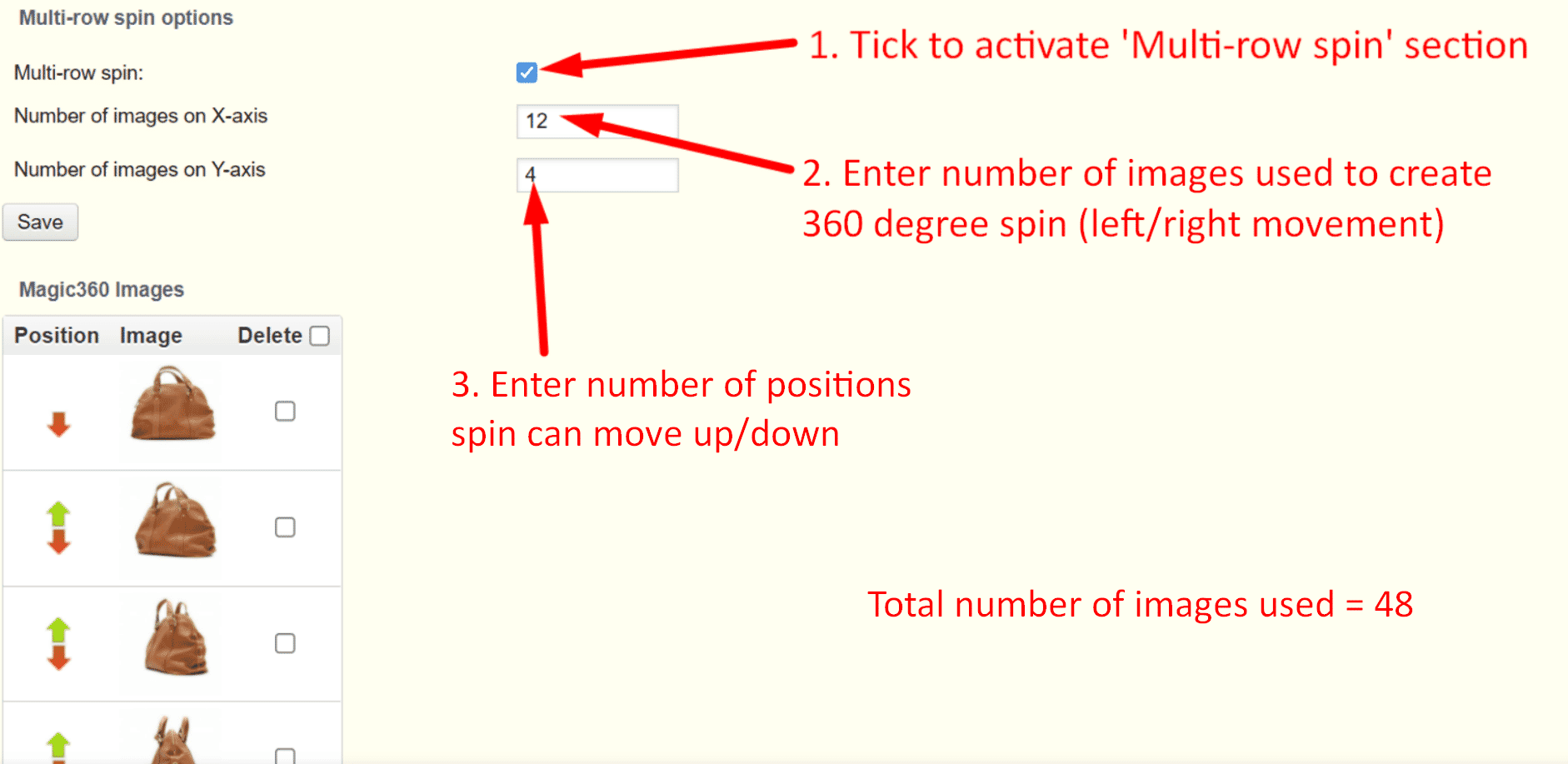
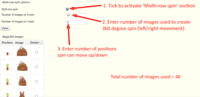 If your spin has multiple rows, click 'Multi-row spin' and enter the number of columns and rows in Number of images on X-axis and Number of images on Y-axis.
Multiple images




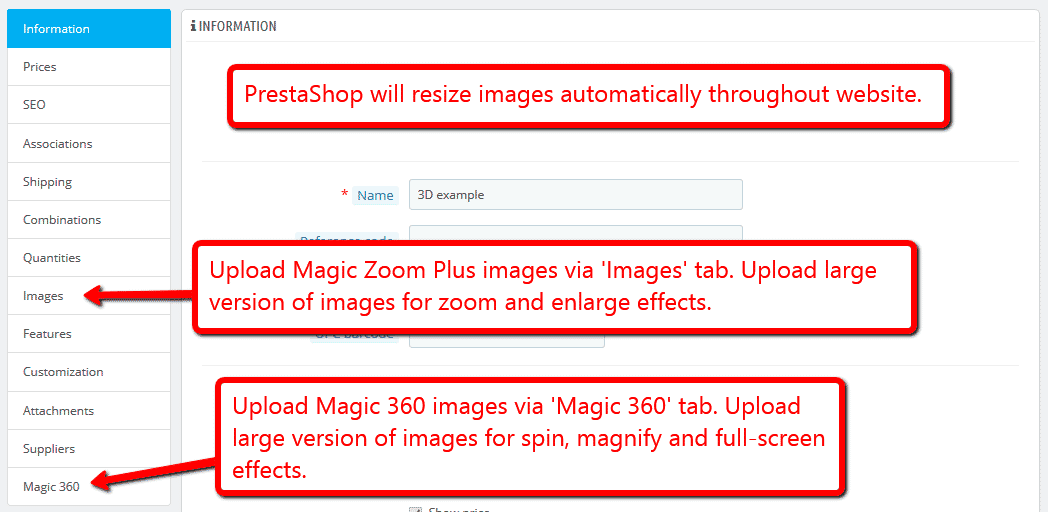
To spin some images and zoom others (like the example above), you can install both Magic 360 and Magic Zoom Plus.
- Install the Prestashop module for Magic 360.
- Install the Prestashop module for Magic Zoom Plus.
- Create a new product or open an existing one.
- Upload your zoom images via the 'Images' section. Upload your 360 spin images via the 'Magic360' section (screenshot -
 ).
).
Bulk upload images
Upload all your 360 spins in one shot using this bulk upload script.
Create a folder in the root of your Prestashop website. The folder can have any name, for example:
/magic360images/
Upload all your 360 spins to the folder you created. Each spin must be stored in its own folder, with a folder name matching the product ID. For example:
/magic360images/{product-id1}/01.jpg
/magic360images/{product-id1}/02.jpg
/magic360images/{product-id1}/03.jpg
etc.
/magic360images/{product-id2}/01.jpg
/magic360images/{product-id2}/02.jpg
/magic360images/{product-id2}/03.jpg
etc.
You don't need to name your image files in any special way - the spin will be built in alphanumeric order.
- Download the latest version of Magic 360 for Prestashop.
- Unzip the extension.
Find the bulk upload script:
bulk360.php
Upload the script to the root of your Prestashop site e.g.
https://yourdomain.com/bulk360.php
- Open the script URL in your browser and click the button to execute it.
- All your images will be copied into your Prestashop database. It can take about 1 second per 36 image spin.
- Once the script has finished, it will show you a report of all the images copied.
- You've finished! You might like to delete the images that you uploaded. You might also like to change the file name of the PHP script to avoid malicious usage. The same script can be used again next time you need to upload images.
Spin in CMS area
- Go to the module options page Admin > Modules > Modules > Magic 360 > Configure.
- Go to 'Defaults' tab > General > Include headers on all pages > Click 'tick' > Save settings.
- Go to 'Preferences > CMS'.
- Open existing page or create a new page.
- Scroll down to 'Page content' section > Click 'Source code' button (a pop up box will appear).
Add a 360 spin to any CMS page by inserting an <img> tag for the first image in your spin. Wrap an <a> tag around it with a class of Magic360 and href of #. Specify the format of your file names using the filename parameter inside a data-magic360-options tag (this is described in detail on the Magic 360 integration page).
<a href="#" class="Magic360" data-magic360-options="filename:YOUR-IMAGE-NAME-{col}.jpg;"><img src="YOUR-IMAGE-NAME-01.jpg"></a>- Click 'Ok' > Save changes.
- All HTML code for Magic 360 settings are described here.
- Troubleshooting - if spin does not appear and you're using PrestaShop16, please disable: Preferences > General > Use HTMLPurifier Library.
Live demos

Uninstallation
Thanks for trying Magic 360 on your PrestaShop site! What did you hope Magic 360 could do? How can we improve it? Let us know, we're always improving our tools based on customer feedback.
- Deactivate Magic 360 via the Modules and Services > Module and Services > Other Modules > Uninstall.
- Delete Magic 360 via the Modules and Services > Module and Services > Other Modules > Delete.
- Magic 360 is now uninstalled.
FAQ
What is a 360 product viewer?
A 360 product viewer takes a set of 360 degree images and merges them together on a web page. This creates an interactive spin which visitors can move left and right to see every angle of the item. (If your 360 photography was also taken on Rows, your 360 spin will move up and down too.)Is Magic Zoom Plus included in the Magic 360 license or is it purchased separately?
Magic Zoom Plus should be purchased separately. You should use it if you want to combine both regular product images and spin on the same product details page. To receive 35% discount off Magic Zoom Plus, add Magic 360 to your Cart first and then add Magic Zoom Plus.Is it possible to bulk import spin images from FTP to database?
Yes, we have a special PHP script for bulk import. Please follow the step-by-step instructions on this page.