
SOME OF THE WORLD’S MOST RESPECTED BRANDS TRUST MAGIC TOOLBOX


Style & sophistication. The ultimate 360 spin.
Gives confidence to shoppers.
- Click to zoom in for a beautiful close-up.
- Multi-row spins can rotate up/down as well as left/right.
The most powerful OpenCart 360 degree view available
Supported Versions
- OpenCart 3.x
- OpenCart 2.x
- OpenCart 1.5.x
Works on these pages
What’s the best way to showcase a product online? In 360 degrees of course!
Magic 360 is a responsive OpenCart 360 degree viewer. It’s the closest experience to real life online. Magic 360 doesn’t require any development work, yet it looks excellent on desktops and all types of mobile devices.
Our 360 view module allows you to create and embed 360 spins in minutes. Upload a set of images (images exported from 3D modelling software are also supported), tweak its looks and you’re ready to impress your potential customers with 3D goodness.
360 spins tend to increase conversion rates by at least 27% (source), they decrease returns and ease the load on your support. Well worth the investment!
Show every detail from any angle – download Magic 360 today!Verified by OpenCart:
Read reviews of Magic 360 on the official marketplace for OpenCart extensions.
Rating 
Real life views for everyone
How do you convincingly demonstrate all your products benefits? Real life views for your customers - there is nothing more trustworthy. Magic 360 improves conversions on all OpenCart stores - from version 1.5 to 3.x.Fast and friendly
Magic 360 is perfectly optimised OpenCart 360 viewer. Our team of professionals spent 8 years constantly improving it. And we will never stop - our customers are our first priority. Contact our friendly support team if you need any help.
Refined individually
Let your mobile and tablet users enjoy real live views with convenient intuitive gestures. Created with JavaScript, Magic 360 works reliably on all kinds of screens and browsers. Image caching, touch gestures, lazy loading will give your website a fast, elegant experience.SEO boost
To increase your Google visitors, Magic 360 uses SEO-friendly URLs. It helps search engines index your images, whether you're using a standard 360 spin or a 3D style spin that can be rotated up-down as well as left-right.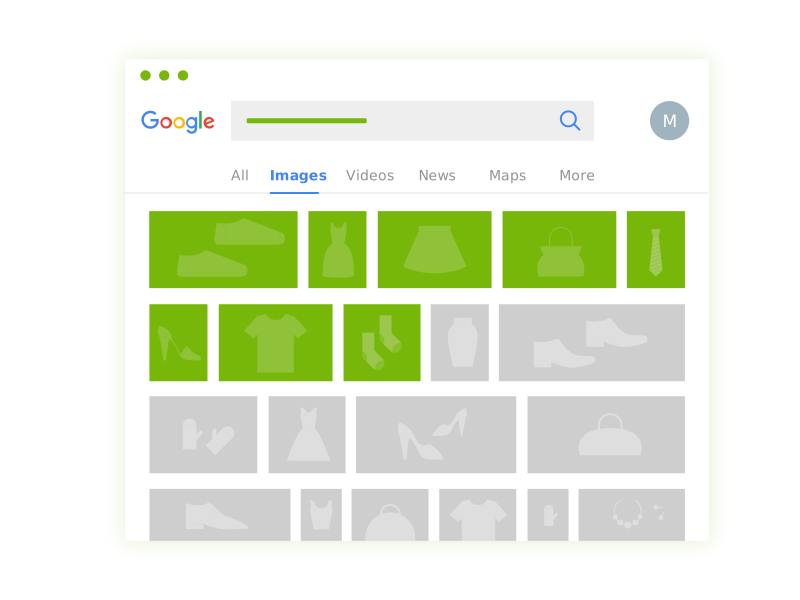
- 1 site
- Unlimited usage on 1 website
- Perfect for webstore owners
£99
One-off payment- 5 sites
- Unlimited usage on 5 sites
- Perfect for freelancers
£349
One-off payment- 10 sites
- Unlimited usage on 10 sites
- Perfect for small agencies
£599
One-off payment- Unlimited
- Unlimited use on unlimited sites
- For big agencies and enterprise
£1,199
One-off payment "I've been using magictoolbox code almost from the beginning. It is well done, imaginative, and compact. I've tried plenty of other image handlers but none are as good a value as these and I highly recommend them."
Wayne Eskridge, lightingshowroom.com
We've got you covered
Money back guarantee
30-day money back guarantee if you are not 100% satisfied.
Free Support
30 minutes free technical support for all customers. You can buy extra support if you need.
Instant Download
Download your product immediately after payment. Pay by credit card, PayPal or bank transfer.
Free updates
Enjoy 12 months of free updates. After that, new versions are available at 80% discount.
Customer reviews
Jerom Ibiza, luckstaribiza.es
Mayowa Oladunjoye, furnitureu.ng
Nikos Paraskevopoulos, storm.gr
Gavin, elmofburford.com
Bulent Karakoc, gunesgozlugu.com
Submit your review
Your review has been received and will be posted soon.
Other OpenCart modules
Try our other great image effects!
 Magic Zoom
 Magic Zoom Plus
 Magic Thumb
 Magic Slideshow
 Magic Scroll
Screenshots
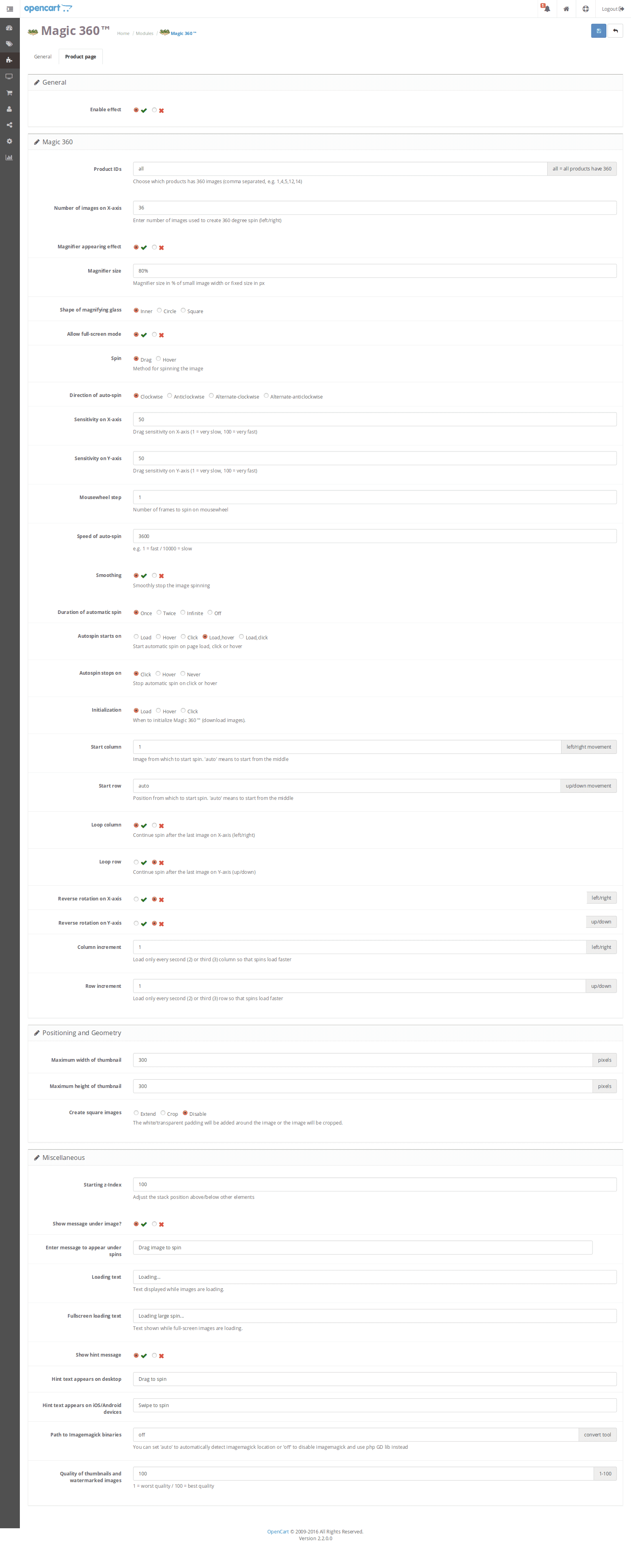
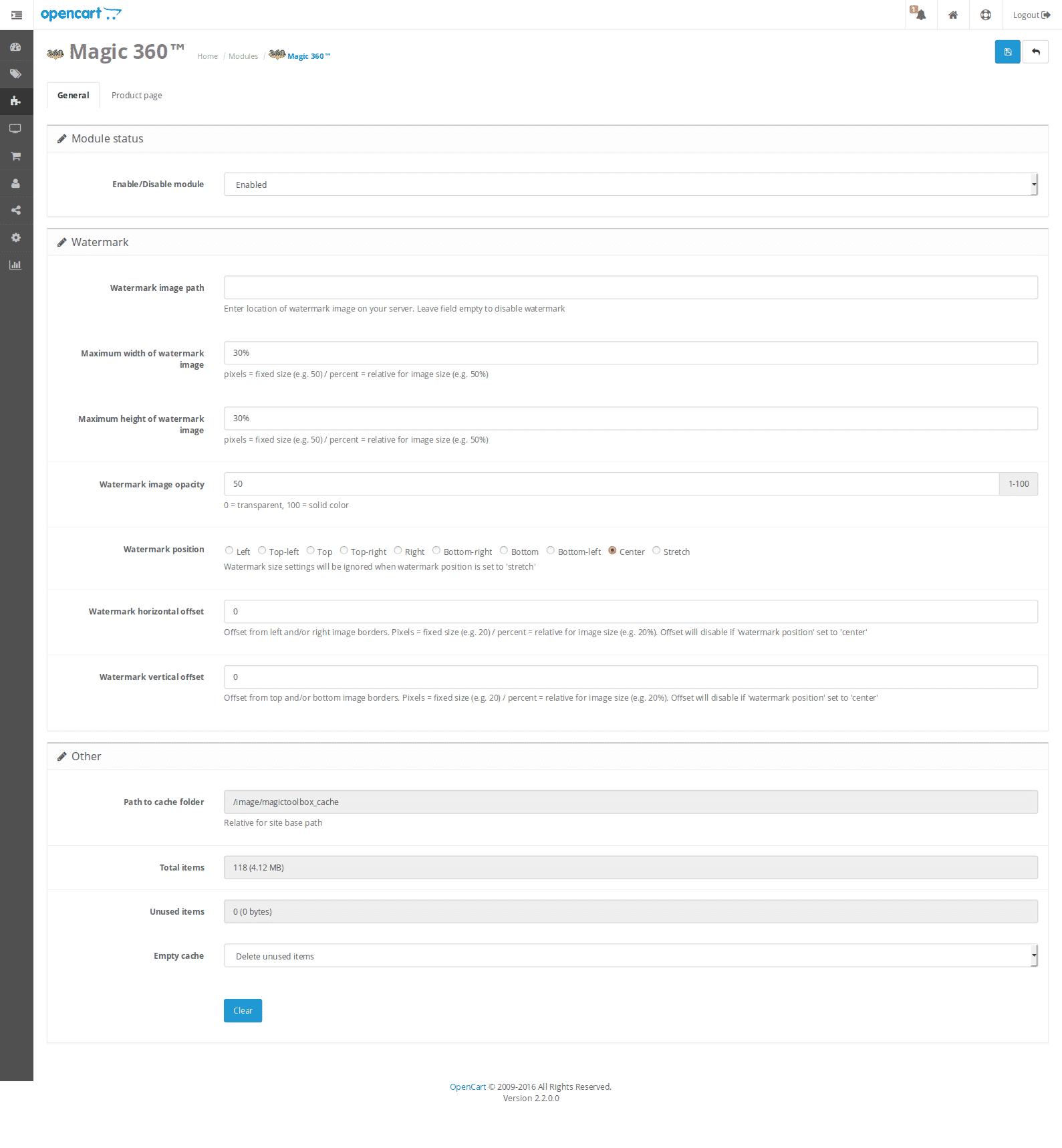
Installation
IMPORTANT - OC 3.x & 2.x: When installed, Magic 360 replaces OpenCart 3.x & 2.x image gallery meaning only 360 spin will show on product page. If you have standard images for the same product and want to display them on the same product page, install Magic Zoom Plus (video, zoom & enlarge).
IMPORTANT - OC 1.5: You will notice only 360 spin shows on product page (normal images will not show). This is because Magic 360 replaces OpenCart 1.5 image gallery.
- Download Magic 360 for OpenCart (free and fully functional demo version).
- Unzip the file on your computer and FTP the magic360 folder to your OpenCart directory (on your server), keeping the file and folder structure intact.
-
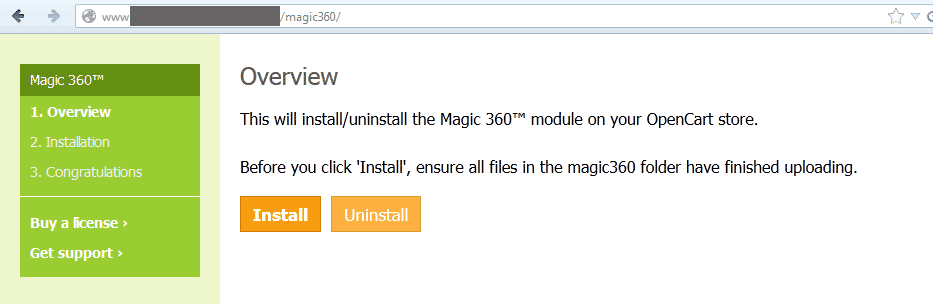
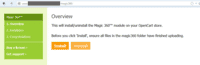 Go to http://www.yoursite.url/magic360/ in your browser > click 'Install' (replace yoursite.url with your domain name.
 -
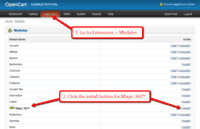 Go to [Admin panel > Extensions > Modules] and install module.
 - Remain on [Admin panel > Extensions > Modules] and click 'Edit' by the Magic 360 listing and enable module.
- If you are using OpenCart 2.x go to [Admin panel > Modifications] and click 'Refresh' button.
- Magic 360 demo version is ready to use! To create a 360 spin, scroll down...
-
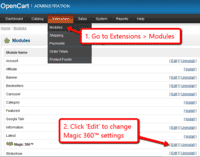 Customize the Magic 360 module through the [Extensions > Modules > Edit] menu in your OpenCart admin panel.
 - Buy Magic 360 To upgrade your free and fully functional trial version of Magic 360 (which removes the "Trial version" text), buy Magic 360 and overwrite following file with the same one from your licensed version:
catalog/view/javascript/magic360.js
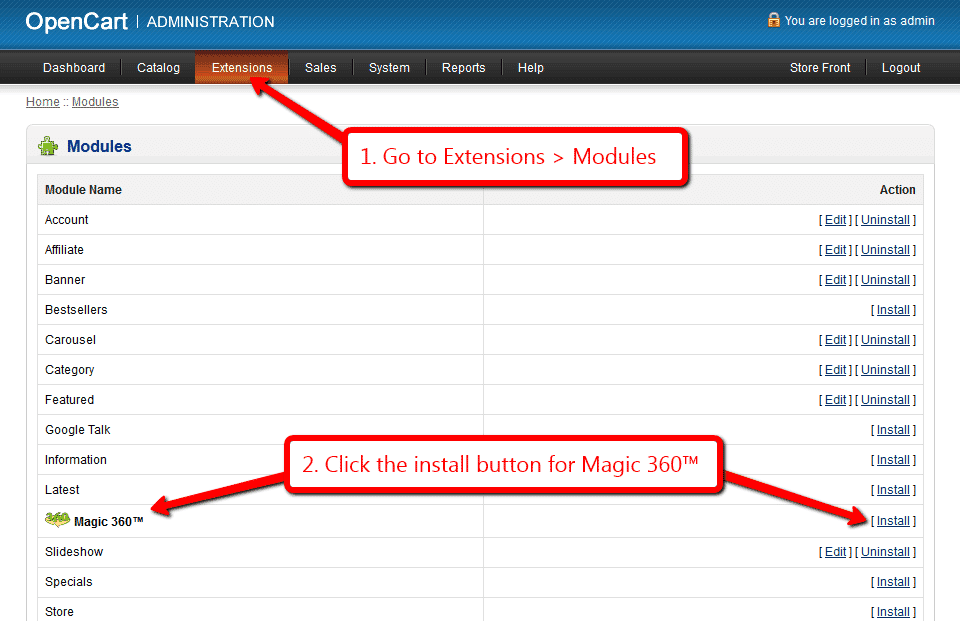
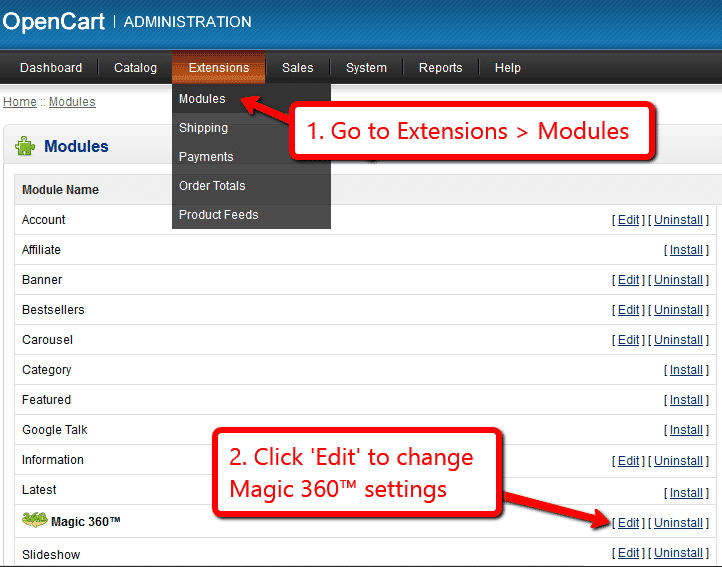
If you run OpenCart inside Joomla using AceShop, please integrate Magic 360 using the instructions below.
- Download Magic 360 for OpenCart (free and fully functional demo version).
- Unzip the file on your computer and FTP the admin and catalog folders to the components/com_aceshop/opencart/ folder (on your server).
- Go to [Admin panel > Components > AceShop > Dashboard > Extensions > Modules] and install module.
- Go to [Admin panel > Components > AceShop > Dashboard > Extensions > Extension Installer] and install magic360.ocmod.xml file.
- Go back to [Admin panel > Components > AceShop > Dashboard > Extensions > Modules] and click 'Edit' by the Magic 360 listing and enable module.
- To setup a 360 spin, upload each photo of your 360 spin to the product page in your Joomla admin (recommended photos: 18 or 36).
- Go back to [Admin > Components > AceShop > Dashboard > Extensions > Modules] and click 'Edit' by the Magic 360™ listing.
- On the Magic 360™ settings page, enable the module and enter the product numbers for those products which should have Magic 360.
Product IDs - Specify which products have 360 images, comma separated e.g. 1,4,5,12,14 (all = all products)
- Make any other customizations you wish to the settings. One important requirement is the number of images per spin (36 is the default).
Number of images on X-axis - Number of images in the spin set e.g. 18 or 36
- Magic 360™ demo version is ready to use!
- Customize the Magic 360 module through the [Admin panel > Components > AceShop > Dashboard > Extensions > Modules > Edit] menu in your Joomla admin panel.
- Buy Magic 360 To upgrade your free and fully functional trial version of Magic 360 (which removes the "Trial version" text), buy Magic 360 and overwrite following file with the same one from your licensed version:
components/com_aceshop/opencart/catalog/view/javascript/magic360.js
If you run OpenCart inside Joomla using MijoShop, please integrate Magic 360 using the instructions below.
- Download Magic 360 for OpenCart (free and fully functional demo version).
- Unzip the file on your computer and FTP the admin and catalog folders to the components/com_mijoshop/opencart/ folder (on your server).
- Go to [Admin panel > Components > MijoShop > Dashboard > Extensions > Modules] and install module.
- Go to [Admin panel > Components > MijoShop > Dashboard > Extensions > Extension Installer] and install magic360.ocmod.xml file.
- Go back to [Admin panel > Components > MijoShop > Dashboard > Extensions > Modules] and click 'Edit' by the Magic 360 listing and enable module.
- To setup a 360 spin, upload each photo of your 360 spin to the product page in your Joomla admin (recommended photos: 18 or 36).
- Go back to [Admin > Components > MijoShop > Dashboard > Extensions > Modules] and click 'Edit' by the Magic 360 listing.
- On the Magic 360™ settings page, enable the module and enter the product numbers for those products which should have Magic 360™.
Product IDs - Specify which products have 360 images, comma separated e.g. 1,4,5,12,14 (all = all products)
- Make any other customizations you wish to the settings. One important requirement is the number of images per spin (36 is the default).
Number of images on X-axis - Number of images in the spin set e.g. 18 or 36
- Magic 360™ demo version is ready to use!
- Customize the Magic 360 module through the [Admin panel > Components > MijoShop > Dashboard > Extensions > Modules > Edit] menu in your Joomla admin panel.
- Buy Magic 360 To upgrade your free and fully functional trial version of Magic 360 (which removes the "Trial version" text), buy Magic 360 and overwrite following file with the same one from your licensed version:
components/com_mijoshop/opencart/catalog/view/javascript/magic360.js
If you run OpenCart inside Joomla using jCart, please integrate Magic 360 using the instructions below.
- Download Magic 360 for OpenCart (free and fully functional demo version).
- Unzip the file on your computer and FTP the admin, catalog and system folders to the components/com_jcart/ folder (on your server).
- Go to [Admin panel > Components > jCart > Modules] and install module.
- Go back to [Admin panel > Components > jCart > Modules] and click 'Edit' by the Magic 360 listing and enable module.
- To setup a 360 spin, upload each photo of your 360 spin to the product page in your Joomla admin (recommended photos: 18 or 36).
- Go back to [Admin > Components > jCart > Modules] and click 'Edit' by the Magic 360 listing.
- On the Magic 360™ settings page, enable the module and enter the product numbers for those products which should have Magic 360™.
Product IDs - Specify which products have 360 images, comma separated e.g. 1,4,5,12,14 (all = all products)
- Make any other customizations you wish to the settings. One important requirement is the number of images per spin (36 is the default).
Number of images on X-axis - Number of images in the spin set e.g. 18 or 36
- Magic 360™ demo version is ready to use!
- Customize the Magic 360 module through the [Admin panel > Components > jCart > Modules > Edit] menu in your Joomla admin panel.
- Buy Magic 360 To upgrade your free and fully functional trial version of Magic 360 (which removes the "Trial version" text), buy Magic 360 and overwrite following file with the same one from your licensed version:
components/com_jcart/catalog/view/javascript/magic360.js
Setup a spin
-
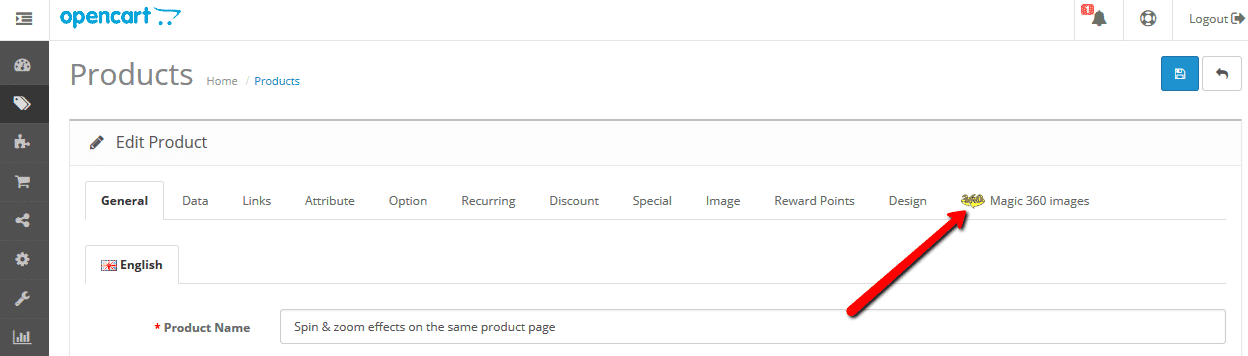
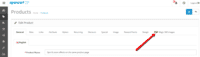 Open the product which you'd like to spin and click 'Magic 360 images' tab at the top.
 -
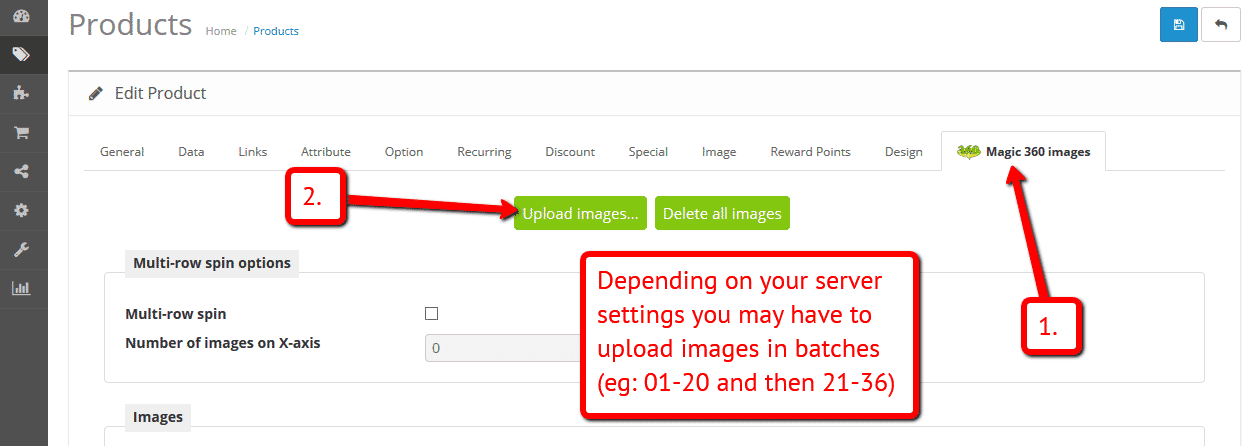
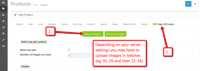 Click Upload images > Browse your computer for your set of images. (Depending on your server settings you may have to upload images in batches eg: 01-20 and then 21-36).
 -
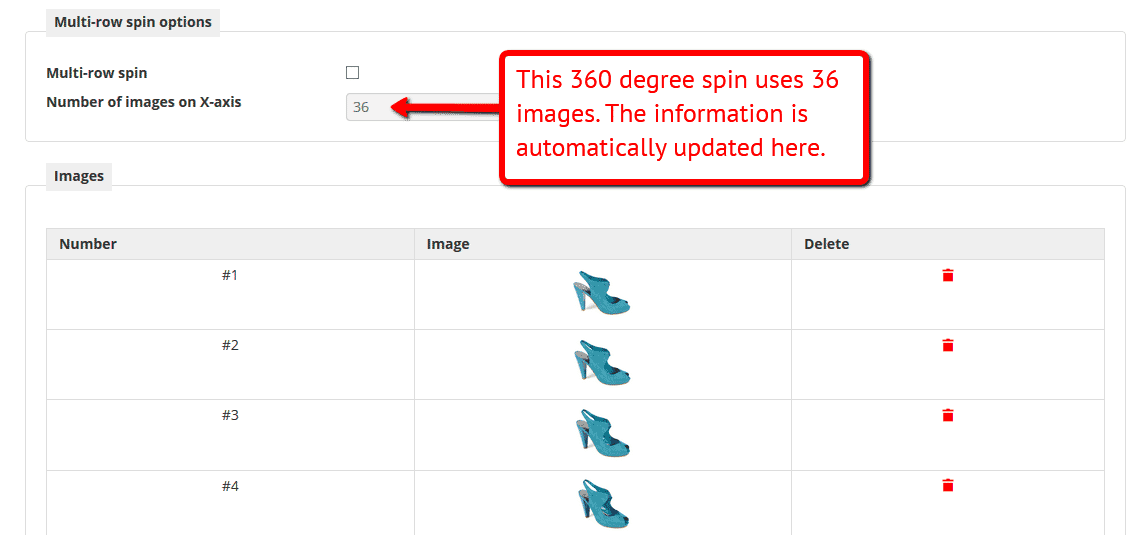
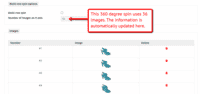 The 'Multi row spin' section at top of the page will automatically appear and update. The 'Number of images on X-axis' shows how many images are in your spin.
 -
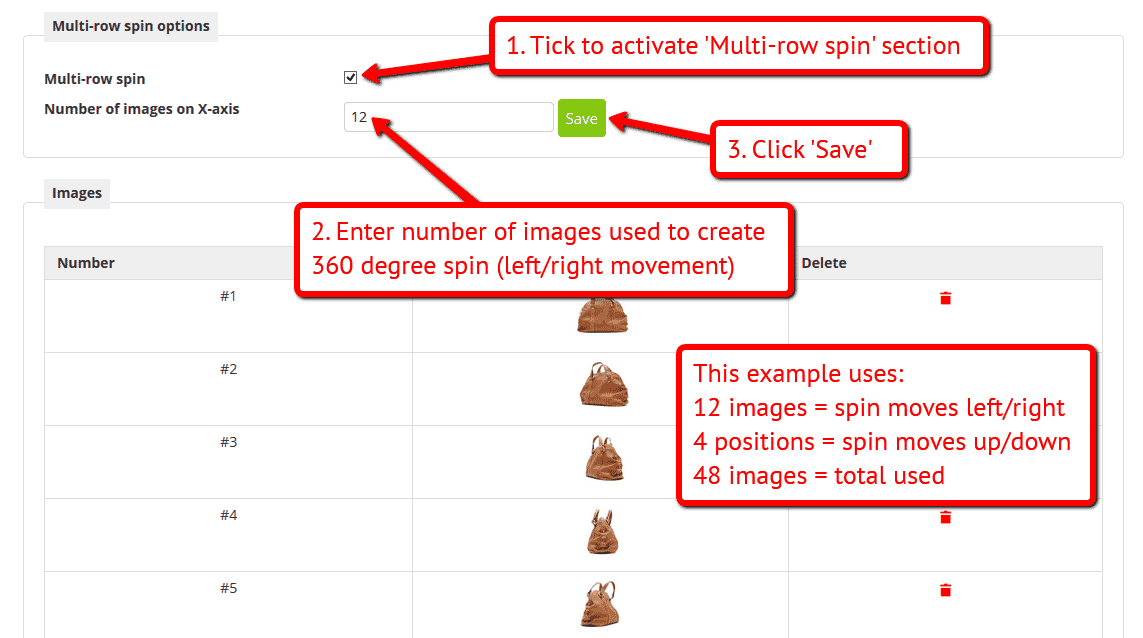
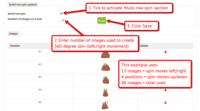 If your spin is 3D, click 'Multi-row spin' and enter the number of images which create the left/right movement.
Video instructions
Multiple images (OC3 & OC2)
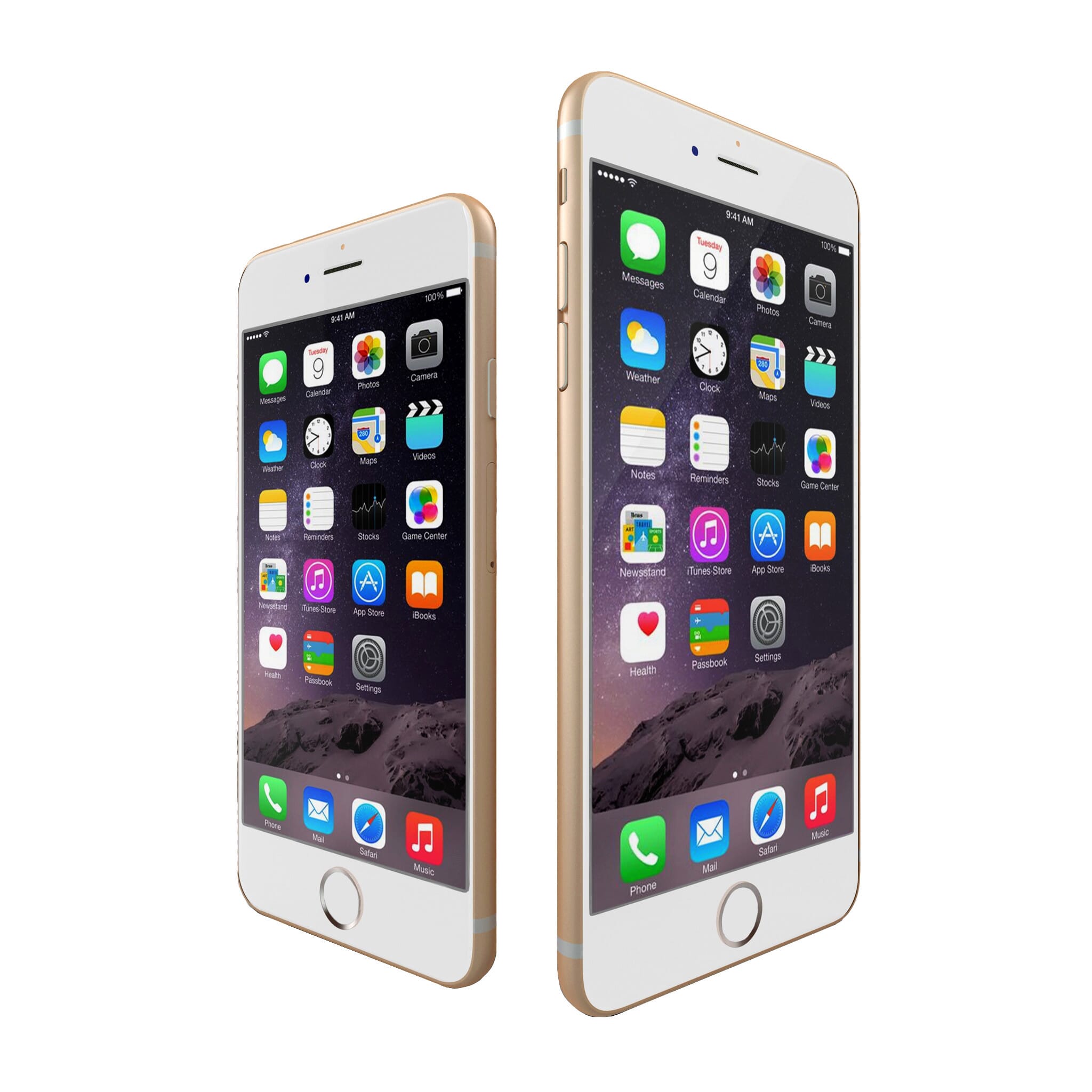
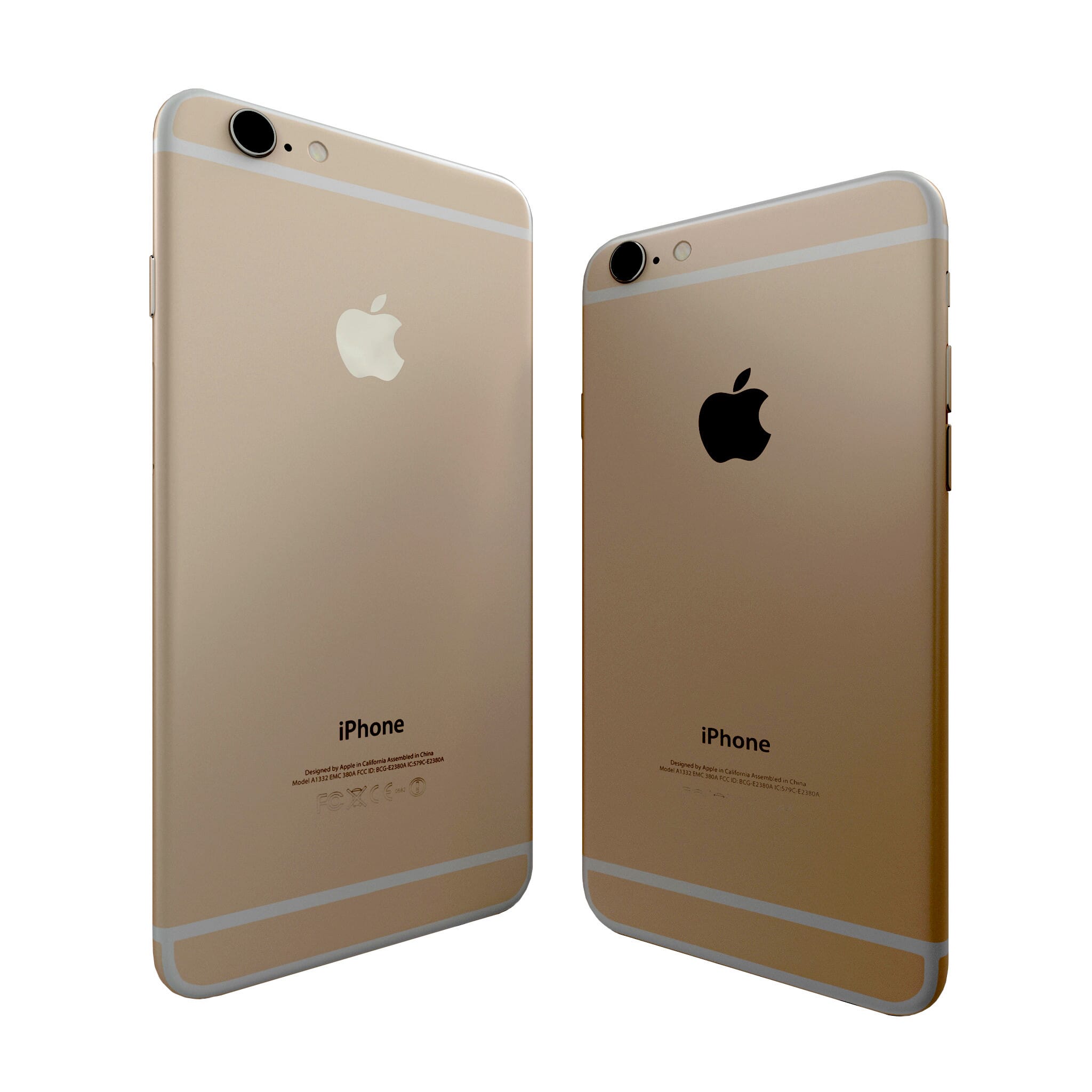


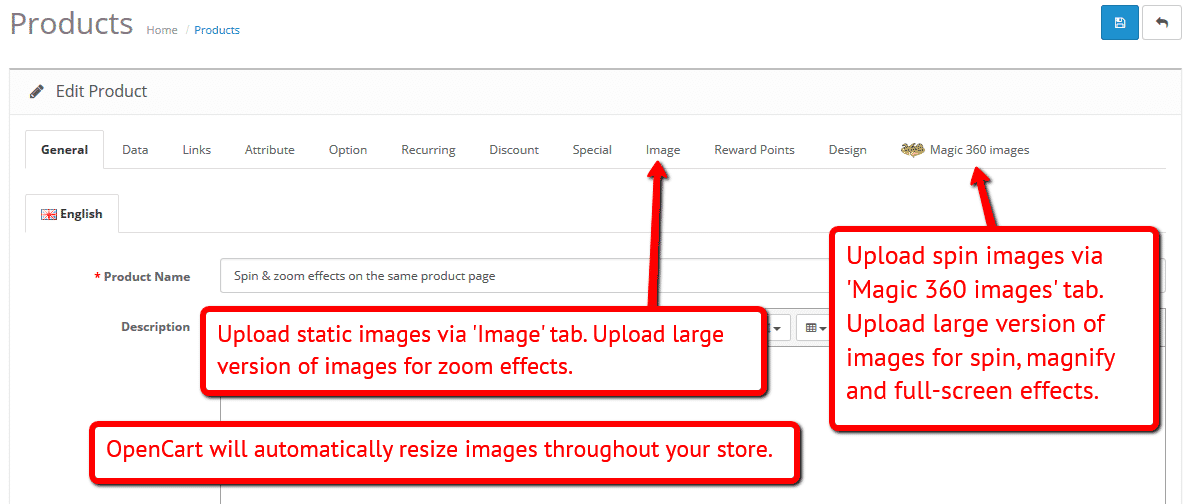
To spin some images and zoom others (like the example above) on your OpenCart 3.x & 2.x stores, you can install both Magic 360 and Magic Zoom Plus.
- Install the OpenCart extension for Magic 360.
- Install the OpenCart extension for Magic Zoom Plus.
- Create a new product or open an existing one.
- Upload your zoom images via the 'Images' section. Upload your 360 spin images via the 'Magic 360 images' section (screenshot -
 ).
).
Spin in CMS area
Enjoy 360 spins on any CMS page on your OpenCart store. Get in touch with any questions you may have.
- Go to the module options page: [Admin panel > Extensions > Magic 360].
- Go to 'General' tab > 'Miscellaneous' section > 'Include headers on all pages' option > Click 'tick' > Save settings.
- Go to 'Catalog > Information'.
- Open existing page or create a new page.
- Scroll down to 'Description' section > Click 'Code View' button.
Insert an <img> tag for the first image in your spin. Wrap an <a> tag around it with a class of Magic360 and href of #. Specify the format of your file names using the filename parameter inside a data-magic360-options tag (this is described in detail on the Magic 360 integration page).
<a href="#" class="Magic360" data-magic360-options="filename:YOUR-IMAGE-NAME-{col}.jpg;"><img src="YOUR-IMAGE-NAME-01.jpg"></a>- Save changes.
- Customize your 360 spins using the Magic 360 detailed HTML instructions.
Uninstallation
Thanks for trying Magic 360 on your OpenCart site! What did you hope Magic 360 could do? How can we improve it? Let us know, we're always improving our tools based on customer feedback.
- Go to [Admin panel > Extensions > Modules] and Uninstall module.
- Go to http://yoursite.url/magic360/ in your browser and click 'Uninstall' (replace yoursite.url with your domain name).
- If you are using OpenCart 2.x go to [Admin panel > Modifications] and click 'Refresh' button.
- Delete the magic360 folder from your OpenCart directory (on your server).
- Magic 360 is now uninstalled.
If you run OpenCart inside Joomla using AceShop, please uninstall Magic 360 using the instructions below.
- Go to [Admin panel > Components > AceShop > Dashboard > Extensions > Modules] and click 'Edit' by the Magic 360 listing and disable module.
- Remain on [Admin panel > Components > AceShop > Dashboard > Extensions > Modules] and uninstall module.
- Magic 360 is now uninstalled!
If you run OpenCart inside Joomla using MijoShop, please uninstall Magic 360 using the instructions below.
- Go to [Admin panel > Components > MijoShop > Dashboard > Extensions > Modules] and click 'Edit' by the Magic 360 listing and disable module.
- Remain on [Admin panel > Components > MijoShop > Dashboard > Extensions > Modules] and uninstall module.
- Magic 360 is now uninstalled!
FAQ
What is a 360 product viewer?
A 360 product viewer takes a set of 360 degree images and merges them together on a web page. This creates an interactive spin which visitors can move left and right to see every angle of the item. (If your 360 photography was also taken on Rows, your 360 spin will move up and down too.)