

- Product details page
- Manual install elsewhere
Supported pages & blocks
Features you'll love...
- Responsive
- Fast
- Built with SEO in mind
- Image caching
- Easily customisable
- Automatically resizes images
- Scrollable thumbnails
- All templates supported
- Instant watermarks for images
- On-demand loading
- Constantly updated
- no jQuery required
- Single payment and it's your forever
- X-Cart 4.0 - 4.7.x
- X-Cart 5 (Mobile, Business, Premium)
360 degree spins tend to increase conversions by at least 27%. Shoppers want to see every detail and look at a particular item from every angle before making a purchase. This also leads to less returns, since people see your products almost like in real life.
360 degree spins can sound hard and intimidating. Not the case with Magic 360. It’s super easy to showcase beautiful and fast loading 360 degree views of your products in minutes.
We made it possible with our X-Cart 360 degree viewer module – Magic 360. With 23 customization options, it will look perfect on both desktop and mobile devices. You can adjust rotation speed and direction, use auto-spin, different zoom styles, load images on-demand along with other useful features. Your customers will see and rotate your products intuitively, with a possibility to enlarge them to full-screen. It is a straight road to increased sales!
Don't waste any more time - install Magic 360 for X-Cart now and increase your sales.
Verified by X-Cart:
Read reviews of Magic 360 on the official marketplace for X-Cart 5 addons.
Single spin demo 3D spin demo Spin & zoom demo
Installation
X-Cart 4.x installation
IMPORTANT: Install any of our 3 image zoom tools to display standard product images, otherwise only 360 spin will show on product page.
- Download Magic 360 for X-Cart 4.x (free and fully functional demo version).
- Unzip the file on your computer and FTP the magic360 folder to your X-Cart directory (on your server), keeping the file and folder structure intact.
- Go to http://www.yoursite.url/magic360/ in your browser > click 'Install' (replace yoursite.url with your domain name).
- Go to http://your.site.url/admin/magic360.php and configure Magic 360 as you wish.
- That's all

- Buy Magic 360 To upgrade your free and fully functional trial version of Magic 360 (which removes the "Trial version" text), buy Magic 360 and overwrite following file with the same one from your licensed version:
modules/MagicToolbox/magic360/magic360.js
X-Cart 5 installation
Automatic installation
Buy Magic 360 directly from X-Cart 5 Marketplace!

- Go to Magic 360 on the X-Cart market to buy this X-Cart 5 addon.
- Click 'Add to cart' > Follow payment process.
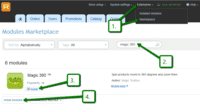 Go to: the Admin area of your store > Extensions > Marketplace.
- Enter 'Magic 360' in the search field.
- Tick checkbox 'Install' next to Magic 360 module name.
- Click 'Install modules' button
- Magic 360 is now installed.
- To customize Magic 360, go to: Extensions > Installed modules > Magic 360 module > Click 'Settings'. Configure how you would like Magic 360 to look on your website.

Manual integration
Alternatively, you can follow these instructions to install Magic 360 manually on your X-Cart 5 website.
- If a previous version of the module is installed, uninstall it.
- Download Magic 360 for X-Cart 5 (free and fully functional demo version).
- Unzip the contents of the ZIP file and upload the classes and skin folders to your X-Cart 5 directory.
- Login to your X-Cart 5 admin area and re-build the cache: System settings -> Re-build cache link in the menu.
- Enable the Magic 360 module on the 'Installed Modules' page and press 'Save changes' button via Extensions > Installed modules.
- Go to the Magic 360 module settings page via Extensions > Installed modules > Magic 360 settings and configure Magic 360 how you want it.
- To setup a 360 spin, upload your set of 360 images to your product in your X-Cart admin. Depending on your server settings you may have to upload your 360 degree images in batches eg: 01-20 and then 21-36.
- On the module settings page, choose which products should have the Magic 360 effect by modifying following parameters:
- Number of images on X-axis - Number of images in the spin set e.g. 18 or 36 (0 = disabled)
- Product IDs - Choose which products have 360 images, comma separated e.g. 1,4,5,12,14 (all = all products)
- Magic 360 is ready to use!
- Buy Magic 360 To upgrade your free and fully functional trial version of Magic 360 (which removes the "Trial version" text), buy Magic 360 and overwrite following file with the same one from your licensed version:
skins/customer/modules/MagicToolbox/Magic360/js/magic360.js
Setup a 360 spin
We recommend you upload large versions of your products images. X-Cart will resize images automatically throughout website.
-
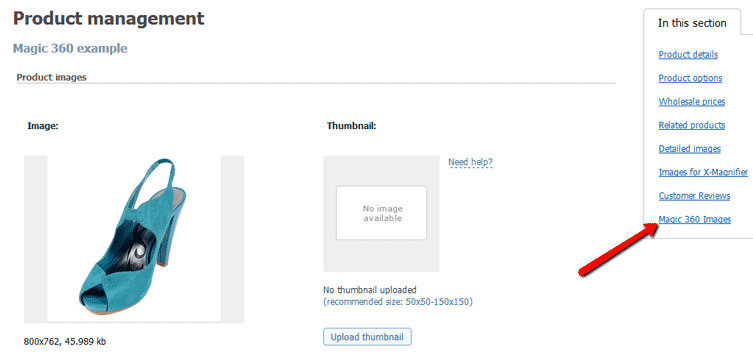
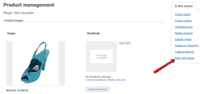 Open the product which you'd like to spin and click 'Magic 360 Images' section on the right hand side.
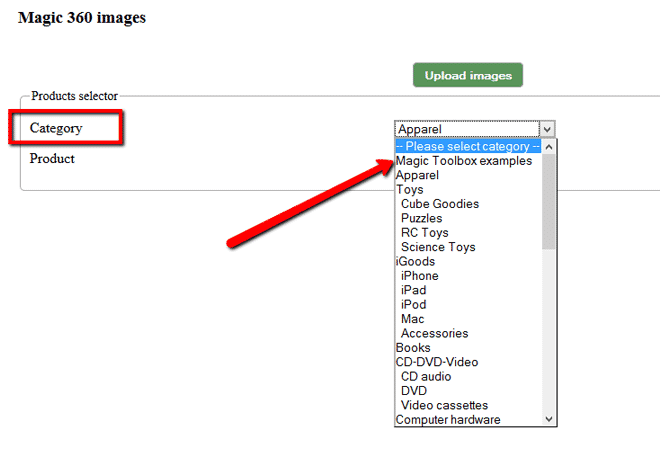
 - Select product images will be uploaded to:
- Category - select category your product appears. screenshot

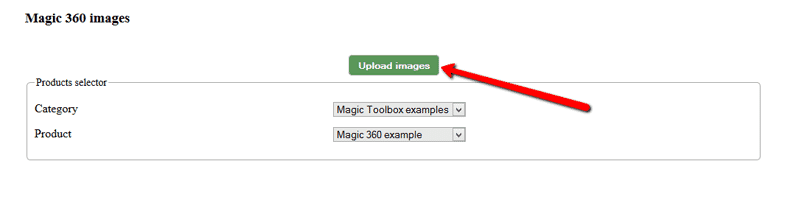
- Product - select product images will be uploaded to. screenshot
- Category - select category your product appears. screenshot
-
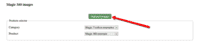 Click Upload images and browse your computer for your set of images. (Depending on your server settings you may have to upload images in batches eg: 01-20 and then 21-36).
 -
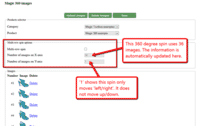 The 'Multi-row spin' section at the top of the page will automatically appear and update. The 'Number of images on X-axis' shows how many images are in your spin. The 'Number of images on Y-axis' shows if your spin moves up/down. '1' means one row only.
 -
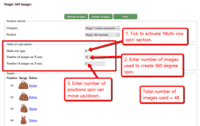 If your spin has multiple rows, click 'Multi-row spin' and enter the number of columns and rows in Number of images on X-axis and Number of images on Y-axis.



Spin + Zoom (X-Cart 4.x)
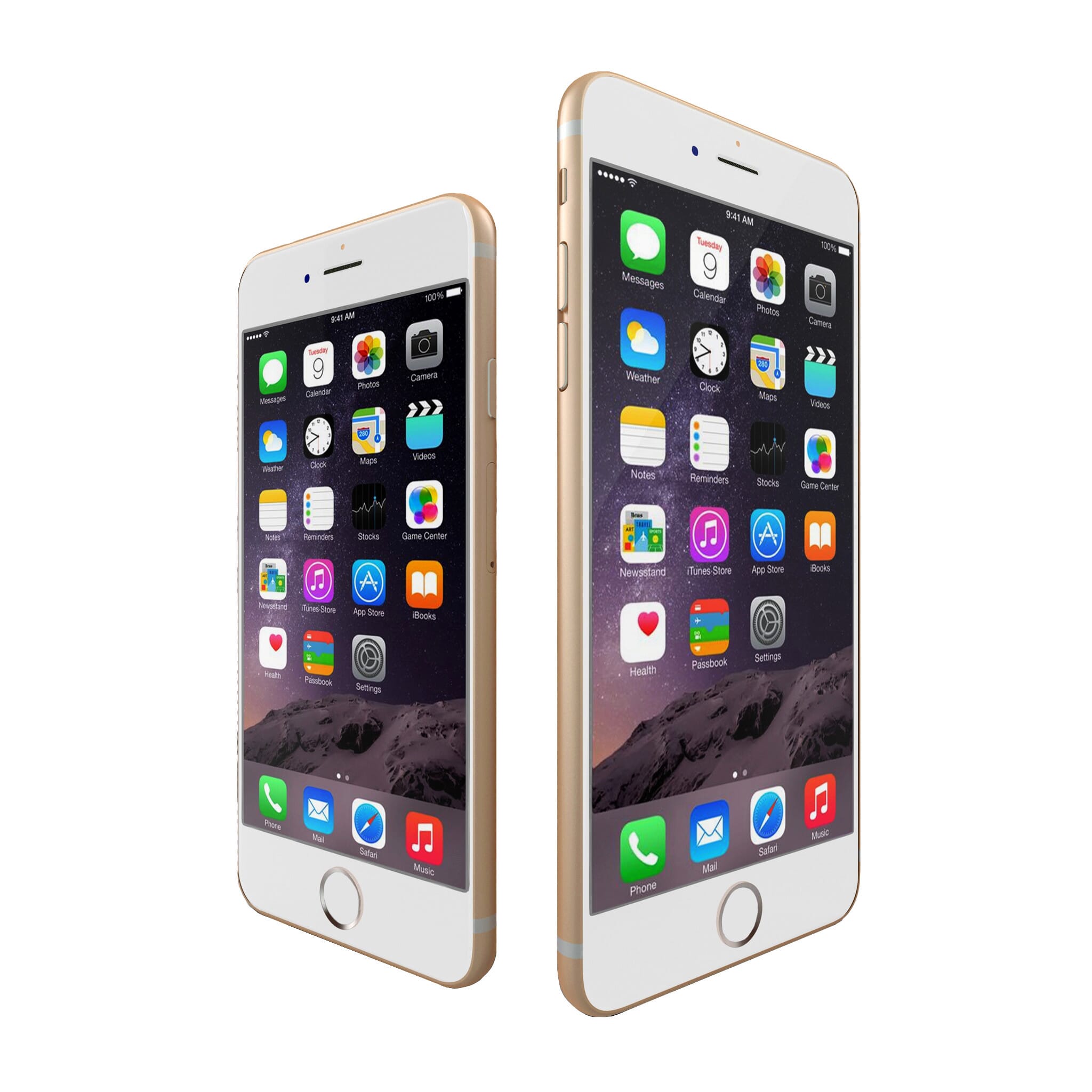
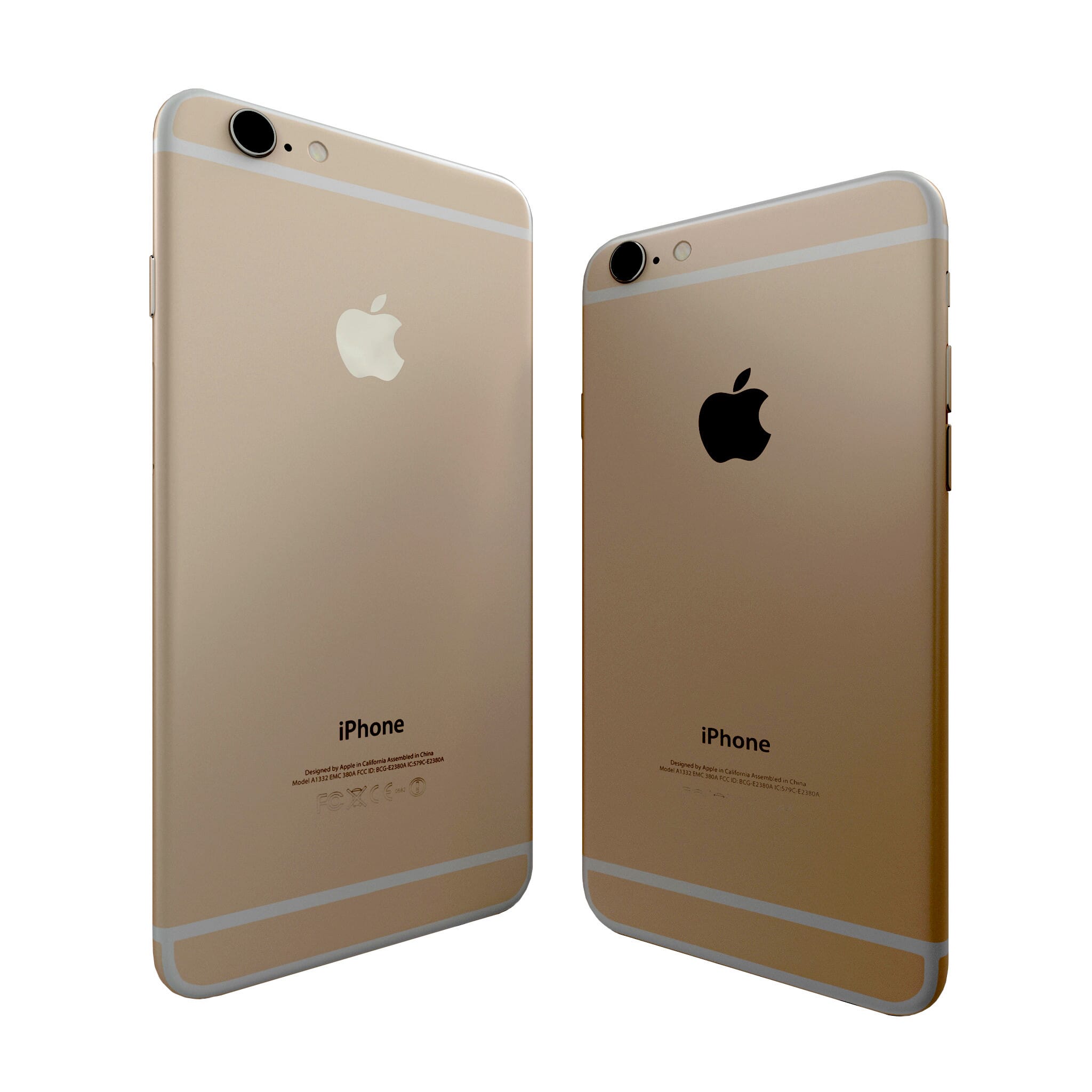


Combine 360 JavaScript spin + any image zoom on your product page (like the example above).
- Install the X-Cart extension for Magic 360.
- Install the X-Cart extension for Magic Zoom Plus, Magic Zoom or Magic Thumb.
- Create a new product or open an existing one.
-
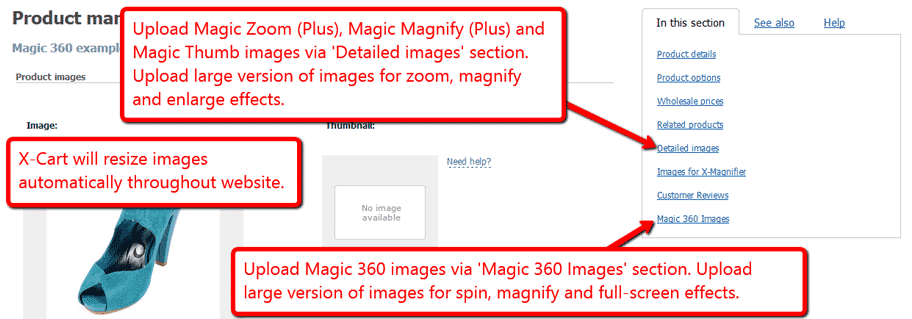
 Upload your zoom, magnify or enlarge images via the 'Detailed images' section. Upload your 360 spin images via the 'Magic 360 Images' section.
Uninstallation
Thanks for trying Magic 360 on your X-Cart site! What did you hope Magic 360 could do? How can we improve it? Let us know, we're always improving our tools based on customer feedback.
- Go to http://www.yoursite.url/magic360/ in your browser > click 'Uninstall' (replace yoursite.url with your domain name).
- Delete the magic360 folder from the root of your X-Cart directory (on your server).
- Magic 360 is now uninstalled.
- Login to your X-Cart 5 admin area.
- Go to: Extensions > Installed modules > Find Magic 360 > Click 'basket' icon to uninstall Magic 360.
- Magic 360 is now uninstalled.
FAQ
What is a 360 product viewer?
A 360 product viewer takes a set of 360 degree images and merges them together on a web page. This creates an interactive spin which visitors can move left and right to see every angle of the item. (If your 360 photography was also taken on Rows, your 360 spin will move up and down too.)
Customer reviews
Thorsten
Submit your review
Your review has been received and will be posted soon.
Other X-Cart modules
Try our other great image effects!
 Magic Zoom
 Magic Zoom Plus
 Magic Thumb
 Magic Slideshow
 Magic Scroll
For help setting up this X-Cart 360° addon, contact us.
Once installed, you can change the spin speed, auto-rotate, colors, borders, spin on hover/drag/click and other settings. View the customization options.
Magic 360 works on iPad, iPhone, most Android devices and all major browsers (Internet Explorer, Firefox, Chrome, Safari, Opera). The 360 degree spin is created with JavaScript software, not Flash.
You'll need a set of images, any number will do, spaced equally. At least 18 images is best. For a smooth spin, try 36 images. They can be one row, multiple rows (for a 3D effect) or one row and one column (for a Martini effect, like the blue running shoe).
If you need 360º photography of your products, we can help you find a professional 360 spin photographer in your country. We have partnerships with studios in US, UK, Netherlands, Germany, Denmark, Czech Republic, Norway and the Phillipines. Contact us with your requirements to request a 360 photography quotation.
This add-on was created to spin products in 360 rotation for X-Cart.